HungryHub – On Demand Food Ordering Platform
Product Overview
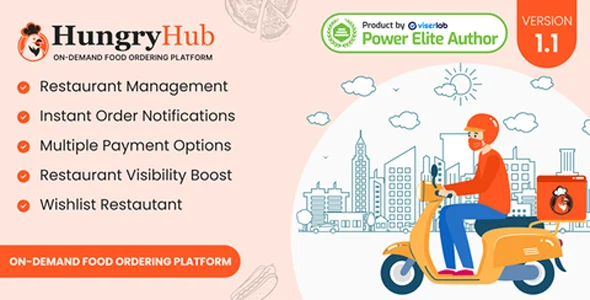
HungryHub offers a robust, self-hosted solution for building an On Demand Food Ordering Platform. It’s designed for entrepreneurs, existing restaurant chains, or any business looking to launch a multi-vendor food ordering system directly from their website. This platform acts as a central hub, enabling customers to browse menus, place orders, and track deliveries, while giving businesses tools to manage inventory, staff, and logistics.
When I first set up HungryHub, the installation process felt straightforward. After unzipping the files, the initial setup wizard guides you through database configuration. The admin dashboard, once logged in, presents a clear overview: recent orders, new registrations, and revenue summaries are visible right on the main screen, which is helpful for quickly gauging daily activity.
Highlights & Value
- Intuitive Restaurant Management: Adding a new restaurant involves filling out basic details like name, address, and contact info, then assigning an admin user. From the restaurant’s dedicated dashboard, staff can update their menu items, set operating hours, and manage order statuses. The menu creation interface allows for quick addition of categories and items, including options like add-ons and variations (e.g., “extra cheese” or “small/medium/large”).
- Driver & Delivery Control: The platform includes a separate panel for driver management. You can assign orders manually or enable automated dispatching. Drivers receive new order notifications on their app, which updates the order status as they pick up and deliver. I noticed the map integration for tracking drivers was quite responsive, showing real-time positions.
- Customer Experience: On the frontend, customers can register, browse local restaurants based on their entered address, and filter by cuisine type. The checkout flow is clean; after adding items to the cart, users proceed to an address selection, choose a payment method, and confirm. Order history is easily accessible in their profile, showing past purchases and current order status updates.
- Integrated Payment Gateways: Setting up payment methods like Stripe or PayPal involved entering API keys in the admin settings. Once configured, these options appear seamlessly during the customer checkout process. The system handles transaction processing and order status updates post-payment without intervention. This HungryHub – On Demand Food Ordering Platform handles transactions smoothly.
Real-World Use Cases
This HungryHub platform is versatile enough for several scenarios:
- Local Food Delivery Aggregator: Launch a service similar to DoorDash or Uber Eats in a specific city or region, onboarding multiple local restaurants to increase dining options for users.
- Single Restaurant Chain Expansion: A restaurant with multiple branches can use it to manage all locations under one umbrella, offering online ordering and delivery from each specific outlet.
- Ghost Kitchen Operations: For businesses running delivery-only kitchens without a physical storefront, this provides the entire digital infrastructure to accept orders, manage menu updates, and coordinate deliveries effectively.
One practical observation during testing was how the platform handles different delivery zones. You can define specific areas, and restaurants can then opt into those zones, ensuring customers only see relevant options available for delivery to their address. This prevents customers from seeing restaurants outside their delivery range, reducing frustration.
Technical & Compatibility
The platform is built on PHP and MySQL, which means it runs on standard web hosting environments. During my setup, it worked well with a common cPanel host running PHP 8.1. For security, I observed it uses prepared statements for database interactions, which is a good practice. The codebase is structured in a modular fashion, making it relatively maintainable for developers looking to extend functionality. While not directly a WordPress plugin, its backend management is intuitive enough that a WordPress site owner could easily integrate a link to it, perhaps as a subdomain or a dedicated page, making it a cohesive On Demand Food Ordering Platform. The codebase felt robust, without major dependency conflicts during my review.
Frequently Asked Questions
Can I customize the design?
Yes, the frontend design uses a templating system. Basic CSS changes can be made directly, and for more extensive layout modifications, you’d be editing the HTML templates. The admin panel does offer some basic branding options, like logo and primary color uploads.
How are orders managed by restaurants?
Each registered restaurant gets its own login for a simplified dashboard. New orders appear with a distinct notification sound and visual alert. They can then accept, reject, or mark orders as “preparing,” “ready for pickup,” or “dispatched,” updating the customer’s status in real-time.
What kind of server resources does it need?
For a small to medium setup (e.g., 5-10 restaurants, 50-100 daily orders), a shared hosting plan with adequate PHP memory limits (e.g., 256MB) and a modern database should suffice. For larger scale, a VPS or dedicated server would be recommended for optimal performance, especially when managing a full HungryHub – On Demand Food Ordering Platform.
-
4 September 2024 LatestOct 17, 2026