
 My Account
 Product Overview
The Human Resources Management (HRM) module is an essential extension that integrates seamlessly with Perfex CRM, enhancing its capabilities as a Workforce Automation module for Perfex CRM. This comprehensive Human Resources Management (HRM) & Workforce Automation module for Perfex CRM is designed for businesses already using Perfex, looking to centralize their HR functions. It targets administrators and HR personnel who need to manage employee data, attendance, leave, and payroll directly within their existing CRM environment.
Once installed, a new “HRM” section appears in the Perfex CRM sidebar navigation, typically positioned below “Projects” or “Tasks.” Clicking it reveals sub-menus for “Staff,” “Attendance,” “Leave,” and “Payroll,” maintaining the familiar Perfex UI structure. This integration means HR tasks become part of the daily workflow, accessible through a consistent interface.
Highlights & Value
- Extended staff profiles: Beyond basic contact, you’ll find dedicated tabs within each staff member’s profile for employment details, document uploads (like contracts or certifications), and emergency contacts. This centralizes all staff-related information on one screen, accessible from their Perfex user record.
- Configurable leave types and approval workflows: Employees request leave through a dedicated portal, filling out a form with dates and leave type. Managers receive notifications and can approve or reject requests directly from their Perfex dashboard. The leave calendar updates automatically upon approval, preventing scheduling conflicts.
- Precise attendance logging: Staff can clock in/out directly from their Perfex dashboard, with options for IP address capture to verify location. The system generates daily, weekly, or monthly attendance reports showing actual hours worked versus scheduled, displayed in an easy-to-read table format.
- Simplified payroll generation: Based on attendance and defined salary structures, the module calculates and generates payslips. Deductions and bonuses can be manually adjusted per employee before finalization, which then creates a PDF for staff download directly from their Perfex portal.
Real-World Use Cases
- Streamlining new employee onboarding: Once a new hire is added to Perfex, their HR profile is immediately available. You can upload offer letters, contracts, and set up their initial leave balance without switching systems or manually updating spreadsheets.
- Tracking remote team activity: For distributed teams, the clock-in/out feature with IP logging provides a verifiable record of work hours, ensuring accountability. Managers can quickly view who is clocked in and for how long, directly from the “Attendance” dashboard.
- Preparing for performance reviews: All historical leave, attendance records, and document uploads within a staff member’s profile provide a consolidated view. This aids in objective performance discussions and ensures all relevant data is at hand during review meetings.
Technical & Compatibility
The Human Resources Management (HRM) module installs like any other Perfex CRM add-on. You upload the ZIP file via the CRM’s “Setup > Modules” interface, then activate it. It’s a self-contained unit, meaning it doesn’t typically conflict with other Perfex modules unless they heavily modify core staff or settings pages, making integration straightforward.
For those already reliant on the Perfex CRM ecosystem, this Workforce Automation module for Perfex CRM fits naturally. It extends existing Perfex tables for staff and documents, adding new custom tables specifically for attendance, leave requests, and payroll entries. This design ensures data integrity within the Perfex database structure and leverages Perfex’s native security protocols.
FAQ & Tips
Can I customize leave types with the Human Resources Management (HRM) & Workforce Automation module for Perfex CRM? Yes, the module offers a dedicated settings area where you can define various leave categories (e.g., annual leave, sick leave, unpaid leave), assign specific accrual rules, and determine whether they require manager approval or carry over to the next year. This is accessed via “HRM > Settings > Leave Types.”
What about user roles and permissions? The module integrates with Perfex CRM’s existing role management. You can define which staff roles (e.g., ‘HR Manager,’ ‘Team Lead’) have access to view, edit, or approve different HRM functions, such as payroll processing or leave approvals. This granular control is set within the Perfex ‘Roles’ section, extending permissions for the new HRM features, ensuring data security and proper workflow.
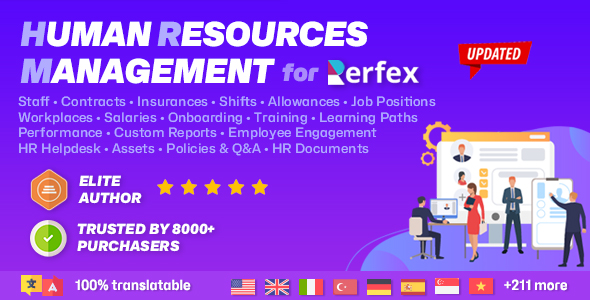




 module is an essential extension that integrates seamlessly with Perfex CRM, enhancing its capabilities as a Workforce Automation module for Perfex CRM. This comprehensive Human Resources Management (HRM) & Workforce Automation module for Perfex CRM is designed for businesses already using Perfex, looking to centralize their HR functions. […])
There are no reviews yet.