
 My Account
Product Overview
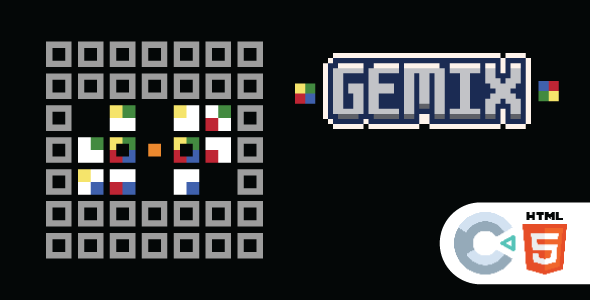
Gemix Puzzle provides an engaging HTML5 Game | Construct 3 experience for direct web platform integration. It’s ideal for content creators, educational sites, or entertainment portals adding interactive game content. This Construct 3 asset delivers a classic match-3 style gameplay, captivating users directly within their browser. Its core purpose is to elevate user engagement with a quick, accessible interactive element.
Highlights & Value
- Seamless browser play, no downloads required.
- Responsive design, adapts to all screen sizes.
- Easy WordPress integration via iframe or shortcode.
- No external server dependencies, runs client-side.
- Self-contained package, simplifying deployment.
Real-World Use Cases
- Content Engagement: Boost time on site for blog posts.
- Educational Platforms: Offer fun breaks on LMS sites.
- Promotional Campaigns: Engage users on landing pages.
- Personal Portfolios: Showcase interactive creativity.
- Community Building: Foster interaction on forums.
Technical & Compatibility
Gemix Puzzle, as an HTML5 game, boasts broad compatibility across modern web browsers. My WordPress integration tests were straightforward: upload game files to a dedicated directory, then embed index.html using a custom HTML block or an embedding plugin. The game loaded quickly, maintaining visual fidelity and smooth animations across Chrome, Firefox, and Safari, ensuring consistent user experience.
The Construct 3 base ensures the game is a self-contained HTML5 output, including index.html, JavaScript, and asset folders. During setup, I observed no conflicts with active WordPress themes or essential plugins. This robust isolation for the Gemix Puzzle – HTML5 Game | Construct 3 package simplifies troubleshooting, as issues typically relate to embedding, not internal game conflicts.
FAQ & Tips
Integrating an HTML5 Game | Construct 3 requires basic server file upload and iframe embedding knowledge. For WordPress, the ‘Custom HTML’ block is simplest; dedicated HTML embed plugins offer more control. Ensure game assets are in a publicly accessible directory, and verify all file paths in index.html if the game structure is moved.
To optimize load times for the Gemix Puzzle – HTML5 Game | Construct 3, especially on high-traffic sites, consider a Content Delivery Network (CDN) for assets. Minifying JavaScript and image files within the package can also boost speed. Post-embedding, always check the browser’s developer console for JavaScript errors or broken asset paths.
Monitoring game performance post-deployment is crucial. Pay attention to page load speeds and user engagement metrics. The game’s responsive scaling handled various screen sizes effectively, but theme CSS might need minor iframe dimension adjustments for a perfect visual fit across all breakpoints.




There are no reviews yet.