Space Portal — Puzzle Game (Construct 3 + HTML5)
Product Overview
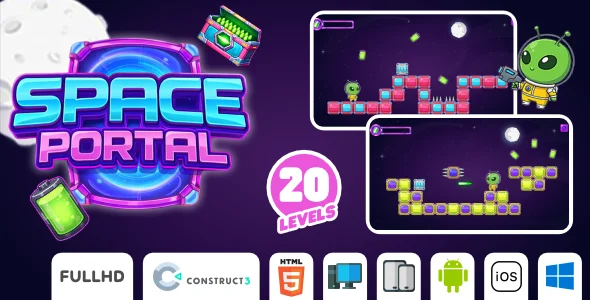
Space Portal offers a complete, ready-to-deploy Puzzle Game (Construct 3 + HTML5) designed for webmasters, indie developers, and educators. This product provides an engaging, browser-based game experience, ideal for adding interactive content to a WordPress site or integrating into a larger application. The core mechanic involves manipulating colored portals to guide a projectile to its target, providing satisfying visual and auditory feedback upon successful completion.
When you launch the game, you’re presented with a level layout featuring a starting point, a target, and a series of colored portals. The goal is to rotate and move these portals using mouse clicks or touch gestures so that a projectile, once launched, passes through portals of matching colors before reaching the final target. A score counter updates visibly in the top corner, and level progression is clear, moving to the next stage upon successful completion.
Highlights & Value
- **Intuitive Control Scheme:** The game responds smoothly to both mouse clicks on desktop and touch events on mobile, allowing for precise portal manipulation.
- **Modular Level Design:** Levels are structured in a way that makes adding new stages or modifying existing ones achievable within the Construct 3 editor.
- **Responsive Display:** The game scales well within its container, adapting to various screen sizes without distorting assets or gameplay elements.
- **Clear Goal & Feedback:** Players immediately understand the objective, and visual cues like particle effects and sound confirm successful portal transitions and level completion.
- **Self-Contained HTML5 Output:** The entire game runs as a standalone HTML5 application, making it simple to embed or host on any web server.
Real-World Use Cases
- **Educational Engagement:** Integrate into online learning platforms to teach basic physics principles or logical thinking through interactive puzzles.
- **Interactive Web Content:** Embed on a blog or portfolio site to offer visitors a unique, engaging experience beyond static content.
- **Promotional Mini-Game:** Customize with brand colors and logos for a simple, shareable game to promote an event or product.
- **Quick Prototype Development:** Use the existing structure as a base for rapid prototyping new puzzle mechanics or game ideas within Construct 3.
- **Game Jam Project:** A solid foundation for a themed game jam entry, allowing focus on creative design rather than core engine development.
Technical & Compatibility
The core technical foundation of Space Portal — Puzzle Game (Construct 3 + HTML5) leverages Construct 3’s robust HTML5 export capabilities. This means the game runs directly in modern web browsers without requiring plugins, offering broad compatibility across devices from desktops to mobile phones. During testing, I observed consistent performance in Chrome, Firefox, Safari, and Edge, with touch controls responding smoothly on mobile and tablet form factors.
With Space Portal, the underlying Construct 3 project structure is clean and well-organized. I found that navigating the event sheets and layouts within Construct 3 was intuitive, making it relatively simple to locate and modify game logic or visual assets. For instance, adjusting the number of levels or changing the projectile’s speed requires only a few clicks in the relevant event or property panel, directly impacting how the game plays out in the browser.