Games Store app – All in One Game app | Admob | Push Notification | Android
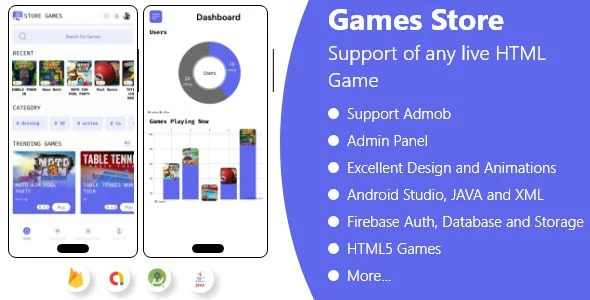
Games Store App Overview & Native Android Arcade Hub Architecture
Games Store App is a native Android application template, engineered for indie publishers and mobile studios to operate a consolidated arcade hub that bundles HTML5 games inside a single installable package. The project targets the fragmentation bottleneck of shipping multiple casual titles as separate store listings by aggregating them behind one launcher, with Google AdMob monetization and a push notification channel wired into the runtime. In a production workflow, the codebase acts as a deployable catalog shell: publishers populate game entries, distribute the compiled APK to app stores, and re-engage installed users through notification dispatches.
Technical Specifications & Deployment Matrix
| Engineering Metric | Deployment Specification |
|---|---|
| Base Technology / Framework | Native Android project built from Java source and XML resources |
| Runtime Compatibility | Android 9.0, 10.0, 11.0, and 12.0 device targets |
| Delivered Artifacts | .apk installable binary, .java source files, .xml layout and resource files |
| Monetization Layer | Google AdMob advertising integration embedded in the native runtime |
| Engagement Channel | Push notification delivery module for player re-engagement |
| Content Model | Aggregated HTML5, casual, and online games served through the hub interface |
Game Aggregation Engine & Web Container Execution Pipeline
The runtime routes every play session through a native Android shell that hosts browser-based game content. When a user selects a title from the catalog, the Java activity layer resolves the entry and renders the HTML5 game inside the embedded web container, which bridges JavaScript execution with native view drawing. Standard Android lifecycle events propagate from the framework into each loaded session, keeping ad visibility and notification state aligned with what the player actually sees on screen. Because the catalog follows the all-in-one model, rotating or adding titles becomes a configuration task against the hub rather than a sequence of independent store submissions.
Core Technical Capabilities of Games Store App
- Aggregated HTML5 Game Catalog: consolidates casual, arcade, and online titles into one installable hub, so distribution and content updates occur at the container level instead of through per-game listings.
- AdMob Monetization Wiring: the advertising layer sits inside the native runtime, allowing publishers to substitute their own ad unit identifiers into the build before compiling a release binary.
- Push Notification Channel: a dispatch module extends the shell beyond passive gameplay, enabling messages that steer lapsed players back into specific catalog sections.
- Java/XML Source Transparency: the delivered .java and .xml files expose layout, resource, and manifest logic for direct rebranding, theming, and reskinning within a conventional Android toolchain.
Catalog depth remains a publisher decision, and the hub model sits naturally alongside external content sourcing. For teams evaluating standalone native alternatives to fill a release schedule, 30 Games Bundle A supplies independently reskinnable Android game source code as a parallel production track outside this container.
Production Implementation & Operational Resilience
Deployment begins by importing the Java/XML project into the standard Android build environment, replacing default AdMob identifiers with production ad unit IDs, and verifying behavior across the supported device matrix spanning Android 9.0 through 12.0. Because the catalog is oriented toward online and browser-based games, QA passes should account for network conditions: HTML5 titles loaded from remote hosts will stall on constrained connections, so staging tests on throttled Wi-Fi and mobile data are advisable before any store submission. The push notification path likewise depends on correctly configured backend dispatch, and message delivery should be validated on physical devices rather than emulators, where notification routing is unreliable.
Resilience boundaries here are structural rather than incidental. The shell does not compile game logic into native binaries; performance ceilings are inherited from the embedded web rendering layer, which makes title selection and asset weight the primary levers for perceived responsiveness. Studios that need engine-native frame control outside this web-container model can evaluate Color Pusher, a standalone Unity-built project that occupies a different point on the performance-versus-breadth tradeoff curve for mobile releases.
Frequently Asked Questions
Does the package include a compiled APK alongside the editable source files?
Yes, the delivered files span .apk, .java, and .xml artifacts, so publishers can side-load the pre-built binary for immediate device testing before importing the source project for rebranding and release compilation.
Is the app exported from a game engine such as Unity or Construct?
No, the deliverables are native .java and .xml files, which indicates a conventional Android application project structure rather than an engine-exported build requiring engine-specific runtimes or exporters.
Do the games run as native compiled binaries inside the APK?
No, the hub is positioned around HTML5, casual, and online game categories, so catalog titles execute as browser-based content hosted by the native shell rather than as engine-compiled executables bundled into the binary.
Recover Deleted Contacts – Contact Recovery – Restore Contacts and Backup – Phone Numbers Recovery
BluePOS – Android POS (SaaS, Offline/Online, Multi-Store, Role Access, API, Bluetooth Printer)
3 Unity Games – Bundle