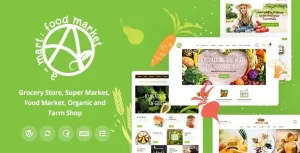
FreshGo – Organic & Supermarket Shopify Food Store
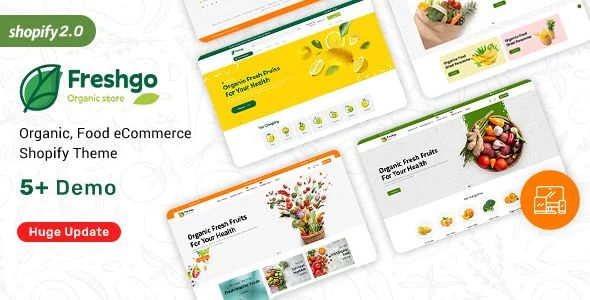
FreshGo Organic Food Shopify Theme Overview & Storefront Foundation
FreshGo is a Shopify Online Store 2.0 theme engineered for merchants and agency teams building organic food, grocery, supermarket, dairy, bakery, and fresh produce storefronts. The package targets the core merchandising bottleneck of perishable catalogs — fruits, vegetables, eggs, milk, and natural products — where shoppers must filter, compare, and reorder large inventories quickly before checkout. Within production workflows it operates as a self-hosted Liquid template system whose catalog, collection, and blog layers are managed through drag-and-drop sections from any location via the Shopify admin.
Technical Specifications & Deployment Matrix
| Engineering Metric | Deployment Specification |
|---|---|
| Base Platform | Shopify Online Store 2.0 architecture with JSON page templates |
| Runtime / Language Requirements | Shopify-hosted Liquid rendering engine; no local server runtime |
| Data Exchange Protocols | Ajax cart, QuickView, and wishlist requests; Google Rich Snippets structured data |
| Front-End Dependencies | SCSS and Stylus style layers, FontAwesome icon set, Google Fonts or custom uploaded fonts |
| Source Asset Footprint | Layered PSD, HTML, CSS, SCSS, and Stylus files; responsive and retina-ready output |
| Browser Coverage | IE9, IE10, IE11, Firefox, Safari, Opera, Chrome, Edge |
Liquid Section Rendering & Catalog Merchandising Pipeline
The core mechanism is Shopify OS 2.0 section-based rendering: page templates are defined as JSON documents referencing Liquid section files, each carrying its own settings schema exposed through the drag-and-drop admin. When a shopper requests a collection URL, Shopify resolves the template, hydrates product objects from the store catalog, and streams rendered HTML without any server configuration on the developer side. Merchandising zones — the custom slideshow, multiple banners, featured and best-selling product sliders, brand logo rows, service offer banners, and testimonial blocks — are individually positionable, so layout changes ship without template file edits. Agencies benchmarking alternative OS 2.0 storefronts can weigh this section model against Optimal, which follows the same JSON-template convention with its own demo inventory and Ajax cart drawer behavior.
Transactional interactions run asynchronously: add-to-cart operations post Ajax requests that update drawer state without a full page reload, while QuickView and wishlist modules pull product payloads in the background. The Advance Refine Search layer lets visitors narrow results by vendor, collection, product type, color, size, price, and tag across individual categories or the entire catalog, and the list/grid toggle switches collection presentation density on demand.
Architectural & Functional Highlights
- Ajax Cart & QuickView State Sync: cart mutations dispatch asynchronous requests and re-render drawer totals in place; QuickView overlays load product detail from JSON endpoints so browsing sessions stay continuous.
- Advanced Refine Search Layer: multi-attribute filtering (vendor, type, color, size, price, tag) narrows large grocery catalogs server-side before template rendering.
- Grid/List View & CloudZoom: collection templates expose both presentation modes, and image zoom sliders inspect product photography at native resolution for produce detail checks.
- SEO & Typography Control: H1 titles and meta tags are editable per page, Google Rich Snippets inject structured product data, and typography runs on Google Fonts, standard fonts, or uploaded custom files.
- Megamenu Navigation: multi-column menu definitions surface categories and promotional blocks near the top of the DOM tree, with design revisions shipped in the v2.2.0 and v2.5.0 changelog entries.
Production Implementation & Operational Resilience
Deployment begins with one-click installation of the demo layout, after which sections, banners, and menus are re-sequenced in the admin without code access — a workflow suited to agencies operating multiple client storefronts in parallel. Cross-browser coverage spans IE9 through IE11 plus current Firefox, Safari, Opera, Chrome, and Edge releases, so legacy corporate environments remain addressable. Front-end developers get three styling entry points — compiled CSS overrides, SCSS variable layers, or Stylus pipelines — backed by layered PSD sources for design iteration. Layout width is switchable between wide and boxed versions, with control over the content area and sidebars.
Error-path behavior follows Shopify’s hosted runtime: cart operations, guest checkout, and newsletter capture degrade gracefully because transactional state lives on Shopify’s infrastructure rather than in theme code. The published changelog documents iterative remediation — header and footer group section updates, site-speed improvements, QuickView and megamenu revisions, and a full Shopify 2.0 migration in v2.0.0 — evidence of sustained engineering velocity through v2.7.0. Teams standardizing on WordPress rather than the Shopify runtime should evaluate FoodFarm as a separate, self-contained theme for farm and organic store builds; the two codebases operate on different platforms and cannot be merged. Demo imagery remains copyrighted to its respective owners and is excluded from the package, so production launches require replacement photography and banner assets.
Frequently Asked Questions
Are layered PSD design source files included in the download package?
Yes. The deliverable contains layered PSD files alongside HTML, CSS, SCSS, and Stylus sources, allowing design and styling iteration outside the Shopify admin before changes propagate to the live Liquid templates.
Can the demo storefront be replicated without manually rebuilding every section?
Yes. One-click installation provisions the demo layout, and the drag-and-drop admin then handles reordering of slideshows, banners, product sliders, and testimonials without editing Liquid template files directly.
Do the images shown in the live demo preview ship inside the package?
No. All preview images remain copyrighted to their respective owners and are excluded from the distribution, so merchants must supply their own product photography and banner graphics before a production launch.