
 My Account
✅ Product Overview
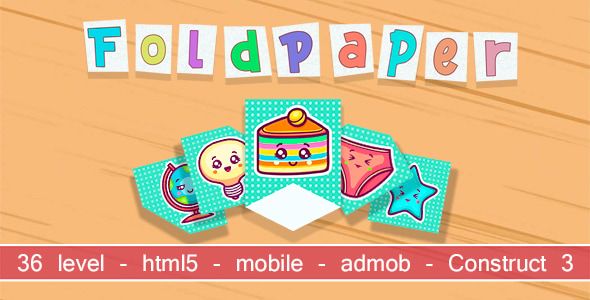
FoldPaper html5, mobile (admob). Construct 3 provides a fully interactive paper-folding puzzle template designed for mobile game developers and digital designers. This game layout kit provides pre-configured layout files, touch gesture controls, and responsive UI screens that adapt to portrait and landscape formats. Game builders can place standard puzzle grids on the game canvas to show levels like animals, origami structures, and geometric shapes. The default layouts maintain strict margin parameters, ensuring that touch targets remain accurate during fast player swipes.
Configuring FoldPaper – html5, mobile (admob). Construct 3 allows game creators to customize touch mechanics, audio toggles, and interstitial ad triggers within their mobile layout. The interface design offers high-contrast level selectors, fluid victory pop-ups, and clear control buttons that guide users through successive stages. Developers will find pre-built visual blocks for level progression, daily challenge lists, and setting menus. These pre-arranged component grids help designers construct a polished mobile game experience without editing complex engine rendering rules from scratch.
✅ Highlights & Value
For independent developers, utilizing a dedicated html5, mobile (admob). Construct 3 framework ensures that the touch-to-fold responsiveness feels immediate on touchscreens. Every interface element coordinates with native engine coordinates to maintain stable boundary lines and visual alignments during the folding animation. This system prevents polygon rendering overlaps when processing multi-layered paper folds. The integrated customization panel allows developers to adjust grid layouts, change color swatches, and swap out graphic textures without writing custom calculations.
- Mobile Advertising Setup: Built-in configuration blocks that display banner and interstitial ads natively by simply inputting your AdMob keys.
- Precision Touch Controls: Features optimized drag-and-swipe touch listeners that trace user finger movements for real-time paper folding visuals.
- Level Selection Matrix: Includes organized grid pages that track player scores, unlocked levels, and star ratings across multiple categories.
- Fluid Visual Effects: Offers lightweight particle effects and scale animations that trigger on level completion to keep players engaged.
✅ Real-World Use Cases
Deploying FoldPaper – html5, mobile (admob). Construct 3 in active commercial game portals provides rapid asset replacement and clean layout scaling for immediate release. The structural blocks adjust to different gameplay configurations, keeping the user-facing gaming portal clean and simple. This structural flexibility is highly beneficial when setting up distinct kinds of browser and mobile app games.
- Browser-Based Arcade Portals: Deploying lightweight touch puzzles on instant-play game websites that load instantly in Safari and Chrome.
- Mobile App Store Releases: Building standalone Android and iOS application packages with integrated ad monetization containers.
- Educational Brain Games: Structuring geometric folding levels designed to teach spatial awareness to younger students through touch layouts.
- Interactive Promo Campaigns: Creating customized mini-games where players fold paper virtual envelopes to unlock promotional discount codes.
✅ Technical & Compatibility
FoldPaper handles mathematical canvas rendering natively without requiring heavy background scripts. This optimization keeps the application lightweight, preventing dropped frames on older mobile chipsets during complex animation segments. Developers can configure global game settings, transaction confirmation delays, and advertisement refresh rates within the main event sheets. This clean code structure prevents interface conflicts when combining the template with custom web services.
The project files maintain strict alignment with the latest engine updates, responsive display guidelines, and secure advertising protocols. The responsive layouts adjust dynamically when players flip their devices, keeping button containers easy to tap in both orientations. Site managers and game publishers can use the pre-built layouts to create promotional banners and new level interfaces, eliminating manual CSS styling. This standardized coding practice avoids visual conflicts when integrating external tracking systems.
✅ FAQ & Tips
How do developers adjust the difficulty settings for individual puzzle levels? You can edit the target target margin percentages inside the level dictionary parameters. This allows you to define exactly how closely the player must match the target shape to trigger a successful level completion screen.
To ensure the best load times on mobile connections, we recommend using optimized PNG files for all paper texture layers. Large, uncompressed artwork should be avoided within standard canvas blocks to prevent memory warnings. Keeping the asset sizes low ensures that the game engine loads the level progression maps without transition lag.


. Construct 3 provides a fully interactive paper-folding puzzle template designed for mobile game developers and digital designers. This game layout kit provides pre-configured layout files, touch gesture controls, and responsive UI screens that adapt to portrait and landscape formats. Game builders can place standard puzzle grids on the […])
There are no reviews yet.