
 My Account
Product Description
Firebase Auth Integration for Android provides a seamless and secure bridge between your WordPress website and your native mobile application. This powerful plugin is designed for developers and businesses who need to synchronize user authentication across both platforms. If you manage a user base on WordPress and are building a companion app, this tool eliminates the complexity of creating a custom authentication system from scratch, allowing users to log in or register on the app with their website credentials.
The core challenge of connecting a mobile front-end to a WordPress back-end is establishing a secure and reliable communication channel for user data. This plugin elegantly solves that problem by leveraging Google’s robust Firebase platform as an intermediary. It streamlines the entire process for your Android application, ensuring that user registrations, logins, and profile updates are instantly reflected in your WordPress user database. This creates a unified user experience, where a person’s account is consistent whether they access your service via a web browser or their phone.
Key Features
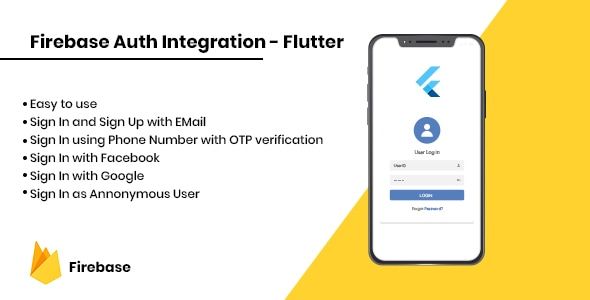
- Multiple Login Methods: Supports authentication via Email/Password, Phone Number, Google, and Facebook for maximum user convenience.
- Secure JWT Authentication: Utilizes JSON Web Tokens (JWT) to secure the API communication between your application and WordPress, protecting user data.
- New User Registration: Allows new users to register directly through the mobile app, with their accounts automatically created in your WordPress database.
- Profile Synchronization: Keeps user profile information consistent across both the website and the mobile application.
- Forgot Password Functionality: Includes a secure and straightforward process for users to reset their passwords from the app.
- WordPress User Role Support: Automatically assigns a default user role to new registrations made through the application.
- Easy Implementation: Comes with clear documentation and a structured approach to simplify the integration process for developers.
Use Cases
The versatility of the Firebase Auth Integration – Android plugin makes it an essential tool for a wide range of digital projects. It is ideal for membership sites, e-commerce stores, or online learning platforms that are expanding their reach with a dedicated mobile application. For instance, a news publication running on WordPress can launch an app that requires users to log in to access premium content, using their existing website accounts without any friction.
Another powerful use case involves community-based websites. If you run a forum or social network on WordPress, this plugin allows your members to engage with the community on the go. Firebase Auth Integration provides a robust foundation, enabling them to post, comment, and interact through the app while ensuring their identity is securely managed by your central WordPress user system. This unified approach fosters greater user engagement and retention.
Benefits
The most significant advantage is the drastic reduction in development time and cost. Building a secure, custom authentication API from the ground up is a complex and time-consuming task. By implementing the Firebase Auth Integration – Android plugin, you can bypass this entire phase and focus your resources on developing the core features of your application, accelerating your time-to-market and saving your budget.
From a user perspective, the benefit is a smooth and trustworthy experience. Users appreciate the convenience of social logins and the assurance that their account is unified across all platforms. This consistency removes barriers to entry, encourages app adoption, and builds confidence in your brand’s digital ecosystem. A user who can seamlessly switch between your website and app is more likely to remain an active and loyal customer.






There are no reviews yet.