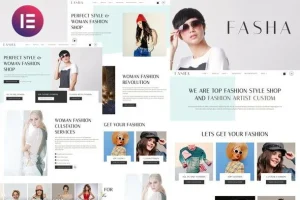
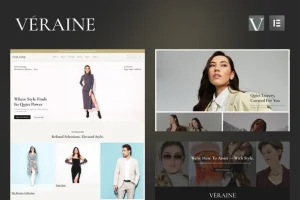
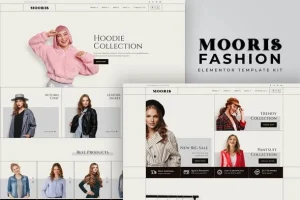
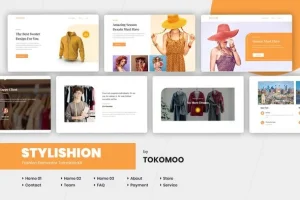
Fashion Spirit – WooCommerce Elementor Template Kit
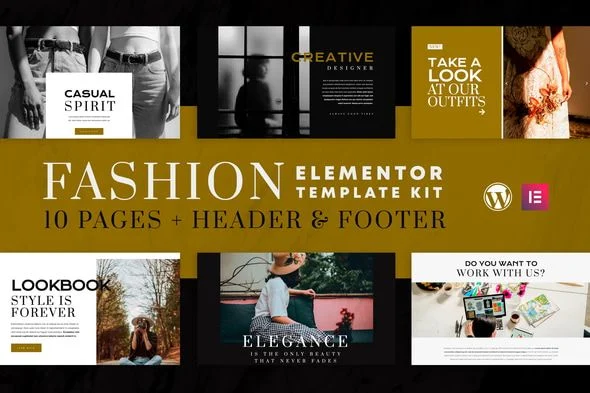
Fashion Spirit Template Kit Overview & Storefront Layout Architecture
Fashion Spirit Template Kit is a WooCommerce-compatible Elementor layout package, engineered for boutique operators and agency teams to launch feminine e-commerce storefronts without hand-building page structures. The package eliminates blank-canvas page composition by supplying ten pre-arranged documents — Home, About Us, Services, History, Team, Blog, Lookbook, Shop, FAQ, and Contact — together with reusable header and footer sections. Within a production workflow, it functions as a drop-in design layer that imports into an existing WordPress install and renders through the Elementor 3.0.x editor, leaving product catalog entry and copywriting as the remaining delivery tasks.
Technical Specifications & Deployment Matrix
| Engineering Metric | Deployment Specification |
|---|---|
| Base Technology / Framework | Elementor 3.0.x page builder running on WordPress |
| Runtime / Engine Requirements | Elementor, Essential Addons for Elementor, Contact Form 7, MC4WP Mailchimp for WordPress, WooCommerce, Elementor Header Footer & Blocks |
| Data Exchange / Import Protocol | Template Kit Import plugin consuming the intact kit archive via Tools, Template Kit, Upload Template Kit |
| Front-End / Engine Dependencies | Global typography and color design tokens; WooCommerce catalog loop on the Shop page; MC4WP form widget on the homepage |
| Persistence Footprint | No theme installation; imported layouts persist as standard Elementor page documents and site-wide header/footer block templates |
Design Token System & Import Execution Pipeline
The execution pipeline centers on the Template Kit Import plugin, which parses the packaged layout structures into individual Elementor page documents. An operator uploads the compressed archive, and the import parser converts each stored template into an editable Elementor document populated with the kit’s global typography and color tokens. Before any single import, the Install Requirements control activates the dependent plugins in the correct order: the Elementor engine, Essential Addons for Elementor, Contact Form 7, MC4WP for WordPress, and WooCommerce.
Header and footer sections follow a separate injection path. Rather than occupying slots in a theme’s template hierarchy, these blocks are registered through the Elementor Header, Footer and Blocks plugin: a Header or Footer template type is created, assigned an Entire Website display condition, and then populated by inserting the corresponding Header Section or Footer Section template inside the Elementor editor. Because the package arrives as discrete page documents rather than a monolithic theme, every section, spacing value, and widget instance stays editable on the canvas. Teams that prefer a conventional theme architecture — where layout, header, and footer logic ship inside one installable package — can evaluate APRIL – Fashion WooCommerce WordPress Theme as a parallel delivery path for comparable fashion commerce requirements.
Architectural & Functional Highlights
- Global Design Token Inheritance: Typography scales and color palettes are defined at kit level, so adjusting a single token updates text and accent rendering across all ten imported pages without per-page rework.
- Site-Wide Header/Footer Injection: The display-condition engine inside Elementor Header Footer & Blocks binds the header and footer templates to every route, replacing the need for theme-level template overrides.
- WooCommerce Shop Loop Binding: The Shop page binds to the WooCommerce product catalog, letting native catalog, single-product, and cart flows operate through WooCommerce’s own front-end components once products exist.
- Newsletter Widget Wiring: The homepage signup block connects to an MC4WP form created in the WordPress dashboard, keeping list-subscription logic inside the plugin layer rather than the layout itself.
Production Implementation & Operational Resilience
Deployment follows a strict sequence that determines import success in both staging and client production environments. The downloaded kit archive must remain compressed — unzipping it breaks the intake contract with the Template Kit Import plugin, which is installed and activated from the Plugins, Add New screen before any upload begins. Import payloads are processed one template at a time by documented procedure, which prevents partial document writes and payload conflicts; hosting environments should carry adequate wp_memory_limit headroom to absorb larger page structures such as the Lookbook.
One operational boundary deserves attention: catalog dependency. The Shop page reaches demo parity only after WooCommerce products are configured, since shop content ships separately from the layout package. On the resilience side, the document-level architecture contains damage effectively — a misconfigured page can be re-imported individually without disturbing the remaining nine, and the header and footer blocks can be re-inserted through their template screen without touching page content. For decoupled implementations outside the WordPress runtime entirely, HASA – Laravel Multipurpose Multi-language Fashion Shop operates as an independent full-stack fashion commerce codebase rather than a companion to this kit.
Frequently Asked Questions
Are the template images bundled with the kit on import?
Yes, all template imagery ships inside the package, sourced from Pexels under Creative Commons and CC0 terms, so imported pages arrive fully populated without sourcing external stock photography before launch.
Can the Mailchimp signup form match the demo styling without custom CSS?
Yes, the form is created in the WordPress dashboard under MC4WP, and applying the documented form markup reproduces the demo appearance inside the homepage widget without hand-written stylesheet overrides.