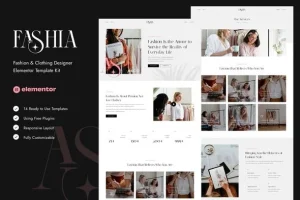
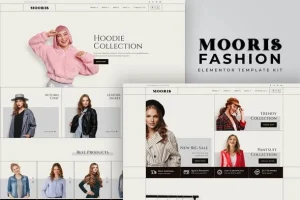
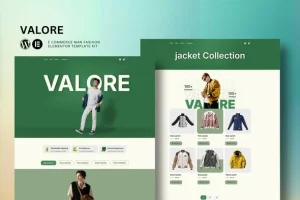
Stylishion | Fashion Store Elementor Pro Template Kit
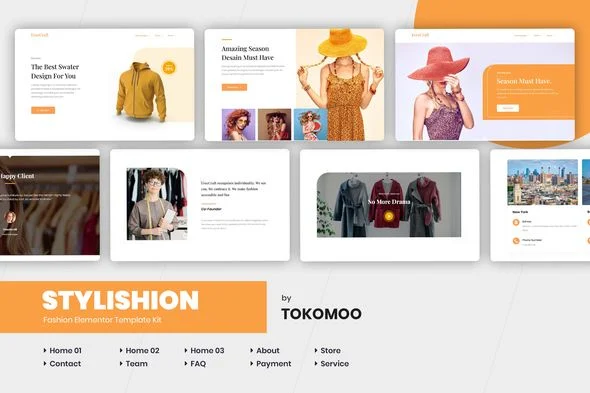
Stylishion Overview & WooCommerce Design System for Elementor
Stylishion is an Elementor Pro Template Kit engineered for fashion retailers, clothing brands, and agency delivery teams to assemble a production-grade WooCommerce storefront without writing code. The package resolves the structural bottleneck of hand-building a coherent multi-page commerce flow — homepage, shop archive, single product, cart, checkout, and account screens — from a blank Elementor canvas, a process that normally consumes days of layout work. In agency workflows it operates as an importable layout system: pre-structured page definitions are injected into a WordPress install, then refined through centralized style controls, compressing the path from staging to client handoff.
Technical Specifications & Deployment Matrix
| Engineering Metric | Deployment Specification |
|---|---|
| Base Technology / Framework | Envato Template Kit built on Elementor Pro page builder architecture |
| Runtime / Version Requirements | WordPress running Elementor 3.8.x or 3.10.x; Hello Elementor theme recommended as the host shell |
| Data Exchange / Import Protocol | JSON layout payloads uploaded as an untouched ZIP archive via the Envato Elements plugin |
| Front-End / Engine Dependencies | Elementor Pro (required for headers, footers, archives, single product, cart, checkout) and WooCommerce |
| Persistence Footprint | None — no custom database tables; imported pages reside under Elementor > Templates > Saved Templates |
WooCommerce Layout Engine & Template Import Pipeline
The kit operates as a JSON layout payload imported through the Envato Elements WordPress plugin. Installation begins by activating that plugin from the WordPress Plugins screen — notably, no Envato Elements subscription is required for kit uploads. After the untouched kit file is uploaded through Elements > Installed Kits, an orange requirements banner dispatches installation of the dependent plugins (WooCommerce and Elementor Pro). The Global Kit Styles record is imported first, which propagates centralized typography and color tokens across every subsequent page payload, so font stacks and palette values cascade through the design in one pass rather than per-widget edits.
Individual templates then flow into Elementor’s Saved Templates library one at a time. A new page is created, switched to Elementor Full Width with the page title hidden via the builder’s gear-icon settings panel, and the target template is pulled from the My Templates tab. Because Elementor Pro is in the dependency chain, the Theme Builder takes over structural regions — header, footer, product archives, single product views, and styled cart, checkout, and My Account screens — replacing the host theme’s native template hierarchy output for those regions. For footwear-focused catalogues that need sport-specific product grids, deploying Sneakeri as a parallel kit within the same Elementor Pro runtime gives teams an identical import workflow without re-engineering the stack.
Architectural & Functional Highlights
- Three distinct homepage variants: separate conversion-optimized entry layouts allow A/B testing of storefront presentation without duplicating widget trees manually.
- Full Theme Builder region coverage: header, footer, archive, and single product templates ship as editable Pro layouts, plus styled cart, checkout, and account screens that override default WooCommerce markup.
- Centralized design token system: the Global Kit Styles import defines fonts and colors once, with per-element fine-tuning available where individual sections demand deviation.
- Responsive, retina-ready output: layouts are built on a 100% fluid grid that adapts across viewport widths and high-density displays without additional media-query authoring.
- Supporting content templates: Services, Team, Payment, About Us, FAQ, and Contact pages round out the site architecture for complete brand storytelling.
Production Implementation & Operational Resilience
On staging or client servers, verify the PHP memory allocation before import — larger kit payloads with dense imagery sections can exhaust a low wp_memory_limit, so raising it to 256M is a prudent pre-flight step. One documented environmental gotcha: macOS Safari’s “open safe files after downloading” preference auto-extracts archives, and the kit must be uploaded as an untouched ZIP, so disable that setting or use another browser. The layout system is optimized against the free Hello Elementor theme, which keeps the host shell’s CSS and script footprint minimal and reduces render-blocking overhead; it will still render under most themes that support Elementor, though visual parity is only certified on the optimized pairing. Secondary development is confined to style and asset boundaries — this is a layout kit, not a codebase, so customization means overriding design tokens, restructuring Flexbox containers in the visual editor, and substituting imagery. All demo photography is sourced from Envato Elements and must be cleared through that platform or replaced with owned assets before a production launch. For merchants whose storefront operates outside the WordPress runtime entirely — on Shopify’s Liquid stack — HerPride stands as an independent theme path for beauty verticals rather than an extension of this kit’s architecture.
Frequently Asked Questions
Is Stylishion a standalone WordPress theme that activates from the Appearance menu?
No. It is an Elementor Template Kit — a collection of page layouts for the Elementor builder. It contains no theme files and requires a host theme, with Hello Elementor recommended, to render on a WordPress install.
Does importing the kit require a paid Envato Elements subscription?
No. The free Envato Elements plugin handles ZIP uploads from Elements > Installed Kits without any subscription. Linking an account is optional and only enables automatic import under Elements > Template Kits for connected users.
Can the demo images be published directly on a live client store?
No. All demo photography originates from the Envato Elements library and must be acquired through that platform for production use, or substituted with the store owner’s own imagery before the site is deployed to clients.