Drift Parking – HTML5 Game – Construct 3
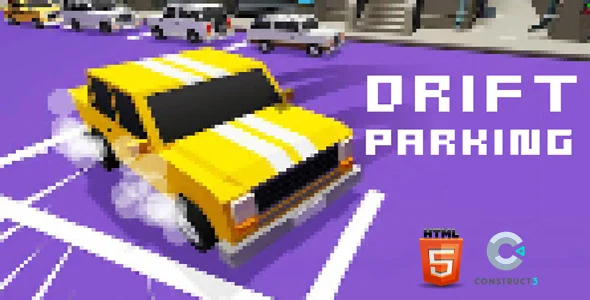
Drift Parking HTML5 Game Overview & Mission-Driven Arcade Architecture
Drift Parking HTML5 Game is a Construct 3 arcade title, engineered for web developers and mobile publishers to deploy a drift-and-park mission loop across desktop browsers, mobile web, and native Webview containers. The architectural problem it resolves is binding continuous drift input—touch-and-hold, A/D keys, arrow keys, and left/right mouse buttons—to a discrete parking validation system that rejects placements on the wrong side or outside the designated space. Within agency and publisher workflows, it operates as a re-skinnable, monetization-ready asset whose c3p source file and HTML export slot directly into client portals, arcade portals, and app-store builds.
Technical Specifications & Deployment Matrix
| Engineering Metric | Deployment Specification |
|---|---|
| Base Technology / Framework | Construct 3 engine (.c3p project source included) |
| Runtime / Language Requirements | HTML5 export; JavaScript runtime executed in browser or Webview |
| Input / Communication Protocols | Touch events, A-D keys, left/right arrow keys, left/right mouse buttons |
| Front-End / Engine Dependencies | No external framework; single HTML export bundle |
| Database / Persistence Footprint | Client-side only; mission progress and cash state handled in-engine |
Drift Input Handling & Mission Validation Pipeline
The engine translates a single held input into a continuous lateral drift while the vehicle moves forward, and releases it to straighten trajectory toward the parking space. Each of the 50 missions runs as a self-contained event sequence: input is captured per frame by the Construct 3 event sheet, applied to the car’s movement behavior, and the resulting position is checked against the parking zone’s side and bounds. A mission only registers completion when the car rests inside the correct space on the correct side; partial or mirrored placements fail the check and force a retry. Successful completions credit cash to the in-game economy, which gates the vehicle unlock table.
Because the entire logic graph lives in the c3p event sheets rather than in obfuscated runtime code, developers can trace every mission rule, adjust drift physics parameters, and re-order the unlock economy without touching the exported JavaScript. Studios already standardizing on editable Construct 3 pipelines for arcade inventories—for example pairing this title with a match-3 engine like Candy Match3 Construct 3 HTML 5 Game—can apply the same source-edit, re-export, and deploy workflow across their whole catalog.
Core Technical Capabilities of Drift Parking HTML5 Game
- Unified multi-channel input dispatcher: Touch-and-hold, A/D keys, arrow keys, and left/right mouse buttons all map to the same drift action through one event binding, so no platform-specific input code is required.
- 50-mission progression state machine: Each mission is a discrete validation unit with defined parking-side and parking-space constraints, enabling per-mission difficulty tuning inside the event editor.
- Cash economy and vehicle unlock table: Mission rewards feed an in-game currency that gates new vehicles, giving developers a ready-made retention and reward loop to re-skin or re-balance.
- Cute pixel art rendering: Lightweight sprite-based pixel art keeps the asset payload small, shortening load times on mobile networks and low-power devices.
- Responsive layout with mobile support: The layout scales across phone, tablet, and desktop viewports, and the HTML export embeds into existing pages without layout conflicts.
Production Implementation & Operational Resilience
Deployment requires only static hosting: upload the HTML export to any web server or CDN endpoint, and the game runs entirely client-side with no backend, no database connection, and no server-side session handling. For mobile distribution, the same export is wrapped in a native Webview shell, where the built-in touch handling maps directly to the drift input, and AdMob support supplies interstitial or banner placements at integration points defined in the project. When wrapping for Android or iOS, verify the Webview component fully supports the HTML5 APIs the Construct 3 runtime depends on before submitting a store build—this pre-deployment check is the most common source of runtime failure in packaged HTML5 games. A companion deployment pattern worth studying is Super Sugar Hallucination, which follows the same Construct 3 export-to-Webview route for responsive web and mobile delivery.
For secondary development, the included documentation walks through the source structure, and the c3p file is explicitly built for easy re-skinning: swap sprite sheets, adjust event parameters for drift sensitivity and mission thresholds, and re-export. Keep the pixel-art sprite dimensions consistent during replacement to preserve collision alignment, and test the parking validation after any physics change, since trajectory edits directly affect whether the car can reach the correct side of the space.
Frequently Asked Questions
Does the package include the editable Construct 3 source file?
Yes, the download contains the full .c3p project source alongside the HTML export and documentation, so every event sheet, mission rule, and asset can be modified directly inside the Construct 3 editor before re-exporting.
Is AdMob advertising supported in this build?
Yes, AdMob support is implemented in the project, allowing publishers to attach banner or interstitial placements when the HTML export is wrapped inside a native mobile container that provides the underlying ad SDK bridge.
Can the game run on a static host without any backend?
Yes, the HTML export executes fully client-side in the browser, requiring only static file hosting with no database, authentication layer, or server-side logic, which keeps hosting costs and operational maintenance at the absolute minimum.
Does parking on the wrong side of the space fail the mission?
Yes, the validation logic requires the car to occupy the correct parking space on the correct side; mirrored or offset placements do not count, and the tutorial mission exists specifically to teach players this orientation rule.
Does the HTML export function as a standalone native mobile app?
No, the export is a browser-rendered HTML5 bundle, so distributing to app stores requires wrapping it in a native Webview shell or a Construct 3 mobile build service that supplies the platform container.