DocScan – A mini and Powerful mobile scanner for Android
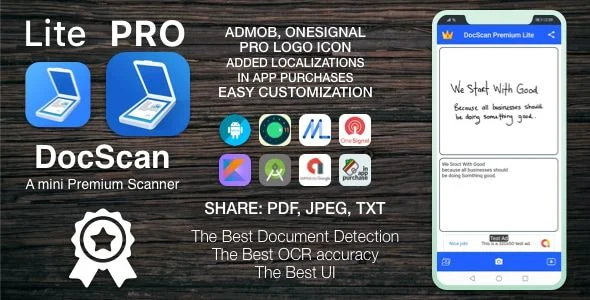
DocScan Android Scanner App Overview & Mobile Document Processing Engine
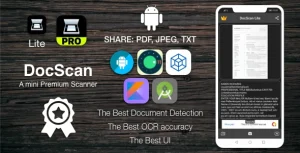
DocScan is a native Android mobile scanner application source package, engineered for mobile developers and app publishers to deploy a production-ready document digitization product on Google Play. The codebase addresses the core bottleneck of converting physical paper — cards, books, checks, receipts, timetables — into structured digital formats by combining on-device camera capture, boundary detection powered by computer vision (OpenCV), and optical character recognition into a single offline processing pipeline. Within an agency delivery workflow, it functions as a publishable, monetization-enabled Android asset that ships with an installable .apk build, Google Play Billing integration, AdMob advertising slots, and push notification infrastructure ready for store submission.
Technical Specifications & Deployment Matrix
| Engineering Metric | Deployment Specification |
|---|---|
| Base Technology / Framework | Native Android application (Java/Kotlin Android stack) with OpenCV-based computer vision and OCR text recognition |
| Runtime / OS Requirements | Android 9.0, 10.0, 11.0, and 12.0; compiled against SDK 33 (target API updated in v1.2) |
| Monetization & Communication Layer | Google Play Billing (in-app purchases), AdMob ad serving, and Firebase-style push notification dispatch |
| Input Sources | Live camera capture plus existing gallery images processed through the same detection pipeline |
| Persistence Footprint | Fully local on-device storage; scans and recognized text remain on the device without requiring an Internet connection |
| Deliverables & Version | .apk file included; current package version 1.4 (last updated February 2025) |
Document Capture Pipeline & OCR Execution Flow
The application executes a four-stage pipeline: image ingestion, boundary detection, filter processing, and multi-format serialization. When a frame enters the system — whether streamed from the device camera or pulled from the media store — the vision layer analyzes the bitmap to locate document edges, crops the detected region, and passes it into the built-in editor where filters and adjustments are applied destructively-reversible (the original image is retained, so any edit chain can be reverted). The OCR engine then extracts machine-readable text from the processed bitmap, and the serialization layer writes the final artifact as PDF, JPEG, or TXT for export through mail, messaging, or the system gallery.
Core Technical Capabilities of DocScan
- Offline OCR text extraction: Recognized text is generated on-device without a network round trip, and since version 1.1 the output renders in an expandable editing screen where operators can modify the recognized string and commit changes with a single action.
- Non-destructive image editor: Filter and adjustment operations execute against working copies while the original capture persists in local storage, guaranteeing rollback to the source frame at any point in the editing session.
- Dual ingestion paths: The capture controller accepts both live camera frames and gallery-resolved bitmaps, routing both through the same detection and validation logic before serialization.
- Multi-format export layer: Finished documents serialize to PDF, JPEG, and TXT, supporting dispatch via email and messaging channels directly from the share intent layer.
- Monetization and engagement stack: Google Play Billing handles in-app purchase transactions through an upgraded billing library, AdMob serves ad inventory, push notifications drive re-engagement, and Google In-App Review prompts ratings at runtime.
For studios assembling a multi-vertical app portfolio, this package slots alongside other self-contained native Android source projects; an Android Single Hotel Application with Rooms, Gallery, Map & Booking System occupies a parallel hospitality niche as an independent codebase, requiring no shared runtime with the scanner architecture.
Production Implementation & Operational Resilience
Deployment follows the standard Android release cycle: the project targets SDK 33, satisfying Google Play’s API-level requirements for store submission, and the billing library version was raised specifically to keep in-app purchase flows compliant with current Play Billing requirements. Developers should verify device coverage against the supported OS floor of Android 9.0 before distribution, and the included .apk build allows QA teams to validate runtime behavior on physical hardware prior to signing a store release. Because all document persistence is local, the application operates without server dependencies — an architectural property that eliminates network-failure states from the core scanning path and confines connectivity requirements to the monetization and notification layers, where ad serving, billing handshakes, and push delivery each degrade independently of the capture pipeline. Error resilience in the editor is anchored by the original-image retention model: any filter chain or adjustment sequence can be rolled back to the source frame, so processing mistakes never destroy captured data. The changelog history (1.1 through 1.4) demonstrates an active maintenance cadence covering SDK migrations, billing upgrades, and incremental fixes. For teams evaluating a separate iOS production track rather than a cross-platform port, AI Writer for IOS represents an independent Swift codebase path, and teams requiring a browser-delivered quiz product can treat Quizio as a standalone PWA alternative outside the native Android toolchain. Secondary development on this package centers on standard Android customization surfaces — resource replacement, activity-level restyling, and ad-unit configuration — rather than backend wiring.
Frequently Asked Questions
Does DocScan require an active Internet connection to scan and store documents?
No, the application performs capture, document detection, OCR processing, and storage entirely on the device. Connectivity is only exercised by the monetization and push notification layers, leaving the core scanning pipeline functional offline.
Can recognized OCR text be edited after extraction?
Yes, version 1.1 introduced an expandable text screen where the recognized output is displayed, edited inline, and saved by pressing done, allowing operators to correct recognition errors before exporting to TXT.
Does the deliverable include an installable build for device testing?
Yes, the package ships with an .apk file, so QA teams can sideload the application onto physical Android 9.0 through 12.0 hardware and validate runtime behavior before producing a signed store build.
Can existing photos from the device gallery be processed through the scanner pipeline?
Yes, the ingestion layer accepts already-existing gallery images and routes them through the same boundary detection, filtering, and OCR logic applied to live camera captures.