
 My Account
Product Overview
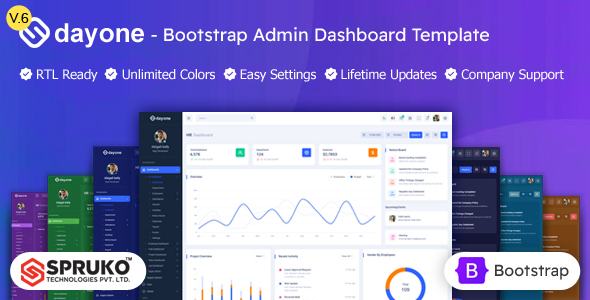
Dayone is a comprehensive HTML Bootstrap Admin Dashboard Template, designed as a solid foundation for developers building custom backends, web applications, or intricate WordPress plugin administration interfaces. Unpacking the download, you’re greeted with a well-organized directory structure, making it straightforward to locate assets like scss files for styling adjustments or js scripts for specific component behaviors. Unlike a typical WordPress theme that installs via the dashboard, this is a collection of static files you integrate into your existing project.
When you first load a demo page, the responsiveness is immediately apparent. The navigation menu, for instance, fluidly collapses into a hamburger icon on smaller screens, and the main content area adjusts gracefully without horizontal scrolling, which is crucial for admin interfaces accessed on various devices. Each component, from data tables to form elements, renders consistently across different browser widths, maintaining readability and functionality.
Highlights & Value
- Extensive Component Library: I found a rich collection of UI elements like pre-built cards, progress bars, and modals. Using these, I could quickly assemble complex layouts, simply copying and pasting the HTML snippets, then linking the associated CSS/JS.
- Multiple Dashboard Variations: It ships with several dashboard layouts. Switching between them involved updating a
<body>class, which then reconfigures the sidebar and header dynamically, allowing for quick layout experimentation without major code changes. - Dark Mode Toggle: There’s a fully functional dark mode. Clicking the toggle instantly swaps the stylesheet, providing a comfortable viewing experience without reloading the page. This is a nice touch for user experience and a feature many modern admin panels now demand.
- Integrated Charting Libraries: The template bundles several charting libraries. Implementing a new chart required minimal setup – just providing a data array to a pre-configured JS function, and the chart would render beautifully within its dedicated card component.
Real-World Use Cases
The versatility of Dayone makes it an excellent choice for a variety of projects where a polished administrative UI is critical. As an experienced developer, I see immediate applications for this template’s robust structure.
- Building a Custom WordPress Plugin Admin Page: For a complex plugin, I could leverage Dayone’s structure to create a dedicated, modern admin section, integrating its design into WordPress’s
admin_menuandadmin_enqueue_scriptshooks. - Client Portal for a SaaS Application: Quickly spinning up a secure client dashboard where users can view their data, manage subscriptions, or access reports, without starting the frontend from scratch.
- Internal Business Management System: Developing a custom CRM or inventory management tool for a small business, where a robust, interactive backend is more important than a public-facing website.
Technical & Compatibility
Working with the HTML Bootstrap Admin Dashboard Template means dealing with a clean, well-commented codebase. It’s built on Bootstrap 5, which immediately tells you it’s leveraging modern CSS utilities and a mobile-first approach. The SCSS files are well-organized, making it straightforward to override variables for custom branding or to extend existing components without battling !important declarations. From the moment you unpackage Dayone – HTML Bootstrap Admin Dashboard Template, its organized file structure stands out, simplifying initial setup and customization.
Dependency management is clear; external libraries like jQuery, ApexCharts, and Select2 are included and linked in a modular fashion. This setup allows for easy updates or replacements if you prefer different charting solutions or a newer version of a specific library. I appreciated not having to untangle deeply nested or minified custom scripts.
FAQ & Tips
Integrating with WordPress: To use Dayone within a WordPress project, enqueue its CSS and JS files conditionally using wp_enqueue_style() and wp_enqueue_script() only on the specific admin pages where you want its styles to apply. This prevents style conflicts with the core WordPress admin UI on other screens.
Customizing Colors: The easiest way to change the primary color scheme is by modifying the Bootstrap SCSS variables. The _variables.scss file is your starting point; compile your SCSS, and the changes propagate throughout the entire template.
Performance Optimization: For production, minifying CSS and JavaScript is crucial. Tools like Gulp or Webpack can automate this process, significantly reducing load times. Also, consider lazy-loading complex components or charts that aren’t immediately visible.





There are no reviews yet.