Clinic Management – Doctor Patient Appointment Management System Laravel
Product Overview
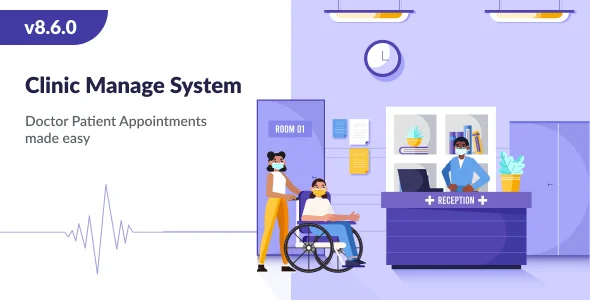
The Clinic Management system offers a comprehensive Doctor Patient Appointment Management System Laravel solution, designed specifically for medical professionals and healthcare facilities. This web application provides a structured environment for managing patient appointments, doctor schedules, and various clinic operations. It serves as a central hub for individual practitioners, small to medium-sized clinics, and specialized medical centers aiming to digitize and organize their administrative tasks, allowing staff to focus more on patient care rather than manual scheduling.
Users interact with distinct dashboards tailored to their roles: an administrative panel for overall oversight, a doctor panel for managing individual schedules and patient notes, a patient panel for self-service bookings and history, and a receptionist panel for front-desk operations. This role-based access ensures that each user group sees only the relevant information and functionalities, maintaining clarity and security within the system.
Highlights & Value
- Intuitive Admin Dashboard: Upon logging in, the administrator sees a clear overview of daily appointments, total patients, and recent income. A sidebar menu provides access to manage doctors, patients, appointments, and services, typically showing counts next to each menu item.
- Efficient Doctor Panel: Doctors can view their daily, weekly, or monthly schedule on a calendar interface. They can mark their availability, view patient details for upcoming appointments, and add consultation notes directly within the patient’s record, which then becomes part of the patient’s history.
- Streamlined Patient Experience: Patients access a dedicated portal where they can browse available doctor slots, book new appointments, and view their past and upcoming consultations. The booking process often involves selecting a doctor, choosing an available date and time from a grid, and confirming details.
- Receptionist Workflow: Receptionists manage patient check-ins and check-outs, schedule new appointments for walk-ins or phone requests, and update patient information. The interface for booking often mirrors the patient’s view but with additional administrative controls.
- Secure Online Payments: The system integrates with popular payment gateways, allowing patients to pay for consultations or services directly during the booking process or upon arrival. This functionality typically presents payment options on a confirmation screen after an appointment slot is selected.
- Multi-Language Support: Users can switch between several pre-configured languages, usually via a dropdown selector in the header, making the interface accessible to a wider demographic. All labels, buttons, and content dynamically update to the chosen language.
- Responsive Interface: The entire application adjusts its layout seamlessly across different screen sizes. For instance, on a mobile device, the main navigation might collapse into a hamburger menu, and tables could transform into scrollable cards to maintain readability.
Real-World Use Cases
- A general practitioner’s office uses the Clinic Management system to allow patients to book appointments online 24/7, significantly reducing the load on phone lines and reception staff.
- A specialized dental clinic leverages the Doctor Patient Appointment Management System Laravel solution to keep detailed digital records of patient history, X-rays, and treatment plans, all linked to their appointment schedule.
- A physiotherapy center employs the system to enable multiple therapists to manage their individual calendars, client lists, and session notes independently while providing a centralized booking portal for new clients.
- An ophthalmology practice integrates the payment gateway to collect consultation fees upfront, minimizing no-shows and ensuring a smoother check-in process on the day of the appointment.
- A small diagnostic laboratory utilizes the system to schedule various tests, assign specific technicians, and manage report delivery notifications to patients through their portal.
Technical & Compatibility
This Clinic Management application is built on the robust Laravel PHP framework, known for its strong security features, clean architecture, and developer-friendly ecosystem. It typically uses a MySQL database for storing all patient, doctor, appointment, and administrative data. The backend logic is handled by PHP, while the frontend is rendered using HTML, CSS, and JavaScript, often powered by a framework like Bootstrap for its responsive design capabilities.
To deploy this system, you will need a standard web server environment: PHP (version 8.0+ recommended), a web server like Apache or Nginx, and a MySQL database. Installation generally involves uploading the application files, configuring the database connection in the .env file, and running Laravel’s migration commands to set up the database schema. While not a WordPress plugin, it can run alongside a WordPress site on the same server, often in a subdomain or separate directory, providing a dedicated portal for clinic operations that links from your main WordPress-powered clinic website.