FormSync – Automated Form to Lead, Customer & Ticket Sync for Perfex CRM
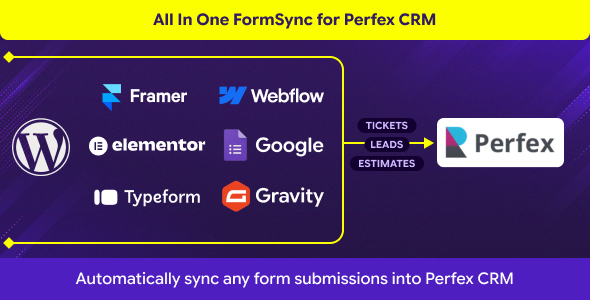
FormSync: Technical Overview & Core Architecture
FormSync – Automated Form to Lead, Customer & Ticket Sync for Perfex CRM operates as an asynchronous webhook processing bridge engineered for digital marketing agencies, SaaS operations teams, and enterprise sales departments. The architecture bypasses front-end script bloat by processing incoming payload data through a lightweight headless endpoint, completely removing client-side execution delays and database locks on submission. Inbound JSON or URL-encoded payloads from platforms such as Webflow, Framer, and custom HTML landing pages execute via non-blocking HTTP POST requests, immediately triggering transactional database updates across Perfex CRM tables without interrupting end-user sessions.
As a native modular extension, this Perfex CRM sync module mounts into the core application hooks using standard MVC controllers and dedicated database migration tables. The administrative settings interface enables system managers to configure external endpoint tokens, target record entities, custom field associations, and automatic notification dispatch parameters without modifying core application files.
Key Functional Features of FormSync for Modern Deployments
- Dynamic Payload Field Mapping: The administrative UI displays visual field-matching tables where incoming JSON keys directly map to standard or custom Perfex CRM schema fields for precise record hydration.
- Automated Entity Routing: Incoming form events evaluate conditionally to route records into separate pipeline tables as new leads, registered customer accounts, or high-priority support tickets based on mapped input values.
- Webhook Ingestion Security: Custom API authentication keys and unique endpoint URLs validate incoming request signatures, preventing cross-site payload injection and spam generation.
- Fail-Safe Transaction Logging: Every external transmission creates a discrete log entry inside the CRM dashboard, showing raw payload data, delivery timestamps, HTTP response codes, and retry options for dropped connections.
Real-World Deployment Scenarios
- High-Conversion Landing Pages: Lead capture pages deployed on headless platforms push form data straight into sales pipelines via this Perfex CRM sync module, cutting out third-party automation tools and associated latency.
- Client Portal Onboarding: Multi-step registration forms created on external web builders ingest structured business data directly to generate authenticated client accounts with default currency and language settings pre-configured.
- External Technical Support Portals: Embedded customer service contact forms parse problem descriptions directly into the Perfex ticket queue, assigning priority levels, departments, and support agents based on selected form parameters.
Technical Architecture & Compatibility Standards
The codebase runs strictly on standard Perfex CRM installations operating on PHP 7.4 through PHP 8.2 with MariaDB 10.3+ or MySQL 5.7+ storage backends. Network requests execute using standard cURL routines and JSON parsing functions native to core PHP, requiring zero node-based background workers or external dependencies.
Payload deliveries operate asynchronously via standard RESTful HTTP methods, achieving sub-100 millisecond response times under active server load. Cross-origin resource sharing (CORS) headers and CSRF protections comply fully with modern browser network security requirements while allowing cross-domain communication from external hosting servers.
Frequently Asked Questions
Does FormSync require Zapier, Make, or third-party webhooks to route data?
No third-party integration platform is required. FormSync exposes direct API endpoints on your own server to process external payload requests directly inside the CRM.
How does the module handle custom fields created in Perfex CRM?
Custom database fields populate automatically inside the administrative mapping screen. You select the target custom field and pair it with the corresponding external form input key.
Can one external form trigger both a lead and a support ticket simultaneously?
Routing rules process data based on defined logic conditions per endpoint. Separate endpoints or conditional rules dictate whether the payload creates a lead, customer profile, or support ticket.