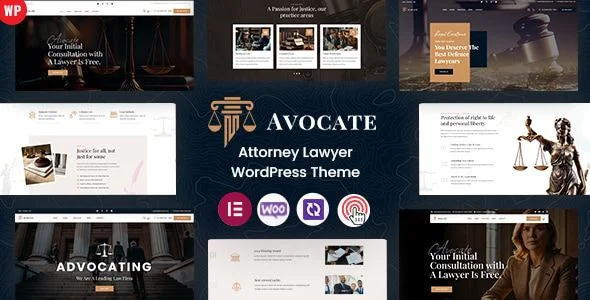
Avocate – Attorney Lawyer WordPress Theme
Avocate: Technical Overview & Architecture
Avocate – Attorney Lawyer WordPress Theme is a WordPress theme engineered for solo attorneys, boutique law firms, and corporate legal departments, built on a template hierarchy that separates presentation logic from content models. The theme ships with flattened DOM structures and conditional template loading, which keeps markup depth low on content-heavy pages such as multi-practice-area listings and attorney roster archives. Front-end updates for appointment requests, contact submissions, and case study filtering run through AJAX endpoints that exchange JSON payloads with the server, so the browser never performs a full page reload during form submission or pagination events.
Component assembly runs through the bundled visual page builder, where each section — hero banners, practice-area grids, testimonial carousels — maps to a reusable module stored as JSON template data that the builder renders into clean HTML. The centralized theme options panel exposes granular controls for color scheme variables, Google Font pairings, header layout variants, and footer column configurations, and every change writes to a single options row that the front-end reads through cached transients rather than additional database queries.
Key Functional Features of Avocate for Legal Websites
- Practice Area Templates: Pre-built archive and single templates render practice categories with schema-friendly heading hierarchy, custom excerpt fields, and icon assignment, so each legal service page follows a consistent structure that crawlers can index without manual markup work.
- Attorney Profile System: A dedicated custom post type stores lawyer credentials, bar admissions, education history, and portrait media, with single-profile templates that automatically link related practice areas and published case results.
- Appointment Booking Integration: The booking module submits date, time, and case-type selections through a validated AJAX endpoint, returns inline confirmation states, and logs entries to the WordPress dashboard where staff can filter by attorney or practice group.
- Case Study Showcase: Structured case-result templates capture dispute type, jurisdiction, and outcome metadata, displayed through filterable grid layouts that update via client-side JavaScript without re-rendering the full page.
- Performance Optimization: Deferred script loading, lazy-initialized image assets, and minified asset pipelines keep initial payload size low, targeting passing Core Web Vitals scores on standard shared hosting configurations.
- SEO-Friendly Markup: Semantic HTML5 landmarks, breadcrumb generation, and Open Graph defaults are built into the template layer, giving each page crawlable entity structure without requiring a supplementary schema plugin.
Production Deployment & Use-Case Scenarios
- Solo Practitioner Launch: An independent family-law attorney deploys the single-practice template set, configures one booking form, and publishes a five-page site in an afternoon, with contact submissions routed directly to an intake email workflow.
- Boutique Firm Roster: A four-partner litigation firm uses the attorney profile post type to publish individual bios, assigned practice areas, and representative case results, producing a staff directory that updates through standard WordPress editing screens.
- Corporate Legal Department Portal: An in-house counsel team repurposes the practice-area templates as internal policy and service catalogs, restricting appointment booking while publishing compliance documentation through the standard page builder.
Technical Architecture & Compatibility Standards
Avocate runs on WordPress 6.x with PHP 8.0 or higher, using the platform’s native hook and filter architecture for template overrides so child themes can modify layouts without touching parent files. The asset pipeline registers styles and scripts through wp_enqueue standards, supports standard caching plugins, and avoids render-blocking dependencies on above-the-fold content.
Core Web Vitals targets — Largest Contentful Paint under 2.5 seconds and Cumulative Layout Shift near zero — are addressed through dimensioned image containers, font-display swapping, and deferred third-party scripts. The theme interoperates with mainstream contact form extensions, translation-ready string wrapping via gettext, and RTL stylesheet support for multilingual legal deployments.
Frequently Asked Questions
Does Avocate include pre-built templates for practice areas and attorney profiles?
Yes, the theme ships with complete template sets for practice areas, case studies, and attorney profiles, all editable through the visual page builder without code changes.
Can I deploy Avocate on a standard shared hosting environment?
Yes, the theme runs on any host meeting WordPress 6.x and PHP 8.0 requirements, with asset optimization keeping load performance acceptable without premium infrastructure.
Does Avocate require coding knowledge to customize layouts?
No, layout adjustments, color schemes, and typography all run through the visual builder and the centralized options panel, so no HTML, CSS, or PHP knowledge is needed.
Can appointment booking submissions be routed to specific attorneys?
Yes, the booking form supports conditional routing rules that direct intake requests to the selected attorney or practice group based on user-selected fields.
Is Avocate fully responsive across mobile and tablet breakpoints?
Yes, every template renders through a mobile-first breakpoint system that adapts navigation, grids, and booking forms to smartphone and tablet viewports.