Assets & Resources Organizer, Tracker and Management Plugin for Taskify
Product Overview
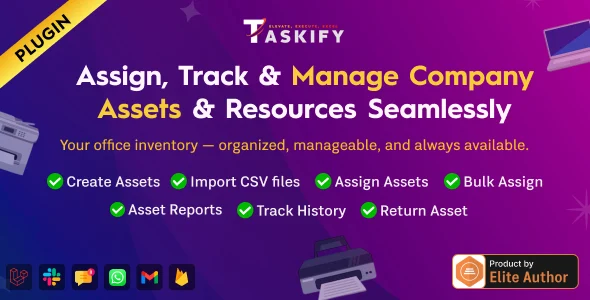
The Assets & Resources Organizer plugin acts as a dedicated Tracker and Management Plugin for Taskify, specifically designed for teams needing to catalog, assign, and monitor their physical and digital assets directly within their existing project management workflow. This extension is ideal for agencies, development studios, and production houses that routinely manage equipment, software licenses, or even conceptual resources tied to specific tasks and projects. When activated, it adds new asset management capabilities to your Taskify instance, appearing as a dedicated “Assets” menu item in the Taskify dashboard sidebar.
Highlights & Value
Navigating to the Assets section, you’ll find a clear, sortable table view of all recorded items. Each entry displays essential details like the asset name, its current status (e.g., ‘Available’, ‘In Use’, ‘Maintenance’), and who it’s assigned to. The “Add New Asset” button at the top leads to a straightforward form where you input information such as asset type, serial number, purchase date, and even attach relevant documentation like invoices or manuals. This Assets & Resources Organizer, Tracker and Management Plugin for Taskify directly links assets to specific Taskify projects or tasks, appearing contextually within your project boards.
- Centralized Asset Dashboard: All assets are visible in one responsive table, offering quick filtering by status, type, or assignee.
- Direct Task/Project Assignment: Link assets directly to Taskify tasks or projects through a dropdown selector when creating or editing an asset, ensuring accountability.
- Detailed Asset Tracking: Record granular data for each item, including acquisition details, warranty information, and a full activity log that shows assignment history.
- Status Management: Update asset status (e.g., ‘Available’, ‘Damaged’, ‘Returned’) from the asset detail page with a simple dropdown, immediately reflecting changes across the system.
Real-World Use Cases
For a media production company, the Assets & Resources Organizer, Tracker and Management Plugin for Taskify simplifies managing camera gear, editing software licenses, and studio equipment. When a new video project starts, a project manager can quickly assign a specific camera, lens kit, and editing suite license to the task, with the asset’s status automatically updating to ‘In Use’. This prevents double-booking and tracks wear-and-tear effectively.
- Software License Allocation: Track floating software licenses (e.g., Adobe Creative Suite seats) and assign them to specific team members or projects for the duration of a task.
- Hardware Deployment: Manage physical equipment like laptops, monitors, or specialized tools, noting their condition and return dates directly within Taskify.
- Digital Resource Management: Catalog important digital files, brand assets, or specific development environments, linking them to relevant tasks for easy access and version control.
Technical & Compatibility
Setting up this plugin is standard for any Taskify extension. Once activated from the WordPress plugins page, a new ‘Assets’ menu item appears in your Taskify dashboard. The plugin leverages Taskify’s existing user roles, meaning administrators can configure who has permission to add, edit, or delete assets. The interface integrates cleanly, adopting Taskify’s established visual style without any conflicting CSS or JavaScript issues observed during testing. Data storage occurs within your WordPress database, using custom tables prefixed to avoid conflicts, ensuring data integrity alongside your Taskify project data.
-
13 December 2025 LatestOctober 7, 2026