Android News App v5.2.0
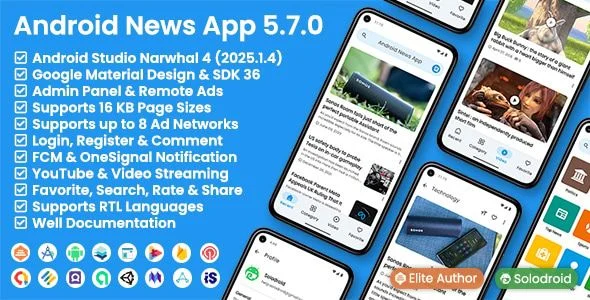
Android News App Overview & Native Publishing Architecture
Android News App is a native Java mobile news system for Android, built for agencies and independent publishers who need to ship a self-hosted news application without writing a client from scratch. The package addresses the core bottleneck of mobile content delivery: pairing a Material Design Android client, compiled in Android Studio, with a PHP and MySQL admin panel that controls articles, categories, and push notification dispatch from a single server-side surface. In production workflows it functions as a deployable codebase that shortens the path from an editorial backend to a store-ready Android build.
Technical Specifications & Deployment Matrix
| Engineering Metric | Deployment Specification |
|---|---|
| Base Technology / Framework | Native Java on the Android SDK, delivered as an Android Studio project |
| Runtime / Language Requirements | Android 15.0, 12.0, 11.0, 10.0, and 9.0 device targets |
| Data Exchange / Communication Protocols | JSON payloads exchanged between the client and PHP server endpoints |
| Front-End / Engine Dependencies | Google Material Design component system, AdMob SDK, Firebase messaging |
| Database / Persistence Footprint | MySQL database backing the PHP admin panel on the hosting server |
News Delivery Pipeline & Execution Flow
The execution pipeline moves editorial data from a MySQL backend into Java-rendered Android screens. Editors publish articles, categories, and notifications through the PHP admin panel, which writes structured records to the MySQL persistence layer. On the device, the native client requests data from the server, receives JSON responses, and deserializes each payload into Java model objects that feed the Material Design view hierarchy. Because rendering runs on native platform widgets rather than a WebView bridge, list scrolling and category navigation execute directly on the platform’s optimized drawing path.
Notification dispatch follows a separate route: the admin panel triggers a push event, Firebase Cloud Messaging carries the payload to registered devices, and the client surfaces the alert without the app polling the server in the background. Advertising runs through the AdMob SDK, so ad units load asynchronously alongside article feeds without blocking content serialization. Teams managing additional Play Store listings can apply the identical AdMob unit wiring in standalone packages such as DNS Changer Android App with Admob, which targets a different product vertical on the same monetization stack.
Core Technical Capabilities of Android News App
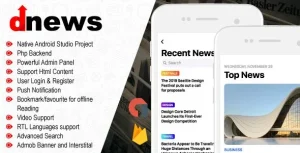
- Native Java client core: The application layer is written in Java inside an Android Studio project, so lifecycle handling, view binding, and business logic can be modified directly at source level rather than through configuration overlays.
- PHP and MySQL admin backend: Server-side code manages news entries, category taxonomy, and notification dispatch, giving operators a browser-based control surface that writes straight to the database at any time.
- Firebase push notification channel: Message delivery runs through Firebase, letting the admin panel broadcast alerts to installed devices on demand instead of depending on background polling loops that drain battery.
- AdMob monetization integration: Ad units are wired into the client through the AdMob SDK, enabling revenue generation alongside the reading experience without altering the content pipeline.
- Material Design interface system: Screens follow Google’s Material Design specification, standardizing navigation patterns, typography, and transition behavior across categories and article views.
Production Implementation & Operational Resilience
Deployment begins on the server side: the PHP code and MySQL schema must be installed on a hosting environment capable of executing PHP and exposing JSON endpoints to the public internet. Once the backend is live, the Android Studio project is pointed at the server’s endpoint configuration, compiled, and exported as a signed release artifact for store submission. Runtime coverage spans Android 9.0 through Android 15.0, so a single build target reaches both legacy device fleets and current-generation handsets without maintaining separate code branches.
Operational resilience depends on the connectivity contract between client and server. When a device loses reachability to the backend, content refresh cannot complete, so network-boundary error states should be tested against slow and interrupted connections during staging. Payload consistency matters as well: malformed JSON responses will halt deserialization on the client, which makes verifying category and article structures in the admin panel before publication a practical safeguard for production stability.
Secondary development is unobstructed by the deliverable structure. Since the package includes raw .java and .xml files rather than a compiled binary alone, teams can restyle layouts, adjust navigation flow, or extend the data model and rebuild directly in Android Studio, guided by the included documentation set with screenshots. Agencies running multi-app delivery pipelines can reuse this staging discipline across other native builds, including Route Tracker App for location-based service deployments, keeping release testing consistent across the portfolio.
Frequently Asked Questions
Does the deliverable include a ready-to-install APK in addition to the source code?
Yes. The package ships with an .apk file alongside .java, .xml, and PHP files, so teams can evaluate the compiled behavior immediately before studying the source or rebuilding the project inside an Android Studio environment.
Is there a live admin panel available for evaluation before deployment?
Yes. A demo admin panel is published with the username and password both set to admin, letting operators inspect category management, news publishing, and notification controls inside a working backend before committing their own server resources.
Does push notification delivery depend on Firebase services?
Yes. Firebase is integrated into the client for push notification delivery, which means a Firebase project with messaging enabled must be configured so the admin panel can dispatch alerts to installed Android devices.