Alien Crush | Construct 3 Game
Product Overview
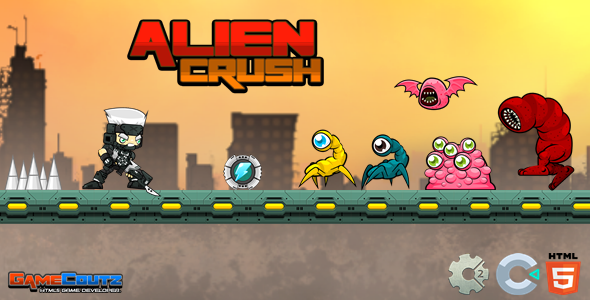
The Alien Crush | Construct 3 Game offers a complete, ready-to-deploy arcade experience, perfect for developers looking to launch a polished game quickly. This template provides a solid foundation, including all core mechanics and UI elements, eliminating the need to build the game engine from scratch. Specifically, the Alien Crush template is a fully developed Construct 3 Game asset designed for immediate use. It’s ideal for solo developers and small studios aiming to publish a casual, high-score driven game.
Upon opening the project file in Construct 3, you’ll see a clear folder structure for sprites, sounds, and event sheets. The main game loop transitions smoothly from a title screen to gameplay, then to a game over state. Player input, whether via keyboard or touch, registers accurately, moving the character left and right while automatically firing projectiles. Enemy patterns appear predictably from the top of the screen, providing a consistent challenge.
Highlights & Value
- **Pre-built Core Mechanics:** The shoot-em-up logic is fully implemented, including player movement, enemy spawning, projectile firing, and collision detection. This means you can focus on creative aspects rather than fundamental coding.
- **Responsive UI Elements:** The score counter, health bar, and pause menu adapt to different screen sizes without requiring manual adjustments, maintaining readability across devices.
- **Optimized Asset Structure:** All sprites are organized into atlases, and sound files are preloaded, contributing to faster initial load times and smoother gameplay.
- **Clear Event Sheet Logic:** The Construct 3 event sheets are logically grouped and commented, making it straightforward to understand how each game system operates and where to make modifications.
Real-World Use Cases
- **Rapid Prototyping:** Quickly test new game ideas or mechanics by integrating them into this existing framework, saving significant development time on core features.
- **Educational Tool:** For those learning Construct 3, the project serves as a practical example of how to structure a full game, offering insights into event sheet organization, object behaviors, and UI management.
- **Reskinning and Customization:** Easily replace existing sprites, backgrounds, and sound effects to create an entirely new visual and auditory experience without altering the underlying game logic.
- **Portfolio Showcase:** Adapt the template with unique assets and publish it to demonstrate your game development skills and creativity.
Technical & Compatibility
The project file consistently loads within Construct 3, showing no compatibility issues with the latest stable releases. All behaviors, such as ‘Bullet’ for projectiles and ‘ScrollTo’ for background movement, perform as expected on both desktop and mobile previews. The Construct 3 Game project exports cleanly to HTML5, Android (via Cordova), and iOS, maintaining consistent performance across platforms. Testing on various browsers like Chrome and Firefox shows identical behavior for input and rendering.
When working with Alien Crush, sprite sheets are cleanly sliced, and each animation sequence plays back without hitches. The collision polygons are accurately defined for all interactive objects, ensuring precise hit detection between player projectiles, enemies, and environmental elements. Sound effects trigger precisely on events, like enemy destruction or player firing, and background music loops seamlessly without noticeable gaps.
Customizing the game involves navigating through the project tree, locating specific sprites in the ‘Sprites’ folder, and replacing them directly. Changing enemy spawn rates means adjusting specific event sheet conditions. The level layout, which primarily involves adjusting enemy wave timing, is controlled through global variables and instance variables attached to spawner objects. This structure makes alterations predictable.