7 3D Games Bundle – Unity Source Code
Product Overview
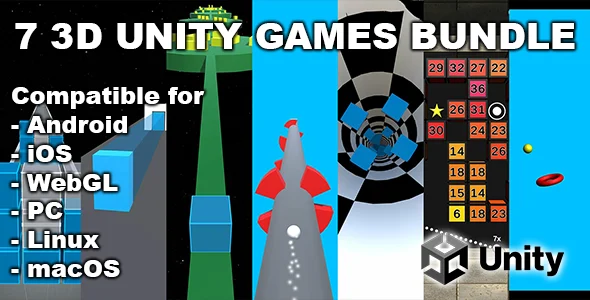
The 7 3D Games Bundle is a comprehensive collection of Unity Source Code, offering a robust foundation for anyone looking to enter or expand in the mobile and web gaming space. This product is ideal for developers, students, or even entrepreneurs aiming to launch engaging casual 3D games quickly. It provides full access to the underlying code, allowing for deep customization and learning, making it a powerful asset for developing multiple game titles.
When you first open any of the seven projects within the bundle, you’ll notice a clear, organized structure in the Unity Editor. Each game has its assets, scenes, and scripts neatly arranged in folders, which significantly speeds up the initial exploration phase. For instance, modifying player movement in the ‘Crazy Ball’ game involves locating a specific PlayerController.cs script, often found under a ‘Scripts’ subfolder, allowing for quick adjustments without extensive searching.
Highlights & Value
- Access to complete, ready-to-modify project files for seven distinct 3D games.
- Freedom to reskin, rebrand, and modify game logic to fit unique creative visions.
- Opportunity to learn directly from working, optimized game development examples.
- Versatility to deploy customized games across multiple platforms, including iOS, Android, and WebGL.
- Ability to bypass common development roadblocks by starting with tested and functional codebases.
Real-World Use Cases
- Launching a diverse portfolio of appealing casual games on various app stores.
- Creating engaging, interactive content for educational purposes or coding bootcamps.
- Rapidly prototyping and testing new game ideas by modifying existing mechanics and assets.
- Monetizing quickly by integrating preferred ad networks (e.g., AdMob, Unity Ads) after customization.
Technical & Compatibility
Upon importing the 7 3D Games Bundle – Unity Source Code into your Unity Hub, you’ll find each project typically targets a recent LTS (Long Term Support) version of Unity, ensuring broad compatibility. The project files load without immediate errors, and all scenes render correctly in the editor, just as you’d expect. Building for Android or iOS platforms is straightforward, requiring standard Unity build settings and a proper SDK setup.
The underlying code is generally well-commented, which makes deciphering game logic much easier for those new to Unity or C# scripting. You’ll observe common design patterns for input handling, UI management, and game state, offering a practical learning experience. Modifying UI elements, for example, usually involves working directly with Unity’s Canvas system and adjusting TextMeshPro components or Image sprites.