Garments ERP – Apparel & Textile Industrial ERP Software
Product Overview
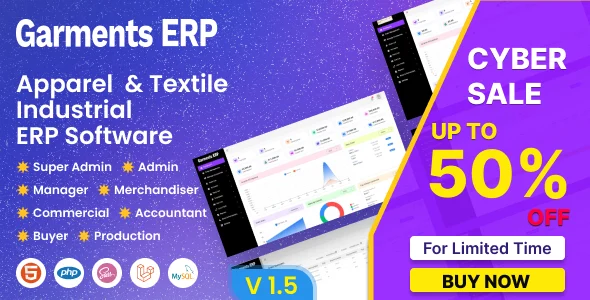
Garments ERP is a robust, self-hosted solution that I’ve found essential for managing manufacturing operations, specifically tailored as an Apparel & Textile Industrial ERP Software. This comprehensive Garments ERP – Apparel & Textile Industrial ERP Software helps businesses streamline everything from raw material procurement to finished goods dispatch. It’s designed for small to medium-sized textile and apparel businesses looking for tighter control over their production lines and inventory.
From the moment you log in, the dashboard provides a clear overview of daily activities, showing pending orders, current stock levels, and production status at a glance. Navigating through the modules, like ‘Purchase’ or ‘Sales,’ feels intuitive; the menu structure is logical, usually a sidebar on the left, which keeps the main content area clean and focused. Entering new purchase orders, for instance, presents a structured form where you select vendors, add items with quantities, and input unit prices, with immediate calculations shown on the page before saving.
Highlights & Value
- Detailed Inventory Management: Tracks raw materials, work-in-progress, and finished goods. When receiving items, the system updates stock levels instantly, and you can generate reports to check minimum stock alerts.
- Production Planning & Tracking: Facilitates creating production orders, assigning batches, and monitoring each stage. The production floor view lets you see which orders are active and their current completion percentage.
- Sales & Order Processing: Manages customer orders, invoicing, and delivery schedules. When a sales order is created, it automatically reserves stock or flags items for production.
- Financial Accounting Integration: Records all transactions, from purchases to sales, and generates financial statements. The ledger view is straightforward, showing debits and credits clearly.
- Employee & Payroll Management: Handles staff details, attendance, and salary processing. Setting up new employees involves a form for personal details, roles, and salary components, with automatic calculation of net pay.
Real-World Use Cases
- Optimizing Fabric Procurement: A small garment factory uses the system to track fabric inventory. When a sales order comes in, the ERP shows exact fabric requirements and alerts the purchasing manager if stock falls below reorder points, preventing production delays.
- Streamlining Cutting & Sewing: A textile unit manages its production orders. Each order progresses through defined stages like ‘cutting,’ ‘sewing,’ and ‘finishing,’ with workers updating status on dedicated terminals. This allows managers to view real-time progress and identify bottlenecks.
- Accurate Costing for New Orders: Before quoting a new client, a manufacturer inputs material costs, labor rates, and overheads into the system. The Garments ERP quickly calculates the estimated production cost per unit, ensuring competitive and profitable pricing.
- Managing Multiple Warehouses: A larger apparel business with several storage locations uses the system to view inventory across all warehouses from a single interface. Stock transfers between locations are recorded, maintaining accurate counts everywhere.
Technical & Compatibility
When integrating Garments ERP, I’ve found it plays well with standard LAMP/LEMP stack environments. It’s built on PHP and MySQL, which means setup on most shared or VPS hosting is relatively straightforward. The system requires PHP 7.4 or higher for optimal performance, and I always recommend configuring a dedicated database user for security. Ensuring your Apparel & Textile Industrial ERP Software functions smoothly largely depends on a correctly configured server environment and sufficient resources, especially as your data grows.
The UI is responsive, adjusting gracefully on different screen sizes, which is helpful for warehouse managers checking stock on tablets or sales teams reviewing orders on laptops. Deploying Garments ERP – Apparel & Textile Industrial ERP Software means having full control over your data, as it’s self-hosted, removing concerns about third-party data access or recurring SaaS fees. Updates typically involve replacing core files and running database migrations, a process that’s well-documented and manageable with basic server administration knowledge.
Frequently Asked Questions
Can I customize the reports?
While the system offers a good range of built-in reports for sales, inventory, and production, extensive customization usually requires direct database queries or custom development if you need a specific layout not already present.
What are the main setup considerations?
Beyond the standard PHP and MySQL requirements, attention to file permissions and cron job setup for automated tasks (like daily reports or low-stock alerts) is crucial during initial deployment. I also advise setting up regular database backups.
Is there an API for external integrations?
The core system doesn’t expose a public API out of the box, but as a self-hosted solution, direct database access (with caution) allows for custom integrations with other systems if you have development resources. This flexibility is a significant advantage of owning the software.