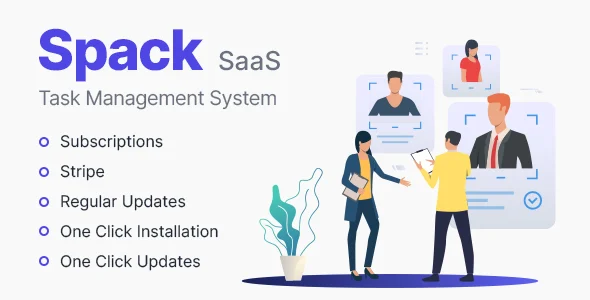
Spack SaaS – Task Management System
✅ Product Overview
Spack SaaS offers a robust Task Management System designed for teams needing a centralized hub to organize projects, track progress, and manage resources. This complete platform, known as Spack SaaS – Task Management System, acts as an on-premise, self-hosted solution for businesses aiming to maintain full control over their operational data and workflows, ideal for project managers, agencies, and internal departments.
Setting up Spack SaaS involves a straightforward installation process on your server. Once deployed, you land on a clean dashboard interface. On the left sidebar, navigation items like ‘Projects,’ ‘Tasks,’ ‘Users,’ and ‘Reports’ are clearly visible. The main content area defaults to an overview of active projects or a summary of your assigned tasks, depending on your user role, helping new users quickly find their bearings.
✅ Highlights & Value
-
The Kanban board view is truly intuitive. Dragging a task card from ‘To Do’ to ‘In Progress’ instantly updates its status across the system, without any page reloads. Each card visually displays the assignee, due date, and priority, making progress transparent at a glance.
-
Team members can comment directly on tasks, and the notification system is quite responsive. New comments trigger a subtle badge on the bell icon in the top right, keeping everyone informed without constant page refreshes or overwhelming email notifications.
-
For different project types, I could set up distinct task statuses. This means a development project can have ‘Code Review’ and ‘Testing’ while a marketing campaign uses ‘Content Draft’ and ‘Scheduled Posting,’ tailoring the workflow precisely to project needs.
-
User roles are clearly defined and granular. An ‘Admin’ can access all system settings from the gear icon, managing users and global configurations, while a a ‘Team Member’ only sees tasks assigned to them and relevant project boards, maintaining focus and data security.
✅ Real-World Use Cases
-
We used Spack SaaS effectively for client web development projects. Each client was set up with a dedicated project, allowing their team to view progress in real-time through a client-specific portal. Assigning bug fixes and new feature requests felt seamlessly integrated into our daily development cycle.
-
Our marketing department found it invaluable for managing content calendars and campaign launches. We established separate boards for social media, blog posts, and email marketing, visually tracking each content piece from initial ideation through to final publication and scheduling.
-
The system also effectively handled internal IT support requests. Users submitted issues directly, and our IT team categorized them, assigned priorities, and updated statuses, all clearly visible on a custom ‘Support Queue’ Kanban board, which significantly streamlined our response times.
✅ Technical & Compatibility
Deploying Spack SaaS requires a standard LAMP or LEMP stack. I found the setup documentation thorough, guiding through database configuration and setting up cron jobs for scheduled reminders and notifications. It integrates well with common email services for user invitations and password resets, making user onboarding smooth and reliable.
For site builders familiar with self-hosting, Spack SaaS provides an excellent balance of control and functionality. The codebase is structured and accessible, making it manageable for custom modifications, should your unique business logic require it. This is a solid foundation for a bespoke Task Management System without vendor lock-in, ensuring long-term adaptability and ownership.