Project Templates for Perfex CRM
Product Overview
Project Templates for Perfex CRM is a module designed to streamline project setup in your Perfex CRM instance. It helps agencies, freelancers, and businesses initiate new projects by pre-defining common project elements, like tasks, milestones, and team assignments, into reusable templates.
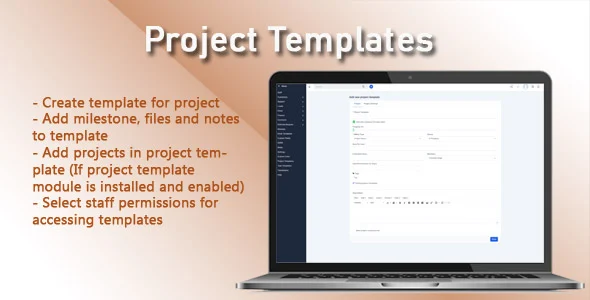
Once installed, you’ll find the new ‘Project Templates’ menu item under the ‘Projects’ section in the Perfex CRM sidebar. Clicking it shows a list of your saved templates. Creating a new template mirrors a standard project screen, but with an ‘Save as Template’ option. You can set up tasks, allocate team members, define milestones, and pre-assign expenses or files.
Highlights & Value
Leveraging this module brings several practical advantages to your project management workflow:
- Significantly reduces manual setup time for new projects, freeing up administrative resources.
- Ensures consistency across all projects of a similar type, maintaining quality and preventing overlooked steps.
- Simplifies onboarding for new project managers or team members, as project structures are already defined.
- Provides a reliable framework for repeatable tasks, ensuring every necessary step is accounted for from the outset.
Real-World Use Cases
Project Templates for Perfex CRM offers clear benefits in various daily operations. Consider these real-world scenarios:
- Website Development Projects: Pre-define phases like discovery, design, content, development, testing, and launch, each with its own set of standard tasks and assigned roles.
- Client Onboarding: Create a template for new client setups, including initial communication tasks, contract signing milestones, and access credential requests.
- Recurring Internal Projects: Standardize monthly SEO reporting, content calendar planning, or quarterly financial reviews with pre-set deadlines and task lists.
- Marketing Campaign Launches: Set up a template with all necessary steps for launching a new campaign, from content creation to social media scheduling and ad setup.
Technical & Compatibility
This module integrates seamlessly with Perfex CRM versions 3.0 and above. No special server requirements exist beyond what Perfex CRM needs. When you apply Project Templates to a new project, it populates details instantly, including pre-defined tasks, milestones, and staff, ensuring data integrity within the existing Perfex CRM database structure.
To use a template for Perfex CRM, you simply select ‘Create Project’ as usual. An ‘Apply Template’ dropdown appears on the project creation form. Choosing a saved template automatically fills project form fields. You can then make minor adjustments to the pre-filled data before saving, which is much faster than starting from scratch.