Multikart – Single or Multivendor eCommerce with Angular & Laravel REST API
Product Overview
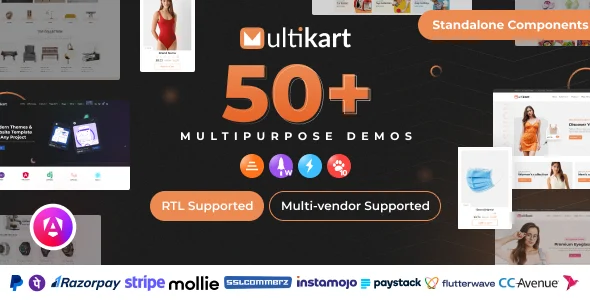
Multikart offers a flexible base for building custom online retail platforms, whether you are setting up a dedicated storefront or a sprawling marketplace. This solution combines a responsive Angular frontend with a powerful Laravel REST API backend, providing the core components needed to power a professional eCommerce site. It is designed for developers and businesses aiming to launch a highly customized online store or a multi-vendor marketplace, delivering an adaptable structure for managing products, orders, and user interactions. This versatile framework is suitable for various scales, from individual brands to extensive vendor networks, ensuring a consistent user experience across devices. The architecture of Multikart – Single or Multivendor eCommerce with Angular & Laravel REST API means the frontend and backend operate independently, allowing for greater scalability and maintenance.
The system comes equipped with essential eCommerce functionalities, allowing site administrators to manage product listings, inventory levels, customer accounts, and order fulfillment. For customers browsing the site, products display with image galleries, pricing details, and add-to-cart buttons. Once items are in the cart, a clear checkout flow guides users through shipping information and payment processing. On the administrative side, the dashboard presents an overview of sales, pending orders, and registered users, often with filterable lists for specific data points. The distinct separation between the Angular user interface and the Laravel API ensures that updates on one side do not directly impact the other, contributing to system stability.
Highlights & Value
- Responsive User Interface: The Angular frontend dynamically adjusts its layout and element sizes to fit various screen dimensions, from large desktop monitors to smaller mobile phones. Product grids rearrange from multiple columns on wider screens to single-column stacking on narrow views, improving readability and navigation.
- Modular Architecture: The clear separation between the frontend and backend allows for independent development and scaling. This means the customer-facing Angular application can be updated without rebuilding the entire Laravel API, and vice-versa, streamlining maintenance cycles.
- Comprehensive Product Management: Administrators access a dedicated panel where they can add new products, assign categories, upload multiple images for each item, set pricing (including sale prices), and track inventory levels. Product listings display detailed descriptions and specifications on the storefront.
- Order & Transaction Handling: The backend API facilitates the entire order lifecycle, from initial placement by a customer to processing and shipment tracking by the vendor. Order details, including customer information, items purchased, and payment status, are viewable within the admin dashboard, often with options to update order status.
- User & Vendor Dashboards: Customers gain a personal account area to view past orders, update shipping addresses, and manage profile details. For multi-vendor setups, individual vendors receive their own dashboard to manage their specific product listings, sales, and order fulfillment processes separate from other vendors.
Real-World Use Cases
- Establishing a Niche Brand Store: A small business focusing on handmade goods can use Multikart to present its product catalog online. The system allows for detailed product pages showcasing craftsmanship, and the order management helps track individual sales from creation to delivery.
- Launching a Local Artisan Marketplace: Multiple local artists or crafters can register as vendors, each managing their own product listings and sales within a shared platform. Customers browse diverse products from various local creators, and the platform handles the overall transaction flow.
- Scaling a Dropshipping Operation: An entrepreneur can quickly deploy an online store, integrating with dropshipping suppliers through custom API endpoints, if needed. The system manages product display and customer orders, while the backend API can communicate with third-party logistics.
- Creating a Digital Goods Marketplace: For sellers of e-books, software licenses, or digital art, Multikart provides the structure to list and sell downloadable products. The system can manage user access to digital files post-purchase, ensuring secure delivery.
Technical & Compatibility
The technical foundation of Multikart – Single or Multivendor eCommerce with Angular & Laravel REST API is built on modern web technologies. The frontend uses Angular, a TypeScript-based open-source framework, ensuring a dynamic and interactive user experience in the browser. Communication between the Angular application and the server is handled entirely through the Laravel REST API, which acts as the data layer. This API structure means the backend can be hosted independently, and the frontend can consume data requests, making the entire setup scalable and robust. The Laravel backend framework provides a secure and organized way to manage database interactions, user authentication, and business logic. It’s designed to be hosted on standard PHP environments with a MySQL database.
Given its API-driven architecture, Multikart offers significant flexibility for integration. Developers can extend the Laravel API to connect with external services such as payment gateways, shipping providers, or CRM systems. The modular nature of Angular also means custom components can be built and integrated into the frontend without impacting the core functionality. When considering hosting, a server capable of running PHP 8.x and MySQL 5.7+ is typically required for the Laravel backend, while the Angular frontend compiles into static files that can be served from any web server. This separation of concerns also means that performance optimizations can be applied to either the frontend or backend independently, such as leveraging a CDN for static Angular assets.