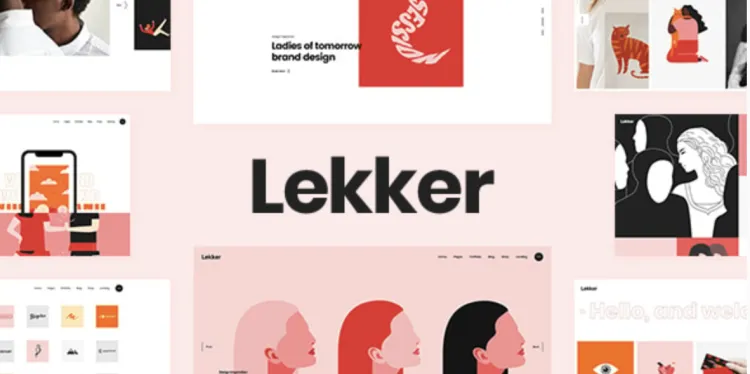
Lekker is a modern and visually striking WordPress theme designed by Qode Interactive. It’s perfect for designers, freelancers, and creative professionals who want to showcase their work through elegant portfolios.
This guide walks you through how to install, activate, and customize the Lekker theme from scratch.
🔧 Prerequisites Before Installation
-
Download the Theme File:
Get the theme package from GPLPal – Lekker Theme..zip -
Backup Your Website:
Use plugins like UpdraftPlus or All-in-One WP Migration to make a full site backup before installation. -
Check Hosting Requirements:
-
PHP version: 7.3 or higher
-
MySQL version: 5.6+ or MariaDB 10+
-
Recommended memory limit: 256MB+
-
🚀 Installing the Lekker Theme
Option 1: Install via WordPress Dashboard
-
Go to .
Appearance > Themes > Add New -
Click and choose the file.
Upload Themelekker.zip -
Click Install Now and then Activate.
Option 2: Install via FTP
-
Unzip the downloaded file.
lekker.zip -
Use FTP software (e.g., FileZilla) to connect to your server.
-
Upload the extracted folder to .
lekkerwp-content/themes/ -
Go to your WP admin panel > and activate it.
Appearance > Themes
🔌 Required Plugins Installation
After activation, Lekker will prompt you to install several recommended plugins:
-
Qode Framework
-
WPBakery Page Builder
-
Slider Revolution
Click Begin Installing Plugins, then Activate them all.
📥 How to Import Demo Content
-
Navigate to .
Lekker Options > Import -
Choose your preferred demo (e.g., Minimal Portfolio, Pinterest Grid, Creative Agency).
-
Click Import, and wait a few minutes for everything (pages, posts, menus, sliders) to be installed.
-
After import, visit your homepage and check if it reflects the demo layout.
🎨 Theme Customization
You can customize everything through the panel:Lekker Options
-
General Styling: Set fonts, colors, spacing.
-
Header & Footer: Add your logo, menus, and social links.
-
Portfolio Items: Use the custom post type to create and manage projects.
Portfolio -
Page Builder: Use WPBakery Page Builder for drag-and-drop layout control.
🛠 Troubleshooting Tips
-
Demo import stuck?
Increase your PHP settings in or contact your host:php.ini -
Styling issues?
Clear browser and plugin cache. Regenerate CSS via your caching plugin. -
Plugin conflicts?
Disable other plugins and reactivate them one by one to identify any conflict.
🔗 Recommended Internal Links (for SEO)
To improve your on-site SEO and reduce bounce rate, consider adding links to other tutorials on your blog:
✅ Final Notes
Once installed and configured, Lekker gives you a sleek and professional website that showcases your portfolio with style and responsiveness. It’s especially recommended for:
-
Creative freelancers
-
Photography websites
-
Design studios
-
UX/UI portfolios