Zephyr | Material Design Theme
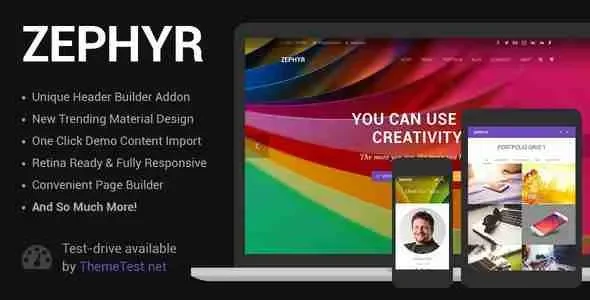
Zephyr Material Design Theme Overview & Front-End Rendering Foundation
Zephyr Material Design Theme is a responsive WordPress theme built for agencies, studios, and business teams that need a Google Material Design front end without hand-coding component behavior. The package exists because most multipurpose themes ship heavy, multi-demo codebases; this one distills its parent architecture into a single-demo distribution where Material icons drive every interactive element, from prev/next arrows to navigation controls. In production delivery, it operates as the presentation layer for corporate sites, portfolios, blogs, and WooCommerce storefronts, with PHP, CSS, and JS files structured for direct template hierarchy overrides.
Technical Specifications & Deployment Matrix
| Engineering Metric | Deployment Specification |
|---|---|
| Base Technology / Framework | WordPress theme package (PHP files, CSS files, JS files), current release v9.3.1 |
| Editor Runtime | Gutenberg optimized, with a built-in page builder engine for section composition |
| Icon Delivery Layer | Material icons as the default element-control set; Font Awesome 5 Free library included |
| Layout & Resolution | Responsive, high-resolution (retina-grade) rendering |
| Browser Compatibility | Firefox, Safari, Opera, Chrome, Edge |
| Widget Architecture | Widget-ready regions registered through native WordPress sidebar APIs |
Material Design Rendering Engine & Execution Pipeline
The core mechanism is a WordPress template hierarchy that hands page composition to an internal builder engine before the DOM is emitted. When a request resolves against a template file, the engine parses stored section and row definitions, serializes them into component objects, and emits a nested DOM tree whose depth is governed by container-repeater logic rather than fixed markup. Each builder element pulls its glyph set from the Material icon font, which keeps arrow controls, toggles, and navigation affordances consistent with Material Design specification instead of mixing icon families across the interface.
Because the theme is Gutenberg optimized, native editor blocks render alongside builder-generated sections, letting content teams draft in WordPress core while layout work stays inside the visual engine. Asset handling follows a consolidated model: PHP templates enqueue CSS and JS bundles per view, which keeps the payload for a single demo configuration smaller than multi-demo parent distributions that load inclusion logic for dozens of importable site variants. Parallax sections execute through JavaScript scroll-event listeners that translate background layers relative to viewport position, a technique that preserves layout stability because transforms do not trigger document reflow.
Architectural & Functional Highlights
- Built-in page builder engine: Section definitions persist in the WordPress database and are parsed, validated, and rendered server-side into nested container markup, eliminating hand-edited template files for standard layouts.
- Material icon system: Element controls such as prev/next arrows default to the Material icon font rather than Font Awesome, producing spec-consistent Material Design affordances with a single typeface request.
- WooCommerce storefront compatibility: Commerce templates inherit theme styling, allowing product archives and checkout views to render inside the same Material component language as editorial pages.
- Widget-ready region architecture: Sidebar and footer areas register through native widget APIs, so content teams attach archives, menus, and custom widgets without touching PHP.
- Parallax scroll pipeline: Background layering is dispatched through scroll listeners with transform-based positioning, avoiding reflow-induced layout shifts during page descent.
For agencies evaluating adjacent presentation layers in the same delivery niche, Zentro occupies a parallel position as a digital agency WordPress theme, serving as an alternative codebase when project briefs demand a different visual direction.
Production Implementation & Operational Resilience
Deployment follows standard WordPress theme installation: upload the package, activate it, and import the single bundled demo configuration to reproduce the reference layout before replacing content. The distribution includes PHP, CSS, and JS files directly, which means a child theme can override any template via the standard hierarchy — copying template-parts into a child directory takes precedence over the parent files without modifying the core codebase, preserving update safety across releases. Version v9.3.1, published September 16, 2026, is documented through a public changelog, so teams can diff behavioral changes before applying releases to staging environments.
Browser coverage spans Firefox, Safari, Opera, Chrome, and Edge, which constrains QA matrices to those five rendering engines for pre-launch verification. The high-resolution, responsive layout applies fluid breakpoints so a single template serves mobile and desktop viewports without separate mobile markup. Operational boundaries are explicit: the codebase ships exactly one pre-built demo site, and icon coverage is limited to the Font Awesome 5 Free library plus Material icons — the Pro icon library and the sixty-plus importable demos of the parent Impreza distribution are not part of this package. Teams scoping consulting-sector builds can treat Herrington as an independently developed business consulting WordPress theme covering that vertical as a separate delivery path. For front-end form logic outside the theme scope, JetFormBuilder provides a standalone WordPress plugin route with conditional logic and payment actions.
Frequently Asked Questions
Does Zephyr include the Font Awesome 5 Pro icon library?
No. Icon access is limited to the Font Awesome 5 Free library, while the Pro collection with its full icon styles and extended glyph set remains exclusive to the parent Impreza distribution, which ships the Pro library as part of its premium addon bundle.
Does the theme ship with more than one pre-built demo site?
No. Exactly one pre-built demo site is bundled for import, whereas the parent Impreza build carries over sixty importable demo configurations, a scope reduction reflected in the smaller addon footprint of this package.
Do element controls use Material icons instead of Font Awesome by default?
Yes. Interactive element controls such as prev/next arrows render Material icons by default, diverging from the parent distribution, which loads Font Awesome glyphs for the same control positions.
-
8.20 LatestSeptember 27, 2026