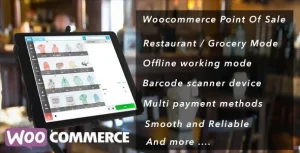
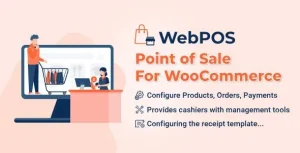
YITH Point of Sale for WooCommerce (POS) Premium

YITH Point of Sale for WooCommerce Overview & Unified Retail Commerce Engine
YITH Point of Sale for WooCommerce is a WordPress plugin engineered for merchants and agency teams who must run physical registers and an online shop from one backend. The module resolves the data fragmentation bottleneck between brick-and-mortar terminals and the e-commerce database by bridging both channels through the WooCommerce REST API. In production workflows, it operates as the transactional backbone for chain stores, franchises, and multi-department retail environments where every register action must propagate to a single canonical dataset.
Technical Specifications & Deployment Matrix
| Engineering Metric | Deployment Specification |
|---|---|
| Base Technology / Framework | WordPress plugin built on the shared YITH framework; requires an active WooCommerce installation |
| Runtime / Language Requirements | Standard PHP/MySQL WordPress stack; register runs in any current-generation web browser, on computers and touch screens |
| Data Exchange Protocols | WooCommerce REST API for synchronization of orders, customers, and product listings between register and store |
| Front-End Dependencies | Dedicated, admin-customizable cashier login page decoupled from the WordPress backend |
| Database / Persistence Footprint | Orders, customer records, new products, and per-store stock values written to the native WooCommerce database |
REST-Synced Register Architecture & Execution Pipeline
The engine executes every sale through a REST-mediated pipeline that lands each transaction directly in the WooCommerce order, customer, and product tables. A cashier interacts with the register view on the frontend; when a sale is finalized, the order payload is dispatched through the WooCommerce REST API and recorded in the store database, eliminating duplicate entry between online and offline channels. Administrative configuration lives in the WordPress backend: a setup wizard provisions stores, and each store carries its own billing information, address, contact details, social network profiles, and manager and cashier assignments.
Registers follow a parallel configuration model. A single store can host unlimited registers—as in a supermarket with departmental checkout points—and each register can be individually enabled or disabled, bound to specific assigned cashiers, and restricted to a defined subset of the payment methods the operator enables for that location. Cashiers never touch wp-admin: authentication happens through a purpose-built login page that administrators can customize, isolating the storefront operational surface from full site administration.
For brick-and-mortar operators whose business model centers on scheduled bookings rather than transactional retail, and who want a decoupled path outside the WooCommerce runtime, Bookly PRO exists as a standalone appointment platform with live slots, deposits, and reminder logic.
Core Technical Capabilities of YITH Point of Sale for WooCommerce
- Unlimited store and register topology: The setup wizard provisions any number of stores, each supporting unlimited registers. Store-level and register-level enable/disable switches allow staged rollouts and per-terminal control across franchise networks.
- REST API synchronization layer: Orders, customer data, and product records created at the register traverse the WooCommerce REST API and persist in native WooCommerce tables, keeping one source of truth across channels.
- Multi-stock inventory control: The multi-stock feature assigns distinct stock values per store location, so physical shelf counts per branch diverge from the global catalog without manual reconciliation.
- Cart suspension and retrieval: A “Suspend and save” action freezes an active cart into a separate tab, letting staff open a new sale and reopen the parked transaction later—replicating the hold behavior of hardware registers inside the browser.
- Split payment routing: A single order can be settled across multiple payment methods, and every register can expose only the payment gateways enabled for that specific terminal.
Production Implementation & Operational Resilience
Deployment begins once WooCommerce is active and the plugin connects the shop through its REST API layer. Because the package is developed on the shared YITH framework, it interoperates with the rest of that catalog: running it alongside YITH Cost of Goods for WooCommerce attaches product cost data to register sales, so real profit margin per transaction becomes visible, while YITH WooCommerce PDF Invoices & Packing Slips extends invoice generation to POS-created orders.
Hardware requirements stay deliberately thin. The virtual cash register renders on any computer, on touch screens, and in any current-generation browser, so terminals scale without proprietary hardware or native client compilation. The enable/disable switches at both store and register level provide a controlled degradation path—a terminal can be taken offline while sibling registers at the same location keep processing sales, and an entire store can be suspended without dismantling its configuration.
Retail operations that layer scheduled services onto product sales—pickup slots, fittings, in-store consultations—can handle that booking workflow inside the same WordPress environment by deploying PushAppointment alongside the register stack, keeping calendar management on a single admin surface. Pre-deployment prerequisites are limited to a functioning WooCommerce installation and REST API connectivity between the register frontend and the store backend.
Frequently Asked Questions
Can the POS registers operate on tablets and touch-screen hardware?
Yes. The virtual cash register runs on any computer, on touch screens, and in any current-generation web browser, so no proprietary terminal hardware or native application installation is required for register deployment.
Do customers automatically receive emails for orders placed at a register?
Yes. After an order is completed at the register, customers receive the standard WooCommerce transactional emails; the operator only needs to enable those automatic notifications from the WooCommerce settings screen for the flow to activate.
Can staff generate PDF invoices for orders created through the POS?
Yes. Through compatibility with YITH WooCommerce PDF Invoice, the invoice fields appear in the customer details section of the register view, so invoices can be generated for POS orders exactly as for online orders.
Can new products be created directly at the register?
Yes. The register interface lets staff add new products on the fly, and that catalog data synchronizes back into the e-commerce database, so product gaps discovered during physical sales close without backend access.
-
v3.13.0 Latest