WriteBot – AL Content Generator WordPress Plugin
The WriteBot Plugin: Technical Overview & Core Architecture
WriteBot – AL Content Generator WordPress Plugin provides automated text and media generation pipelines natively inside the WordPress environment for affiliate publishers, WooCommerce administrators, and digital agencies. The internal architecture utilizes asynchronous REST API wrappers to process generation requests off-thread, eliminating PHP execution timeouts and memory exhaustion during high-density operations. An event-driven JavaScript communication layer hooks directly into WordPress REST endpoints to stream generated tokens and render updates inside the block editor without full page reloads.
The system modularly hooks into standard post types, WooCommerce product entries, and custom taxonomies through native WordPress action hooks and filters. An administrative settings dashboard manages model routing, temperature controls, maximum token boundaries, and secure credential storage directly within the WordPress options table without requiring modifications to core files.
Key Functional Features of the WriteBot Plugin for Modern Deployments
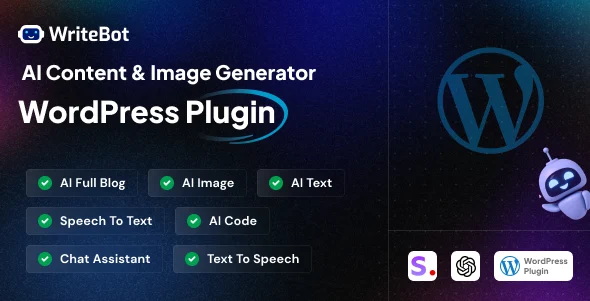
- Asynchronous Block Editor Generation: The block-level interface triggers background API calls via dedicated REST endpoints, rendering returned content directly into target Gutenberg nodes while preventing UI thread locks.
- WooCommerce Catalog Automation: Product edit panels receive dynamic attributes and meta-field mappings, executing bulk content generation for short summaries and long descriptions directly from defined taxonomies.
- Integrated Media Synthesis
Engine: Prompt dispatch modules communicate with remote image engines, automatically injecting generated raster assets into the native WordPress media library with preset alt tags and filenames. - Bulk Execution Task Queue: A secondary table handles task queues through standard WP-Cron scheduling, allowing site operators to process long-tail keyword sets into structured drafts sequentially without exceeding host memory thresholds.
Real-World Deployment Scenarios
- High-Volume Affiliate Directory Expansion: Programmatic sites deploy the AI content generator workflow to convert raw CSV keyword matrices into fully formatted review drafts, populating H2 and H3 subheadings with zero editor reformatting required.
- Enterprise E-Commerce Catalog Updates: Store maintainers running thousands of unpopulated SKU records invoke the plugin batch handler, generating distinctive product copy across entire categories while preserving existing product schema markup.
- Editorial Desk News Outlining: Newsrooms leverage the native panel to generate initial source synopses and metadata directly within the post edit screen, decreasing preliminary research stages for staff journalists.
Technical Architecture & Compatibility Standards
The system runs on standard LAMP/LEMP stacks running PHP 7.4 through PHP 8.3, requiring the cURL extension and JSON support enabled on the host. Because the WriteBot Plugin executes requests via non-blocking administrative endpoints, frontend Core Web Vitals remain unaffected, preserving First Contentful Paint (FCP) and Cumulative Layout Shift (CLS) scores.
Interoperability covers Gutenberg, Classic Editor, WooCommerce core tables, and leading SEO schema frameworks. Database writes adhere to the WordPress Options and Post Meta APIs, ensuring full compatibility with Redis caching layers and standard database prefix structures.
Frequently Asked Questions
Does background generation trigger memory limits during bulk tasks?
Bulk processes divide requests into discrete asynchronous batches managed through internal WP-Cron routines, preventing memory exhaustion and standard PHP execution timeouts on shared or restricted hosting environments.
Can the engine generate content for custom post types?
The AI content generator functions across standard posts, pages, and any registered custom post type that supports the REST API and native WordPress editorial interfaces.
How does the software store outbound model configurations?
Outbound configuration settings and custom prompt parameters are saved as sanitized arrays within the native WordPress options table, accessible only to users with administrative capabilities.