WP Timetics – Appointment Booking WordPress Plugin
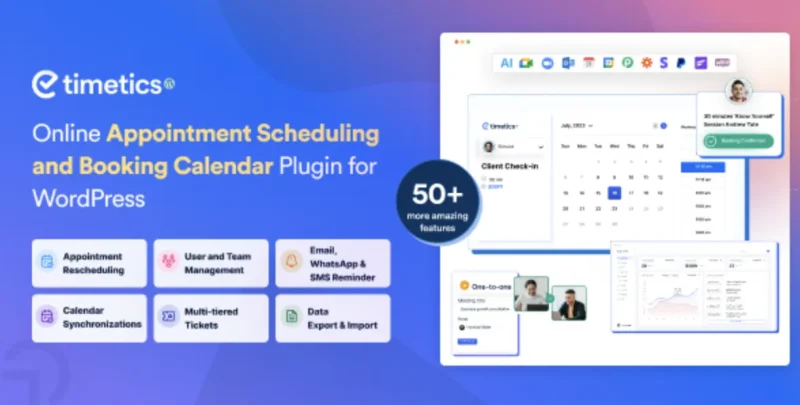
WP Timetics Overview & Scheduling Automation Architecture
WP Timetics is an AI-assisted WordPress appointment booking plugin, engineered for agencies and site operators who need to automate scheduling, seat allocation, and payment collection without writing custom PHP. The plugin resolves the operational bottleneck of manual appointment coordination by consolidating meeting creation, staff availability rosters, recurring bookings, and timezone-aware reservations into a single administrative layer. In production delivery, it functions as the scheduling backbone for clinics, salons, coaching centers, gyms, tutoring services, and spa operations while coexisting with WooCommerce storefronts and Elementor-driven page builds.
Technical Specifications & Deployment Matrix
| Engineering Metric | Deployment Specification |
|---|---|
| Base Technology / Framework | PHP, JavaScript (JS/JSON), HTML, CSS with Sass preprocessing |
| Runtime / Version Requirements | WordPress 5.0.x through 7.1.x; Firefox, Safari, Opera, Chrome, Edge rendering targets |
| Data Exchange / Communication Protocols | Stripe and PayPal payment gateways; WooCommerce payment routing; Zapier, Pabbly, FlowMattic, and Uncanny Automator webhook automation; Twilio-based WhatsApp/SMS dispatch |
| Front-End / Engine Dependencies | Elementor page builder compatibility; WPML multilingual compatibility; shortcode-based embedding (Gutenberg optimization not required) |
| Database / Persistence Footprint | Native WordPress database storage for bookings, meetings, and staff records; two-way sync with Google Calendar, Outlook Calendar, and iCal |
Scheduling Engine Architecture & Booking Execution Pipeline
Every booking traverses a three-stage pipeline: meeting configuration, availability resolution, and payment-gated confirmation. Administrators first define a meeting archetype from three supported types: one-to-one, one-to-many, and one-to-many with a seat plan. Availability Preference governs the second stage, where working dates, staff rosters, and holiday exclusions constrain which time slots the frontend can expose. The third stage validates the customizable booking form, processes payment through Stripe, PayPal, or a WooCommerce-mapped gateway, and only finalizes the reservation once payment verification succeeds, a behavior hardened in version 1.0.41 to prevent unverified PayPal transactions from generating active bookings.
The visual seat plan subsystem operates as an interactive blank canvas in the admin panel: operators draw venue layouts, assign seat geometry, and publish the map so customers can select specific seats on the frontend. Post-confirmation, the notification layer dispatches email on scheduling, pre-meeting reminders, and cancellation events, while the auto timezone detection routine converts slot times into each visitor’s local timezone before checkout. AI personalization then analyzes prior booking activity and stated preferences to surface recommendations, increasing appointment conversion through relevance rather than manual upselling. For teams operating an existing Bookly installation that must feed scheduling data to external applications, deploying Bookly Read Rest API as a read-endpoint layer alongside this pipeline gives consumption access to booking datasets from outside the WordPress request cycle.
Core Technical Capabilities of WP Timetics
- Visual Seating Plan Engine: Renders venue layouts on an interactive canvas in the backend and publishes them as selectable seat maps on the frontend, with inactive and expired tickets filtered out of the admin seat-map view as of version 1.0.35.
- Staff Member Management: Provisions individual staff profiles with unique credentials, per-member availability control, and assignment to specific meeting types, removing single-operator constraints.
- Recurring Appointment Scheduler: Automates repeat bookings through recurrence rules, eliminating repeated manual entry for standing client engagements.
- Multi-Platform Calendar Sync: Mirrors every created, rescheduled, or canceled meeting into Google Calendar, Outlook Calendar, and iCal, keeping mobile and desktop schedules consistent.
- Virtual Meeting Provisioning: Attaches Google Meet and Zoom conferencing endpoints to bookings so remote sessions generate joinable links automatically.
Production Implementation & Operational Resilience
Deployment spans WordPress 5.0.x through 7.1.x, giving agencies a wide compatibility envelope for legacy and current client environments. The Setup Wizard stages configuration step by step, which reduces misconfiguration risk during first-run provisioning, and WPML compatibility permits multilingual booking flows without duplicated installations. Recent releases demonstrate active hardening: security patches were applied to the booking form and the Attendee role in 1.0.43, bulk export was corrected to process only selected records rather than full datasets in 1.0.37, and custom form fields now tolerate missing field labels without throwing errors as of 1.0.38.
Customization boundaries are well defined. The booking form accepts additional fields per niche through the admin interface, shortcodes embed meeting lists into arbitrary pages, and the Eventin bridge extends the seating plan builder to event records so attendees reserve seats from the frontend. Payment resilience extends beyond native gateways through the WooCommerce integration, which opens the storefront’s entire gateway catalog to ticket transactions. For medical practices assembling a full clinic web presence, pairing the scheduler with a sector-matched front end such as Medicora supplies the doctor-profile and service-page presentation layer around the booking flow.
Lifecycle automation runs through the FluentCRM bridge for lead capture and email marketing, while Zapier and Pabbly connectors move booking events into external CRMs and analytics stacks for reporting. The dashboard surfaces user analytics, meeting updates, and staff progress metrics for data-driven operations reviews. For decoupled implementations outside the WordPress runtime, such as launching a native consultation product on mobile hardware, Telemedicine Doctor App exists as an independent Android codebase and cannot share this plugin’s PHP execution layer.
Frequently Asked Questions
Does WP Timetics depend on the Gutenberg block editor for embedding meetings?
No, the plugin is not Gutenberg-optimized; meeting lists are embedded via shortcodes pasted into any page, and certified page-builder compatibility covers Elementor, which handles layout duties on builder-driven sites.
Can seat plans built in WP Timetics be attached to events created in Eventin?
Yes, the Eventin integration applies the visual seating plan builder to Eventin event records, and event attendees can reserve their seats from the frontend exactly as they do for native meetings.
Can an administrator create a booking on behalf of a client without frontend access?
Yes, a manual booking workflow exists inside the admin panel, allowing operators to schedule appointments for clients directly from the dashboard when handling phone or email reservations.
Does WP Timetics function consistently across the major desktop browsers?
Yes, documented compatibility covers Firefox, Safari, Opera, Chrome, and Edge, so the frontend booking flow and the admin panel render consistently across all five verified browser targets in desktop environments.
-
v1.0.37 Latest