Wookly Assign Orders for WooCommerce
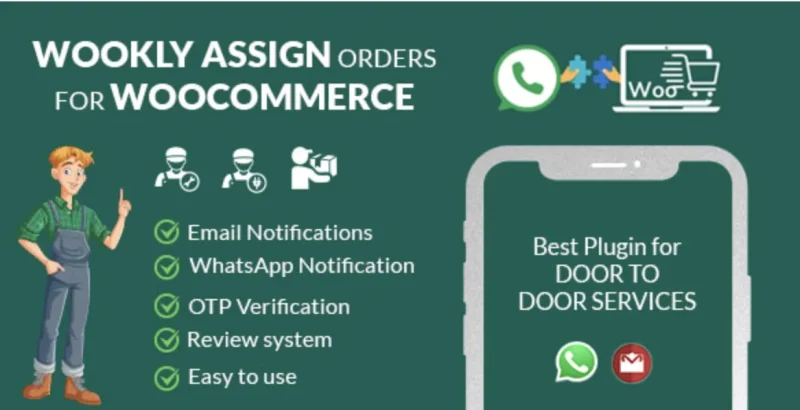
Wookly Assign Orders for WooCommerce Overview & Order Dispatch Architecture
Wookly Assign Orders for WooCommerce is a WordPress plugin engineered for store owners and agencies operating door-to-door service businesses to route incoming orders to field employees with verified notifications. It resolves the operational bottleneck of manually triaging order queues by introducing an assignment layer that maps each order to an employee, tags it with a priority level, and tracks its work status through completion. Within production storefronts spanning plumbing, appliance repair, food and grocery delivery, cleaning, and salon services, the module functions as the central dispatcher connecting the WooCommerce order table to the people who physically fulfill the work.
Technical Specifications & Deployment Matrix
| Engineering Metric | Deployment Specification |
|---|---|
| Base Technology / Framework | WordPress plugin built from PHP, JavaScript (JS/JSON), HTML, and CSS source files |
| Runtime / Language Requirements | WordPress 5.0.x through 6.7.x; WooCommerce 5.x.x through 9.x.x |
| Communication Protocols | Email dispatch and WhatsApp message notifications with editable templates and reusable email tags |
| Front-End / Browser Dependencies | Gutenberg-optimized interface; compatible with IE10, IE11, Firefox, Safari, Opera, Chrome, and Edge |
| Data Persistence Footprint | Stores employee records, order assignments, priority and work-status states, and customer reviews within the WordPress database |
Employee Assignment Engine & Execution Pipeline
The plugin operates as an order-to-employee routing engine layered over the WooCommerce order table. When an administrator opens the orders screen, quick-action controls inject assignment operations directly into the list-table rows, so an order can be attached to an employee without navigating to a separate edit screen. Each assignment records a priority value and a work status, and the orders list can then be filtered by both dimensions, letting dispatchers triage urgent jobs before routine ones. Version 1.0.1 additionally mapped the wc-hold status into the employee-assigned order table, so held orders remain visible within the same workflow view rather than disappearing into a separate queue.
Notification delivery runs on a dual-channel model. When an assignment is committed, the engine renders the configured message template, substitutes contextual values through documented email tags, and pushes the rendered payload to the employee via email and WhatsApp. Every template string is editable from the configuration screen, and each channel can be toggled independently through the enable/disable feature switches. Availability checks let the dispatcher confirm an employee is free before committing the order, reducing double-assignment errors in multi-worker teams.
Architectural & Functional Highlights
- Unlimited employee registry: The system imposes no cap on worker records, each carrying a telephone number configured per documented setup instructions, which the WhatsApp notification channel consumes as its delivery target.
- OTP-verified customer reviews: Customers confirm their identity through a one-time code before a review is persisted, which keeps the review list attached to genuinely completed service visits rather than unverified submissions.
- Employee reporting and review aggregation: The module compiles per-worker reports and a consolidated reviews list, giving management an auditable record of who completed which orders and how each job was rated.
- Priority and status filtering: Orders can be queried by priority tier and work status directly from the admin list table, converting the native order grid into a dispatch console.
Production Implementation & Operational Resilience
Deployment follows the standard plugin installation path: upload the package, activate it, and configure the feature toggles, notification templates, and employee telephone numbers. Version 1.0.2 added compatibility with WooCommerce High-Performance Order Storage, so stores that migrated off the legacy posts-based order tables can run the assignment engine without schema conflicts. The same release hardened the notification pipeline against misconfiguration; when no email tags are defined in the admin settings, the renderer no longer throws fatal errors, and the employee email address is displayed when first and last name fields are empty, preserving readable notification output when registry data is incomplete.
For staging environments inherited from agency handovers, administrators should verify that telephone numbers are stored in the format the WhatsApp channel expects before running live dispatch tests, since a malformed number silently breaks message delivery. Template edits should be validated against the documented email tag list so placeholder substitution resolves correctly at send time. When order volumes spike and administrators need to adjust assignments, statuses, or coupon data across many records at once before routing, Bulky provides bulk order editing with safe previews as a complementary WooCommerce tool within the same admin surface. For parcels handed to external couriers rather than in-house staff, WooCommerce Orders Tracking covers SMS alerts and PayPal tracking synchronization as a parallel solution, keeping courier logistics decoupled from the internal employee assignment layer.
Frequently Asked Questions
Does the plugin support WooCommerce High-Performance Order Storage (HPOS)?
Yes. Version 1.0.2, released on 2025-10-24, explicitly added HPOS compatibility, allowing the assignment engine to operate on stores running WooCommerce’s modern order storage architecture without legacy table dependencies.
Can customer reviews be submitted without OTP verification?
No. The documented review flow requires OTP verification, meaning customers must confirm a one-time code before their review is recorded, which ties submitted feedback to verified recipients of completed service orders.
Is there a limit on how many employees can be registered?
No. The feature set specifies unlimited employee additions, so multi-team operations covering delivery drivers, technicians, and field workers can register every staff member, each with a telephone number for notification routing.
Can notification message content be modified after installation?
Yes. Every email and WhatsApp message is editable from the settings screen, and reusable email tags allow dynamic values such as order and employee data to be injected into the message body at dispatch time.