WooCommerce TrackingMore
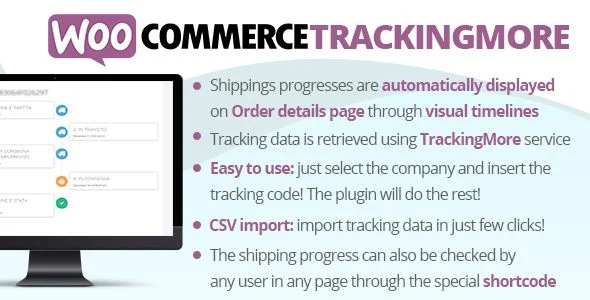
WooCommerce TrackingMore Overview & Shipment Status Orchestration Layer
WooCommerce TrackingMore is a WordPress and WooCommerce extension, engineered for store operators and agency teams to surface live courier tracking data directly inside the customer order experience. The module eliminates the operational bottleneck of manually relaying shipment status by binding each order to the TrackingMore carrier network and rendering status progression as visual timelines on the order details page. In production workflows, it functions as the bridge between administrative tracking data entry and frontend visibility, synchronizing courier events through a single configured API credential.
Technical Specifications & Deployment Matrix
| Engineering Metric | Deployment Specification |
|---|---|
| Base Technology / Framework | WordPress plugin (PHP, JavaScript, HTML, CSS) built for WooCommerce |
| Runtime / Language Requirements | WordPress 4.9.x through 6.8.x; WooCommerce 6.x through 9.x |
| Data Exchange / Communication Protocols | TrackingMore REST API via developer API key; CSV bulk import pipeline |
| Front-End / Engine Dependencies | Firefox, Chrome, Edge; shortcode renderer and timeline UI components |
| Database / Persistence Footprint | Stores tracking codes per order (HPOS-compatible since version 4.3); caching layer for delivered-order status queries |
Tracking Data Pipeline & Execution Flow
The core mechanism connects order records to carrier APIs and renders their status as timelines. Configuration begins in the dedicated admin menu, where the operator pastes a TrackingMore API key (a generation link is provided in-panel) and selects the courier companies used for fulfillment. Once this handshake is stored, tracking codes entered on the admin order details page become the unit of work for the entire pipeline.
From that point, the extension polls the TrackingMore service for status transitions and materializes each checkpoint as a node on a visual timeline. The frontend order details page displays one timeline per tracking code attached to the order, and courier icons are rendered inside both the timeline and outbound notifications. Administrators also gain a per-order tracking column in the orders list, with a caching rule that stops querying the remote service for orders already marked delivered, which reduces redundant API consumption on high-volume stores.
A notable data-model refinement arrived in version 4.1: tracking codes can be associated with specific products inside a multi-item order rather than only at the order header level. This lets mixed-cart shipments display parcel-level accuracy, so a customer ordering three items shipped in two packages sees two independently progressing timelines mapped to the correct line items.
Core Technical Capabilities of WooCommerce TrackingMore
- Universal tracking shortcode: The [wctmw_order_status] shortcode renders a form on any page that accepts an order ID and loads the corresponding shipment timelines, enabling guest customers without account access to trace deliveries outside the profile area.
- Email embedding engine: Tracking data is automatically injected into every WooCommerce notification email once the order reaches the completed status; the trigger status is configurable, and the embedded message text can be customized, with template localization available under WPML.
- Active notification dispatch: Beyond passive email embedding, the module can send standalone tracking emails through a customizable template managed in the Email menu, with courier icons included in the payload since version 3.0.
- CSV bulk import: A dedicated import section accepts a CSV template for bulk tracking assignments; the merge mode skips tracking codes that already exist on an order, supports order IDs generated by the Sequential Order Numbers Pro plugin, and reports detailed errors when a row fails validation.
- Timeline presentation controls: Options include a collapsed timeline state for compact order pages and product-level tracking code assignment for multi-parcel shipments.
Production Implementation & Operational Resilience
Deployment follows the standard WordPress plugin installation path, with automatic update delivery handled through the Envato market updater plugin once configured per its official setup guide. The critical prerequisite is architectural rather than technical: the extension depends on the external TrackingMore service and requires an active API key from that provider, including its free tier. Any matters concerning the provider’s plan tiers rest with that service, not this codebase, so agencies scoping client deployments should validate API quota against expected order volume first.
Because delivered orders stop consuming remote queries through the caching system, sustained operation on stores processing thousands of orders monthly stays within reasonable API limits. Error surfaces exist at two levels: the import pipeline returns granular failure reports per CSV row, and email configuration persistence has been hardened through successive patch cycles (notably versions 1.4 and 3.4). HPOS compatibility, added in version 4.3, means stores running WooCommerce’s High-Performance Order Storage schema can deploy without schema conflicts. For teams optimizing the broader stack around order-heavy storefronts, pairing the store with Disable Bloat for WordPress & WooCommerce Pro trims extraneous assets and requests, keeping order detail pages lean as tracking timelines render.
Secondary development operates within defined boundaries. The email templates are customizable through the Email menu, the embedded message text is editable, and localization flows through WPML for multilingual storefronts. The shortcode API accepts placement in any page builder context that renders WordPress shortcodes, giving theme-level control over where the guest tracking form appears without touching plugin source files.
Frequently Asked Questions
Does the plugin support WooCommerce stores running High-Performance Order Storage (HPOS)?
Yes, HPOS compatibility was introduced in version 4.3 (27.07.23), allowing the tracking data layer to operate on stores using the modern order storage schema without conflicts.
Can guest customers without accounts track their orders?
Yes, the [wctmw_order_status] shortcode renders a public form accepting an order ID, which then loads the shipment timelines on any page, so unauthenticated visitors can trace deliveries without profile access.
During CSV import, what happens if a tracking code already exists on an order?
When the merge option is enabled, existing tracking codes on an order are ignored rather than overwritten, preventing duplicate timeline entries when re-running an import file (behavior added in version 1.8).
Can order IDs from Sequential Order Numbers Pro be used in the CSV importer?
Yes, version 2.3 added support for order IDs assigned by the Sequential Order Numbers Pro plugin during import, allowing stores with custom sequential numbering to map tracking data correctly.
-
4.3 LatestOct 29, 2026