WooCommerce Shop the Look
WooCommerce Shop the Look Overview & Shoppable Lookbook Architecture
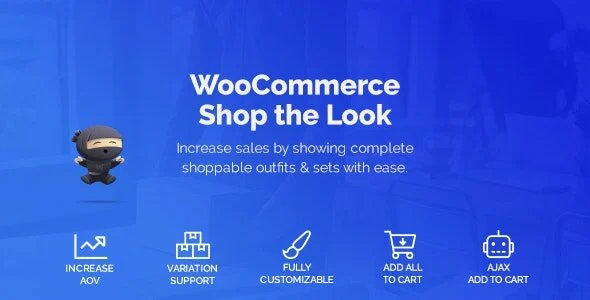
WooCommerce Shop the Look is a WordPress plugin built for WooCommerce store operators and delivery agencies to sell complete outfits and product sets from a single shoppable view. Native WooCommerce product pages isolate each item on its own URL, which forces shoppers to locate matching pieces across the catalog and assemble the combination manually. The plugin consolidates every linked item onto one page, where a customer can configure size and color variations per product and push the entire set into the cart in a single action.
Technical Specifications & Deployment Matrix
| Engineering Metric | Deployment Specification |
|---|---|
| Base Technology / Framework | WordPress plugin (PHP) extending WooCommerce 5.x.x and 6.x.x |
| Runtime / Language Requirements | WordPress 4.9.x through 6.0.x; PHP server-side code with JavaScript, HTML, and CSS assets |
| Data Exchange / Communication Protocols | AJAX add-to-cart requests dispatched through document-level jQuery event listeners |
| Front-End / Engine Dependencies | Verified rendering on IE11, Firefox, Safari, Opera, Chrome, and Edge |
| Database / Persistence Footprint | Look assignments stored inside the native WooCommerce Linked Products data section; no separate schema introduced |
Linked-Product Look Assignment & Front-End Execution Pipeline
The plugin binds a group of WooCommerce products into one look and renders every item inside a shared, shoppable interface. On the administration side, store managers attach look members through the Linked Products section of the product edit screen — a placement introduced in version 1.0.1 specifically so variable products participate in looks without data-model conflicts. On the storefront, the rendering layer walks through each attached product, emits its variation selectors, and recalculates prices live whenever a shopper changes an attribute such as size or color. Because listeners are attached at the document level, dynamically injected DOM fragments inside looks remain fully interactive.
Cart operations run through an AJAX pipeline: a customer can add one configured product or commit the entire look at once. Before any button becomes actionable, the code runs purchasability and stock checks, so out-of-stock members and attribute combinations that produce no matching variation disable their respective add-to-cart controls instead of submitting invalid payloads. Once a multi-item look lands in the cart, agencies needing tighter control over the subsequent checkout data model typically deploy quadlayers – Checkout Manager for WooCommerce to restructure checkout fields with conditional logic rather than patching template files by hand.
Core Technical Capabilities of WooCommerce Shop the Look
- Live Variation Handling: Variable products expose their attribute pickers directly inside the look view, with price recalculation on every selection and support for “any” variation configurations added in version 1.0.3.
- Bulk Add-to-Cart Pipeline: A single AJAX transaction places all configured look members into the cart simultaneously, including their selected variations, which shortens the purchase path for multi-product sets.
- Purchasability & Stock Validation: The is_purchaseable() check gates every add-to-cart and checkbox control, while stock-status logic omits status output when no matching variation exists, preventing misleading storefront states.
- Dynamic Shortcode Embedding: The shortcode works inside Elementor layouts without a hardcoded product ID, so a single template can render looks contextually across many product pages.
- Performance Mode: A general-settings performance option reduces overhead on stores running large lookbooks or high-traffic catalog pages.
Production Implementation & Operational Resilience
Deployment environments require a verified WordPress 4.9.x – 6.0.x install running WooCommerce 5.x or 6.x. The plugin is not Gutenberg-optimized, so embedding relies on the shortcode layer rather than native block editor components — agencies building classic-template or page-builder storefronts should plan around this boundary. For theme interoperability, dedicated compatibility hooks exist for Flatsome, Porto, and Woodmart, covering three of the most common commercial WooCommerce theme runtimes without requiring child-theme overrides.
Error handling targets real-world storefront edge cases documented in the changelog: AJAX failures raise an alert instead of failing silently, price output respects thousand separators, tax-exclusive display modes, and currency symbols positioned with a trailing space, and total figures are rounded correctly. Attribute names using non-Latin characters such as Greek are URL-encoded before request dispatch, which prevents broken variation queries on multilingual catalogs. WPML interoperability is verified, with translation keys registered so look labels survive string-translation workflows. When a bulk add-to-cart populates the cart with several variation products at once, WooCommerce Cart All in One provides a sticky side cart that lets shoppers review and edit the full look before checkout, a practical pairing for high-volume outfit stores.
Frequently Asked Questions
Can the look shortcode be embedded in Elementor layouts without hardcoding a product ID?
Yes. Version 1.0.5 reworked the Elementor shortcode behavior so it resolves the current product context dynamically, meaning one template can display looks across multiple product pages without per-page ID entry.
Is the plugin compatible with WPML multilingual storefronts?
Yes. The plugin has been tested with current WPML releases, and version 1.0.6 specifically fixed missing WPML translation keys so look-related strings register correctly inside WPML string translation workflows.
Does the plugin ship native Gutenberg blocks for the WordPress block editor?
No. The sales documentation lists Gutenberg optimization as not supported, so looks are embedded through the shortcode system rather than dedicated block editor components, which suits classic and page-builder based storefront builds.
Are out-of-stock items handled inside a look view?
Yes. Out-of-stock products are supported within look rendering, and the stock status display is suppressed when no matching variation is found, so invalid attribute combinations cannot present false availability signals to shoppers.