
 My Account
Product Description
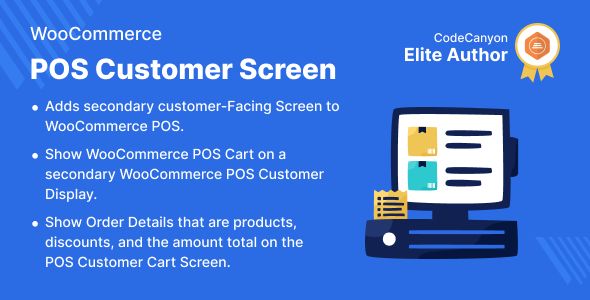
The WooCommerce POS Customer Cart Screen is an essential add-on designed to modernize your physical retail checkout process by bridging the gap between your online store and your in-person sales. This powerful tool is perfect for any business using a WooCommerce-based Point of Sale system, from small boutiques to bustling cafes. It works by displaying a live, itemized cart on a separate, customer-facing monitor or tablet. This creates a transparent and interactive checkout experience, similar to what customers are accustomed to in large, modern retail environments, fostering immediate trust and clarity.
Traditionally, the POS transaction is a one-sided affair, leaving customers to listen and hope every item is scanned correctly. This can lead to mistakes, slow corrections, and a less-than-ideal customer experience. The WooCommerce POS Customer Cart Screen directly solves this by mirroring the cashier’s actions in a clean, easy-to-read format for the buyer. As items are added, quantities are changed, or discounts are applied, the customer sees it all happen in real-time. This simple act of visual confirmation significantly reduces the potential for errors and minimizes disputes at the payment stage.
Key Features
- Real-Time Cart Synchronization: Instantly displays items, price adjustments, and discounts on a secondary screen as they are processed by the cashier.
- Customizable Branding: Easily add your store’s logo and adjust the color scheme to create a seamless and professional brand experience at the checkout counter.
- Clear Product Display: Shows vital information including product images, names, quantities, individual prices, and the running subtotal.
- Comprehensive Totals View: Automatically calculates and displays all applicable taxes, fees, and applied discounts before showing the final amount due.
- Responsive and Adaptable: The display is designed to work flawlessly on a wide range of screen sizes, from small tablets to large secondary monitors.
- Simple Integration: Built to connect smoothly with popular WooCommerce POS setups, requiring minimal configuration to get up and running.
Use Cases
Imagine a high-end fashion boutique where a customer is purchasing several items with different sizes and colors. With the WooCommerce POS Customer Cart Screen, they can visually confirm each garment is correct, eliminating the chance of a mix-up and a future return. This level of detail is crucial for stores selling products with multiple variations, ensuring both the customer and the retailer are confident in the accuracy of the transaction before payment is ever exchanged.
This tool is also a game-changer for food service businesses like coffee shops or quick-service restaurants. As a barista enters a complex order with special modifications, the customer can watch on the screen to ensure their “extra shot, oat milk, half-sweet” request is captured perfectly. For temporary retail spaces like pop-up shops or market stalls, implementing a WooCommerce POS Customer Cart Screen elevates the entire operation, presenting a more professional and established image than a simple cash box and calculator.
Benefits
The primary benefit is a dramatic enhancement of the customer experience. A major advantage is the immediate boost in customer trust; the WooCommerce POS Customer Cart Screen makes the entire transaction process transparent. This clarity reduces checkout anxiety and empowers the customer, making them feel more in control of their purchase. This positive interaction builds brand loyalty and encourages repeat business, as customers remember the smooth and professional checkout process your store provides.
Beyond customer satisfaction, the plugin delivers significant operational advantages. By minimizing verbal confirmations and preventing scanning errors, it speeds up the entire checkout line, increasing throughput during busy periods. This efficiency saves time for both staff and customers. Ultimately, the WooCommerce POS Customer Cart Screen is not just a customer-facing tool but also an operational asset that streamlines workflow, reduces costly errors, and contributes to a more modern and sophisticated store ambiance.





There are no reviews yet.