WooCommerce PDF Vouchers – Ultimate Gift Cards WordPress Plugin
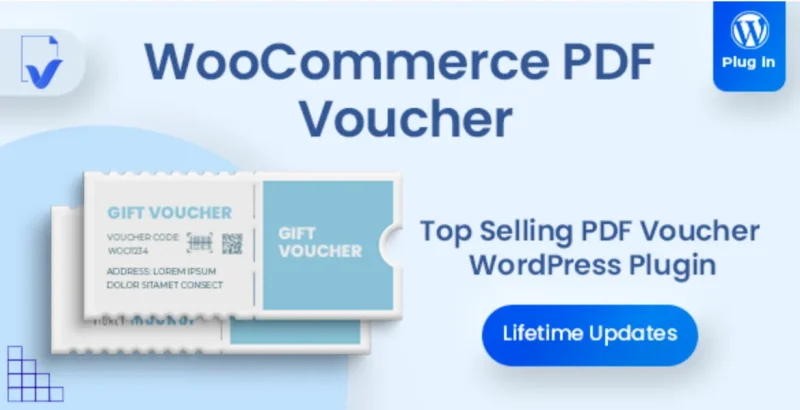
WooCommerce PDF Vouchers Overview & Redemption Lifecycle Engine
WooCommerce PDF Vouchers is a WordPress plugin built as a WooCommerce extension, engineered for store operators and agencies to sell redeemable gift vouchers, coupons, and event tickets for products that cannot be downloaded or shipped. The architecture closes the operational gap between online checkout and offline fulfillment by generating unique, print-ready PDF voucher codes that are validated at a physical point of redemption. In production delivery workflows, the module automates code generation, email delivery, and redemption tracking, giving merchants one admin surface for the entire voucher lifecycle.
Technical Specifications & Deployment Matrix
| Engineering Metric | Deployment Specification |
|---|---|
| Base Technology / Framework | WordPress 6.4.x through 6.9.x; WooCommerce 5.x.x through 9.x.x; Gutenberg-optimized |
| Runtime / Language Requirements | PHP server runtime with adequate memory allocation; includes JavaScript, HTML, CSS, and PHP source files |
| Data Exchange / Communication Protocols | CSV import/export for voucher codes and customer records; email delivery pipeline; PDF document generation |
| Front-End / Engine Dependencies | Cross-browser support: Chrome, Edge, Firefox, Safari, Opera, and IE8–IE11 |
| Database / Persistence Footprint | Stores voucher codes, redemption states, and order associations within the WordPress database schema |
Voucher Generation Pipeline & Execution Flow
The plugin converts an ordinary WooCommerce order into a validated, single-use redemption instrument through a defined execution pipeline. When a customer completes checkout for a product flagged as a voucher product, the module attaches a unique code to the purchased line item, renders it onto a customizable PDF template, and dispatches the document to the buyer or a gift recipient. Codes enter the system through three channels: automatic unlimited generation, CSV bulk import, or manual entry in the admin panel. Each code can be flagged as restricted, meaning the voucher can only be redeemed once before the system records it as used. Verification occurs at the point of exchange, where staff scan an embedded QR code or barcode on the printed document, instantly confirming validity and marking the record as redeemed to prevent reuse. The admin voucher page exposes the full code inventory, allowing operators to run detailed reports on purchased, used, and unused vouchers, check validity in real time, and export complete code lists with customer details to PDF or CSV. For stores that need deeper transactional analytics beyond native WooCommerce reporting, WooCommerce Ultimate Reports runs as a parallel reporting layer for custom sales, product, and customer breakdowns.
Core Technical Capabilities of WooCommerce PDF Vouchers
- Template Engine with Drag-and-Drop Builder: The admin interface assembles voucher layouts from drag-and-drop elements, supporting unlimited PDF templates that can be assigned per product, event, or promotion, including product variation support so variant-specific vouchers do not require duplicate configuration.
- Dual Redemption Modes: Codes can be redeemed offline via scanned QR code or barcode at a venue or collection point, or converted into WooCommerce coupon codes and applied to online orders by enabling the Auto Enable Coupon Code Generation setting.
- Gift Personalization Workflow: Customers enter recipient details and a custom message at checkout, producing a one-of-a-kind gift card emailed directly to family and friends without merchant intervention.
- Pay Your Price Support: The engine integrates with the Pay Your Price extension, letting buyers define the voucher value in the price field, which suits gift certificates and nonprofit donation tiers.
- Multi-Vendor and Booking Interoperability: Documented compatibility spans WooCommerce Bookings, WC Vendors and WC Vendors Pro, WCFM Marketplace, Dokan Multivendor, WC Marketplace, WP User Frontend, WooCommerce Pre-Orders, WOOCS, qTranslate X, and Social Deals Engine.
Production Implementation & Operational Resilience
Deployments should be sized against server-level constraints before launch. PDF rendering is memory-intensive, and servers throwing “Allowed memory size exhausted” fatal errors require an increased PHP memory limit, configurable through wp-config.php. When the TCPDF engine reports “Unable to get the size of the image,” the documented fix is enabling the Enable Relative Path toggle under Settings, then PDF Vouchers, then Misc Settings; if the error persists, the hosting provider must confirm that the PHP getimagesize() function operates correctly on the server. Blurry background images on rendered vouchers almost always trace back to source dimensions, so administrators should match the upload against the published size chart for the selected PDF size and select the Full Image option in the WordPress media uploader. Because purchases flow through the standard WooCommerce checkout, order-level hardening matters: deploying WP Captcha Pro alongside voucher products blocks bot-driven checkout abuse and brute-force attempts on the transaction endpoint. Data lifecycle follows order state, meaning deleting an order automatically removes its associated voucher codes, and refunded codes are no longer reported as valid as of version 5.2.5. Secondary development is supported through standard WordPress extension points: changing the default “Voucher Download” label requires a small snippet placed in a custom plugin or the theme’s functions.php rather than a settings toggle. Teams managing staff access across redemption workflows can scope admin capabilities with PublishPress Capabilities Pro, which provides role-based permission control for WooCommerce-aware user roles.
Frequently Asked Questions
Can voucher codes be redeemed as WooCommerce coupons in the online store?
Yes. The module creates voucher coupons as standard WooCommerce coupons. Activating the “Auto Enable Coupon Code Generation” setting converts voucher codes into redeemable coupon codes usable directly at online checkout.
Does ordering a quantity greater than one produce a separate PDF for each voucher?
Yes. The “Multiple Vouchers” option under Settings, then PDF Vouchers, then Voucher Settings, when checked, generates an individual PDF document per voucher code rather than one combined document per order.
Can the “Voucher Download” text be changed from the plugin settings screen?
No. There is no settings toggle for this label. Changing it requires adding custom code to a custom plugin or the active theme’s functions.php file, copying the documented snippet into place.
-
v5.2.5 LatestNov 3, 2026