WooCommerce Deposits
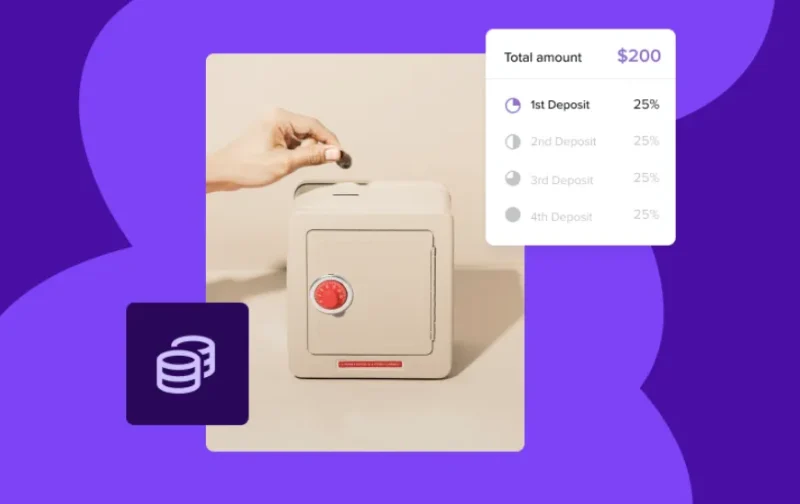
WooCommerce Deposits Overview & Deposit-Payment Architecture
WooCommerce Deposits is a WordPress commerce extension engineered for WooCommerce store operators and agency delivery teams to accept partial payments, layaway structures, and custom scheduled plans at checkout. The module resolves the single-transaction bottleneck of standard WooCommerce orders, where shoppers must pay the full amount upfront, by splitting a product total into an initial deposit followed by scheduled balance installments. Within production storefronts, it functions as a configuration-layer component: merchants designate which catalog items expose plan options, and shoppers choose between paying in full or committing to a schedule communicated through clear checkout visuals.
Technical Specifications & Deployment Matrix
| Engineering Metric | Deployment Specification |
|---|---|
| Base Technology / Framework | WordPress plugin extending WooCommerce core commerce logic |
| Runtime / Version Requirements | Requires WooCommerce 10.9 minimum; verified against WooCommerce 11.1 |
| Configuration Interface | Admin panel at WooCommerce > Settings > Products > Deposits |
| Front-End / Checkout Dependencies | Standard WooCommerce flows plus the Cart and Checkout blocks managed via the block editor |
| Scheduling Data Model | Payment intervals resolved in days, weeks, or months across the order lifecycle |
Deposit Scheduling Engine & Execution Pipeline
The core mechanism splits a product total into an upfront deposit followed by balance payments mapped to a defined timeline. Configuration begins in the WordPress admin, where global parameters are registered under WooCommerce > Settings > Products > Deposits before any storefront behavior changes. Merchants then designate which catalog items expose plan options, so the deposit pathway activates only where explicitly assigned rather than applying blanket logic across the entire store. Each schedule is expressed in days, weeks, or months, which maps remaining balance due dates onto a calendar structure the order system can track deterministically.
On the storefront side, the rendering layer presents the choice at the point of decision: the shopper selects between paying the full amount immediately or committing to the deposit structure. During checkout, the payment plan is communicated through readable visuals rather than raw numbers alone, which reduces ambiguity around amounts, due dates, and remaining balance. The extension runs on both the classic WooCommerce flow and the newer Cart and Checkout blocks, so plan presentation follows whichever checkout surface the store has adopted — a dual-path rendering model that keeps the module functional during staged migrations from classic shortcodes to block-editor pages. For service-based catalogs where a booking precedes payment — appointments that require a holding deposit before a session is confirmed — integrating Fat Service Booking lets developers place bookable services into the same checkout pipeline without writing custom scheduling PHP.
Core Technical Capabilities of WooCommerce Deposits
- Configurable payment intervals: Schedules resolve in days, weeks, or months, giving merchants a deterministic unit system for mapping installments onto real calendar dates instead of fixed installments.
- Per-product activation: Deposit behavior is scoped to explicitly designated items, preventing unintended changes to products intended for full-price, single-transaction sale.
- Dual-path checkout rendering: Compatibility with both standard WooCommerce flows and the Cart and Checkout blocks ensures plan visuals render correctly across classic and block-editor-managed pages.
- Customer-side payment choice: Shoppers decide between full payment and the deposit plan at checkout, preserving conversion paths for buyers with different cash-flow constraints.
- Visual plan communication: The checkout flow explains schedules through accessible visuals, translating abstract installment logic into readable amounts and due dates.
Production Implementation & Operational Resilience
Deployment follows the standard WooCommerce extension lifecycle: install the package, then open WooCommerce > Settings > Products > Deposits to define defaults before enabling per-product rules on a staging copy of the storefront. Version alignment matters here — the module requires WooCommerce 10.9 at minimum and has been verified against 11.1, so pre-deployment audits of the core version prevent runtime conflicts on client sites. Agencies managing multiple storefronts should also confirm whether each site’s cart and checkout pages are block-based or classic before rollout, since the extension handles both surfaces but presentation details differ between them.
Because the package operates within standard WooCommerce flows and remains compatible with other WooCommerce extensions, it does not force a wholesale replacement of an established commerce stack; the deposit pathway is additive to the existing checkout. Operational boundaries are equally explicit: the module governs how orders are split, scheduled, and presented, and its documented scope centers on scheduling and checkout presentation rather than auxiliary communication workflows. Teams evaluating parallel partial-payment implementations before standardizing on a single architecture can compare this package against WooCommerce Deposits & Partial Payments, which exposes its own rules, reminders, and logging model for split-payment checkout.
Frequently Asked Questions
Does the extension work with the block-based Cart and Checkout pages in WooCommerce core?
Yes — the module is compatible with the Cart and Checkout blocks, and stores manage those surfaces through the block editor while the extension continues to render deposit options and plan visuals on them during checkout.
Can a shopper pay the full amount instead of accepting a deposit plan?
Yes — customers are offered the option to pay in full or place a deposit at checkout, so merchants retain the single-transaction path alongside scheduled payment structures for every product designated for deposits.
Is the extension compatible with other standard WooCommerce extensions and flows?
Yes — the package is documented as compatible with standard WooCommerce flows and extensions, meaning existing store configurations continue operating alongside the deposit scheduling layer without requiring a full checkout rebuild.
Does the extension send automated balance reminder emails to customers?
No — reminder dispatch is not among its documented capabilities; operators who need automated payment reminders can evaluate WooCommerce Deposits – Partial Payments Plugin as a separate parallel implementation that ships its own reminder controls.