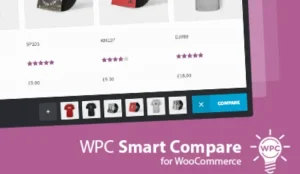
WooCommerce Compare Products
WooCommerce Compare Products Overview & Front-End Comparison Layer for WooCommerce
WooCommerce Compare Products is a WordPress and WooCommerce plugin, engineered for store owners and agency developers to render side-by-side product comparison tables inside existing storefronts. It resolves the core merchandising bottleneck where shoppers cannot evaluate attribute-level differences between similar products without juggling multiple browser tabs or repeated page loads. In production delivery workflows it operates as a dedicated front-end comparison layer, exposing a compare bar, a sidebar widget, and shortcode-driven comparison tables that map selected WooCommerce product data into structured HTML markup.
Technical Specifications & Deployment Matrix
| Engineering Metric | Deployment Specification |
|---|---|
| Base Technology / Framework | WordPress plugin extending WooCommerce (versions 3.0 through 8.x) |
| Runtime / Language Requirements | PHP 5.6 or higher, WordPress 4.4 or higher (tested through WordPress 6.4.x) |
| Compatibility Envelope | WooCommerce 5.x, 6.x, 7.x, and 8.x; tested with WPML multilingual configurations |
| Front-End Dependencies | JavaScript JS, JavaScript JSON, HTML, and CSS files shipped alongside PHP logic |
| Browser Support | IE11, Firefox, Safari, Opera, Chrome, and Edge |
| Data Persistence Footprint | Comparison output derives from existing WooCommerce product attribute data; no proprietary schema is documented |
Comparison Table Rendering & Execution Pipeline
The plugin centers its execution flow on an administrator-defined comparison field model. During setup, the store administrator selects which product data fields shoppers are permitted to compare, effectively whitelisting the columns that will appear in the rendered comparison output. This scoping step prevents unbounded attribute dumps and keeps the resulting table readable for catalogues with dense specification sets.
On the storefront, the plugin provides two concurrent selection surfaces. The compare bar acts as a persistent collection point where shoppers stage candidate products before generating the comparison view, while the sidebar widget offers a secondary entry path from any widgetized region of the theme. Administrators choose whether to activate the compare bar alone, the sidebar alone, or both surfaces simultaneously, which allows the comparison experience to be tuned to the layout constraints of a given theme build.
Shortcodes form the rendering backbone for the tables themselves. By embedding a shortcode into any page or post, the plugin generates the comparison table as inline HTML rather than an isolated client-side island, producing markup that search engine crawlers can parse directly. This is the mechanism behind the SEO-friendly comparison tables the plugin advertises: the content exists in the document, not only in a post-render JavaScript state. High-resolution assets and a video preview at 1901×1080 are documented for the product, indicating the vendor provides visual verification of the interface.
Core Technical Capabilities of WooCommerce Compare Products
- Dual selection surfaces: A compare bar and a sidebar widget can be enabled independently or together, letting administrators align the comparison entry points with the theme’s widget and layout architecture.
- Administrator-scoped comparison fields: The set of comparable product data is defined in the administration panel, so the rendered table columns are governed centrally rather than exposing every product attribute indiscriminately.
- Shortcode-based table rendering: Comparison tables are emitted through shortcodes as crawlable HTML, avoiding pure client-side rendering and keeping table content indexable.
- WPML-tested multilingual operation: The plugin has been tested with WPML, permitting comparison interfaces on translated storefronts without a custom localization layer.
For agencies assembling the wider storefront, the comparison layer addresses only the evaluation stage of the purchase funnel. When dynamic product showcase grids are required on Elementor-built pages, Woocommerce Products Revolution Display for Elementor WordPress Plugin operates as a separate WordPress plugin handling presentation-layer display concerns outside this package’s scope.
Production Implementation & Operational Resilience
In agency client delivery, the plugin’s compatibility ceiling is a primary planning input. It has been verified against WordPress releases from 4.9.x through 6.4.x and WooCommerce branches from 5.x through 8.x, which covers both legacy client environments scheduled for phased migration and current-generation builds. The PHP floor of 5.6 accommodates older hosting stacks, though any modern deployment should target supported PHP versions to avoid upstream WordPress deprecation pressure.
The distribution ships as editable source across PHP, CSS, JavaScript JS, JavaScript JSON, and HTML files, so theme-level style overrides and template adjustments are possible without patching compiled assets. Because the plugin is explicitly not Gutenberg-optimized, implementation relies on shortcode embedding and widget registration rather than native block integration; agencies running block-first editorial workflows should plan content placement accordingly, for example within shortcode-capable blocks or classic editor contexts.
Browser coverage extends from IE11 through Edge, Firefox, Safari, Opera, and Chrome, which reduces regression testing scope for storefronts that still report legacy traffic. WPML testing means translated product attribute data flows through the comparison interface without a bespoke bridging layer. For client stores that simultaneously operate partner acquisition programs, Affiliate Pro runs as an independent WooCommerce plugin managing commission tracking and partner portals, a parallel concern to the product evaluation flow handled here.
Frequently Asked Questions
Is the plugin optimized for the Gutenberg block editor?
No. The package is explicitly listed without Gutenberg optimization, so comparison tables are deployed through shortcodes and widget areas rather than dedicated native blocks, and content embedding must go through any area accepting shortcode input.
Has the plugin been validated against WPML multilingual setups?
Yes. The vendor documentation lists WPML among tested integrations, meaning agencies deploying translated storefronts can operate the comparison interface against localized product attribute data without constructing a custom localization bridge.
Do the distributed files include editable source code?
Yes. The download contains JavaScript JS, JavaScript JSON, HTML, CSS, and PHP files, giving developers direct access to scripts, styles, and templates when store-specific adjustments or theme-level style overrides become necessary.
Will it run on older WordPress installations?
Yes. The plugin was tested against WordPress 3.8 and above, although production deployments require WordPress 4.4 or higher running WooCommerce 3.0 or later, covering a wide range of legacy agency-maintained environments.