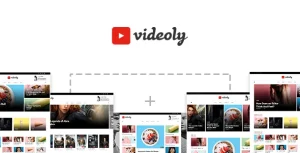
VideoTube Pro – Responsive Video WordPress Theme

VideoTube Pro Overview & Video Portal Presentation Architecture
VideoTube Pro is a responsive video WordPress theme engineered for agencies and publishers who need to operate YouTube-style video portals on self-hosted WordPress installations. The package resolves the core bottleneck of multi-source video aggregation by ingesting oEmbed-compatible content from YouTube, Vimeo, Dailymotion, Hulu, Streamable, Facebook, Twitter, and Dropbox links, alongside self-hosted file uploads, all routed through a dedicated video post type with its own custom taxonomy and slug. Within production delivery workflows, the theme operates as the presentation and interaction layer, pairing a WPBakery-driven layout engine with front-end submission, review, and engagement systems distributed across more than ten prebuilt homepage templates.
Technical Specifications & Deployment Matrix
| Engineering Metric | Deployment Specification |
|---|---|
| Base Technology / Framework | WordPress theme (PHP/CSS/JS), ships with WPBakery Page Builder and the mandatory VideoTube Core plugin |
| Runtime / CMS Requirements | WordPress 4.9.x through 6.9.x; IE11, Firefox, Safari, Opera, Chrome; high-resolution, widget-ready layout |
| Data Exchange / Protocols | oEmbed protocol, iframe/embed code passthrough, AJAX comment submission and loading |
| Front-End Dependencies | 13 configurable widgets, 7 color schemes, child theme package (videotube-child.zip) |
| Persistence Footprint | Native WordPress database via video post type, custom taxonomy, custom video slug, view/like counters |
Video Ingestion Pipeline & Rendering Execution Flow
The engine renders a video portal through a dedicated video post type, custom taxonomy, and configurable slug routing. Inbound content enters the system through two channels: URL ingestion, where the oEmbed protocol resolves provider metadata and the automatic thumbnail generator extracts poster frames without manual uploads, and direct file upload, where self-hosted media is attached to the same post type. Once stored, each video becomes addressable by taxonomy terms and sortable by likes, views, comments, or publication date. Homepage assembly is delegated to a widget-driven composition model: thirteen widgetized regions, combined with a featured videos area and full-width or right-sidebar page templates, define the DOM structure, while WPBakery supplies drag-and-drop block editing for deeper layout control. Ten documented homepage variants cover column densities from a single column with left sidebar up to a six-column fullwidth grid. On the interaction side, AJAX routines handle comment submission and loading without full page reloads, a sticky player persists playback state during scroll, and a like system writes per-user preferences that feed the [videotube_liked] shortcode and its dedicated playlist page. A built-in review system with unlimited criteria extends the single-post template into a rating surface, and social sharing dispatches popular entries to external networks.
Core Technical Capabilities of VideoTube Pro
- Multi-Provider Video Ingestion: oEmbed resolution plus iframe/embed passthrough covers YouTube, Vimeo, Dailymotion, Hulu, Streamable, Facebook, Twitter, Openload, and Dropbox links, consolidating heterogeneous sources into one post type with automatic thumbnails.
- Front-End Submission & Channel Layer: registered users submit videos through a public upload form, and each contributor receives a channel page, supported by a custom login/register flow exposed via shortcode.
- Engagement & Ranking Systems: like buttons, view counters, and sort queries by likes, views, comments, and date drive discovery, while the review system accepts an unlimited number of scoring criteria.
- Layout Engine & Theme Assembly: WPBakery integration, infinite scroll templates, sticky menu, and seven switchable color schemes let agencies restructure the portal without touching template files.
For teams weighing parallel design tracks rather than a WordPress theme runtime, Filmoo exists as an independent Elementor Template Kit for film and video production sites, following a separate JSON-based layout workflow that does not share this theme’s PHP architecture. Similarly, for decoupled native mobile products outside WordPress entirely, RandoChat operates as a standalone Android video-chat application with its own admin panel.
Production Implementation & Operational Resilience
Deployment follows a strict dependency sequence: after activating the theme, the VideoTube Core plugin must be enabled from the Appearance > Install Plugins screen, since version 3.4 moved core functionality into that module and the theme will not operate correctly without it. Updates to the plugin, the WPBakery bundle, and the POT translation file are released as coordinated sets, so staging environments should synchronize all three before pushing to production. For secondary development, the included child theme package (videotube-child.zip) isolates template overrides and function changes from the parent codebase, while theme-panel fields for custom CSS, JS, logo, and favicon absorb most presentational adjustments without file edits. The codebase is translation-ready, with WooCommerce stylesheet conflicts explicitly addressed in the version history, making it viable for portals that bolt on a store. Where a client brief centers on heavy commerce rather than media, Supro serves as a dedicated minimalist AJAX WooCommerce theme on the same WordPress stack, keeping storefront projects on a purpose-built presentation layer. Resilience notes worth recording: the theme is not Gutenberg-optimized, so block-editor-first teams should standardize on WPBakery; legacy IE11 support is documented but modern evergreen browsers are the practical target; and AJAX comment loading reduces server round-trips on high-traffic discussion threads. Menu construction supports unlimited multi-level dropdowns with HTML markup permitted inside menu items, and two video layouts (normal and full width) control single-post rendering depth.
Frequently Asked Questions
Must a companion plugin be activated after installing the VideoTube Pro theme?
Yes. Starting with version 3.4, the VideoTube Core plugin is a mandatory dependency, and it must be activated from the Appearance > Install Plugins screen immediately after theme activation or updating, or core functionality will not load.
Is VideoTube Pro optimized for the WordPress Gutenberg block editor?
No. The item attributes explicitly list Gutenberg Optimized as No; layout construction is built around WPBakery Page Builder, so editorial teams should plan page assembly through the bundled builder rather than native blocks.
Does the theme include a child theme package for safe code customization?
Yes. The distribution ships with videotube-child.zip, refreshed in version 3.4, allowing template overrides and function modifications to live outside the parent theme so parent updates do not overwrite custom work.
-
3.4.6 LatestSeptember 28, 2026