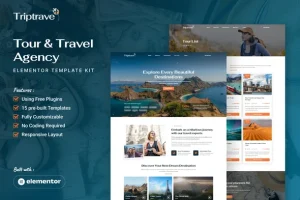
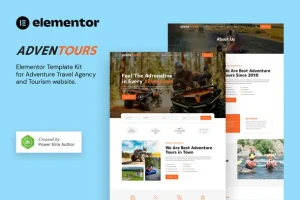
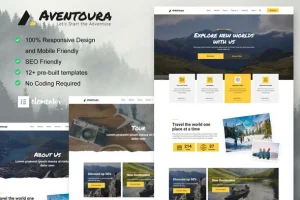
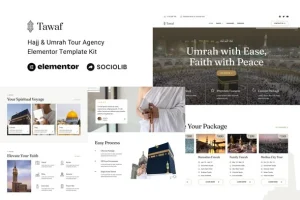
Vatrel – Adventure & Tour Elementor Template Kit
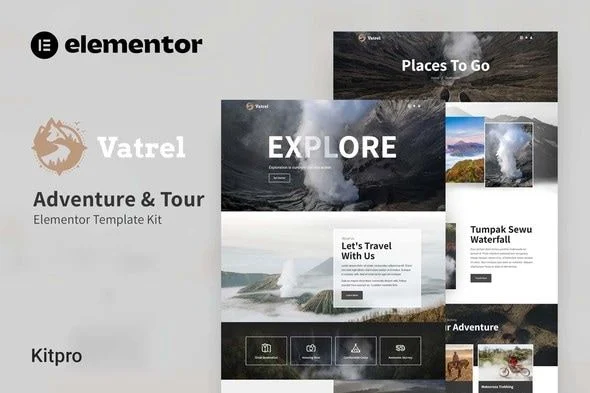
Vatrel Adventure & Tour Template Kit Overview & Layout Composition Architecture
Vatrel Adventure & Tour Template Kit is an Elementor-based layout package engineered for tour operators, travel agencies, and expedition brands to launch a complete marketing site without writing code. The package removes the blank-canvas bottleneck of the Elementor builder by supplying pre-composed documents for Home, About Us, Services, Team, Destination, Pricing, FAQ, Blog, Contact, and 404 routes. Within agency delivery workflows, it operates as a drop-in content layer that imports through the Envato Elements plugin and renders under the free Hello Elementor theme or most Elementor-compatible themes.
Technical Specifications & Deployment Matrix
| Engineering Metric | Deployment Specification |
|---|---|
| Base Technology / Framework | Elementor 3.10.x page builder; Envato Template Kit distribution format |
| Runtime Requirements | WordPress installation with the Envato Elements plugin activated via Plugins > Add New |
| Data Exchange / Import Protocol | Compressed kit archive uploaded through Elements > Installed Kits; layouts land in Templates > Saved Templates |
| Front-End Dependencies | Elementor, ElementsKit, Jeg Elementor Kit, Metform, Header & Footer Builder |
| Persistence Footprint | No custom database schema; imported content stored as Elementor Saved Templates |
| Typography Stack | Assistant and Roboto typefaces driven by global kit styles |
Page Composition Engine & Import Pipeline
The kit ships as JSON-encoded layout payloads that the Envato Elements importer converts into native Elementor documents. Import order is architectural rather than cosmetic: the Global Kit Styles file must be converted first so typography and color tokens are registered before any page consumes them, which keeps every subsequent document synchronized with the central design system. Each page template then imports individually, giving teams selective control over which routes reach production. New pages adopt the layouts by switching the builder to Elementor Full Width, hiding the native page title, and inserting the target document through the My Templates library accessed from the gray folder icon. Font and color values can be adjusted once at the kit level or fine-tuned per element inside the drag-and-drop visual editor, so a brand refresh propagates without touching individual widgets. For operators evaluating a theme-layer runtime rather than imported page content, TravelPro exists as an independent WordPress theme alternative for adventure tour and travel agency sites.
Architectural & Functional Highlights
- Global design token layer: Global Kit Styles centralize the Assistant/Roboto typography and color definitions, so a single token edit propagates across every imported page while per-element overrides remain available for isolated adjustments.
- Complete page document set: Home, About, Contact, Service, Team, Destination, FAQ, Pricing, Blog, and 404 templates import one at a time, allowing agencies to deploy only the routes a client project requires.
- Site-wide header and footer wiring: Header and footer templates attach through the Header Footer & Blocks plugin by publishing a Header block configured with Display on Entire Site, guaranteeing consistent page chrome across all routes.
- Metform contact pipeline: Form blocks import as separate metform templates and bind to pages via the Navigator, the Metform widget’s Edit Form action, and the My Templates insertion path.
- Lean rendering profile: Layouts are optimized for the lightweight Hello Elementor theme, avoiding theme-level asset overhead during front-end delivery.
Production Implementation & Operational Resilience
When deploying inside an agency staging stack, import discipline matters more than raw server capacity. The Envato Elements plugin validates the uploaded archive before conversion, so the kit zip must remain compressed during upload; Safari operators should confirm the browser’s “open safe files after downloading” preference is disabled, since automatic decompression disrupts the expected payload format. On under-provisioned hosts, raising the wp_memory_limit allocation guards against incomplete JSON parsing mid-import, a common failure point when large page documents and the Global Kit Styles load within a single request cycle. Error recovery follows a deterministic path: if the orange requirements banner appears at the top of the Installed Kits screen, clicking Install Requirements loads the full plugin stack before any template conversion begins, preventing dependency-related rendering faults. Header and footer wiring proceeds through Appearance > Header Footer, where a Header block published with Display on Entire Site covers every route; teams running Elementor Pro can instead route header and footer customization through Theme Builder. Because the package is a content layer rather than a theme, customization stays confined to style tokens, element-level property panels, and image-asset replacement — no template file editing is involved. For adventure brands targeting mobile-first funnels at the theme layer, Xrival ships as an independent extreme sports and adventure WordPress theme operating outside this kit’s architecture.
Frequently Asked Questions
Is an Envato Elements subscription required to install this kit through the Envato Elements plugin?
No, the Envato Elements plugin can be installed directly from Plugins > Add New in WordPress, and it uploads purchased kit files without any subscription. A subscription is only relevant to the automatic Connect Account import route.
Can the demo images shipped in the kit be published on a production site without additional licensing?
No. The layouts use demo images sourced from Envato Elements, and production deployments require those assets to be licensed separately or replaced with the operator’s own photography before the site goes live.
Do the Metform contact forms bind automatically when a page template is imported?
No. The metform block templates must be imported first, then linked manually: open the page, enable the Navigator, select the Metform widget, create a new form, and insert the saved template from the My Templates tab.