Ultimate Quiz App : General knowledge quiz with Admin panel and Admob ready to publish
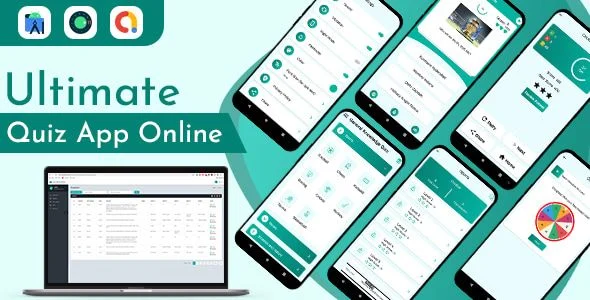
Ultimate Quiz App Overview & Native Android Quiz Delivery Architecture
Ultimate Quiz App is a native Java Android source package built for mobile publishers and app agencies to ship a general knowledge MCQ product without authoring a quiz engine from scratch. The package removes the core delivery bottleneck of hardcoding question banks into every APK release by pairing the client with a web-based admin panel that decouples content authoring from compilation. In production workflows, it functions as a deployable foundation: import the Gradle project into Android Studio, connect the question backend, bind AdMob units, and generate a signed release build for the Play Store.
Technical Specifications & Deployment Matrix
| Engineering Metric | Deployment Specification |
|---|---|
| Base Technology / Framework | Native Android, Java controllers with XML layout resources |
| Build Environment | Android Studio, latest version |
| Operating System Compatibility | Android 9.0, 10.0, 11.0, and 12.0 |
| Content Management | Web-based admin panel for question authoring (demo credentials published) |
| Data / Persistence Footprint | Bundled .db and .dat assets plus .dex compiled artifacts |
| Monetization Layer | AdMob banner and rewarded video placements, ready to publish |
| Delivered Artifacts | .apk, .dex, .dat, .db, .java, .xml files and a documented screenshot guide |
Admin-Driven Question Pipeline & Quiz Execution Flow
The engine executes a linear quiz loop: load one question, render four answer options, validate the selection, then advance state while updating score counters and reward-point balances. Question content originates in the admin panel, where editors compose, edit, and organize MCQ items before the client retrieves them for display. On the device, bundled .db and .dat assets supply the local persistence footprint, so quiz sessions read from structured storage rather than scattered resource files. The .java controllers drive the question state machine while .xml layouts define the presentation layer, keeping UI structure and business logic in separable modules a developer can modify independently.
Monetization runs through the integrated AdMob layer. Banner and rewarded video placements attach to defined points in the quiz lifecycle — rewarded inventory ties into the documented reward-points economy — so ad requests fire without additional networking code. Studios weighing other AdMob-driven Android codebases can compare placement strategy against Volume Booster Bass Booster wiith AdMob Ads Android, an independent audio-tool template built on the same advertising SDK. Because ad unit identifiers sit in configuration rather than compiled logic, swapping in production IDs is a build-time task, not a refactoring task.
Core Technical Capabilities of Ultimate Quiz App
- Admin panel content pipeline: Editors author and restructure question banks from a remote panel, decoupling content updates from APK recompilation cycles and shortening iteration time between category refreshes.
- Four-option MCQ engine: Each round presents a single question with four candidate answers, and the validation routine resolves correctness, updates the score, and increments reward points in one pass through the state machine.
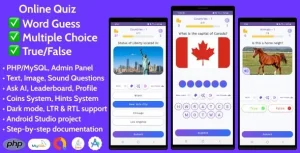
- Multi-format quiz modes: The content model spans general knowledge, guess-the-word, and picture-based question types, letting publishers diversify categories without touching layout code.
- AdMob monetization layer: Banner and rewarded video units are wired into the app lifecycle and marked ready to publish, requiring credential configuration before a store submission rather than SDK integration work.
Production Implementation & Operational Resilience
Deployment starts in Android Studio, the documented build environment for this Gradle-based Java project. A developer imports the source tree, resolves the SDK configuration, and compiles against the documented compatibility band of Android 9.0 through 12.0 — a range that should be verified on physical devices or emulators spanning all four OS versions before a store release, since API-level behavior differences surface most reliably at runtime. The shipped .apk demo build lets a team smoke-test the complete feature set — quiz flow, content management, ad placements, reward logic — before investing compile time, and the published demo credentials (demo@gmail.com / demo@123) open the admin panel for staging validation.
Secondary development stays within clear boundaries: question logic lives in the Java controllers, presentation in XML layouts, and structured data in the .db assets, so extending categories or adjusting scoring rules means editing those layers rather than rebuilding the engine. Rebranding work — icons, strings, theme colors — happens through standard Android resource replacement. Teams planning a companion iOS release on a separate native stack can study VirtuAI as an independent SwiftUI codebase example rather than an extension of this Android package. Prudent rollout practice includes validating admin-panel synchronization under slow network conditions and confirming AdMob test-mode behavior before binding live unit identifiers.
Frequently Asked Questions
Does the deliverable include the complete Android source code and documentation?
Yes — the package ships .java, .xml, .dex, .dat, and .db files alongside a compiled .apk, plus a full document with screenshots that walks through setup, configuration, and build steps.
Can I test the entire feature set before compiling the project?
Yes — the demo APK demonstrates every documented feature, and the admin panel is reachable with the published demo credentials, so quiz flow, content management, and ad behavior can be verified before any build.
Can question content be updated without recompiling the APK?
Yes — the admin panel acts as the remote authoring layer for question banks, so editors refresh general knowledge content while the client retrieves it, keeping content cycles independent of build cycles.