
 My Account
Product Description
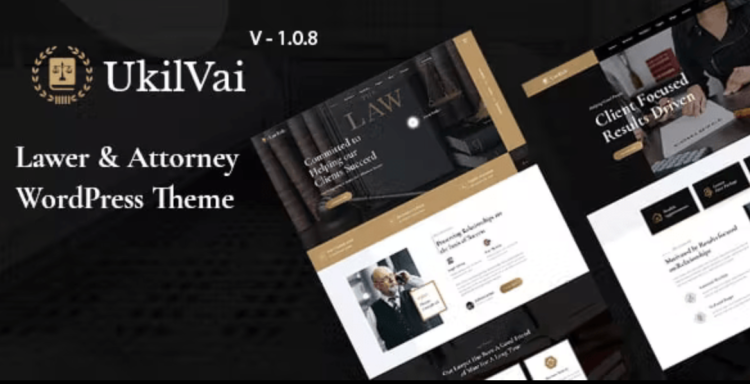
Ukilvai is a sophisticated Lawyer Attorney WordPress Theme crafted to meet the distinct needs of law firms, individual attorneys, and legal professionals. It provides a polished and trustworthy foundation for creating a powerful online presence, establishing credibility, and connecting with potential clients. Its modern design and intuitive structure make it the ideal choice for any legal practice seeking to project authority and expertise.
The design philosophy behind the Ukilvai – Lawyer Attorney WordPress Theme centers on clarity and professionalism. Every element is thoughtfully arranged to guide visitors seamlessly through your services, attorney profiles, and case results. This focus on user experience helps build confidence and encourages prospective clients to take the next step, whether it’s scheduling a consultation or making a direct inquiry.
Key Features
- Fully Responsive & Retina Ready Design
- Powerful Theme Options Panel
- Drag-and-Drop Page Builder Compatibility (Elementor)
- Customizable Header and Footer Builder
- Dedicated Practice Area & Case Study Layouts
- Professionally Designed Attorney Profile Pages
- Advanced Typography and Color Controls
- SEO-Optimized and Performance-Focused Codebase
- Includes Multiple Homepage and Inner Page Designs
Use Cases
This Lawyer Attorney WordPress Theme is incredibly versatile, making it a perfect fit for multi-partner law firms. You can create detailed pages for each practice area, from corporate law to personal injury, and showcase your entire legal team with professional profiles. The theme’s structure supports extensive content, allowing you to build out a comprehensive resource that establishes your firm as a leading authority in its field.
Ukilvai also excels for solo practitioners and legal consultants aiming to build a strong personal brand. You can highlight your unique expertise, publish insightful articles on a dedicated blog, and feature client testimonials prominently. The theme empowers you to craft a website that not only looks professional but also effectively communicates your individual value proposition and attracts the right clientele.
Beyond general practice, the theme can be tailored for highly specialized legal niches. Whether you are an immigration lawyer, a family law specialist, or a financial legal advisor, the customizable layouts allow you to present your specific services with precision. This adaptability ensures your website speaks directly to the needs and concerns of your target audience, enhancing engagement and conversion rates.
Benefits
Choosing the Ukilvai – Lawyer Attorney WordPress Theme provides an exceptional return on investment by giving you complete control over your digital presence. You gain access to premium design and functionality without the high costs associated with custom web development. This freedom allows you to build, modify, and expand your site as your practice grows, all while maintaining a consistent and professional brand identity.
A major benefit is the theme’s foundation in clean, performance-oriented code. A fast-loading website is crucial for retaining visitor attention and ranking well in search engine results. This theme is built with SEO best practices in mind, helping potential clients find your services more easily when they search for legal assistance online. The mobile-responsive design ensures a flawless experience across all devices, from desktops to smartphones.
Ultimately, this theme empowers you to manage your own website without needing to write a single line of code. Thanks to its integration with popular page builders, you can visually construct and edit your pages with ease. This accessibility saves valuable time and resources, allowing you to focus on what you do best—practicing law—while your website works tirelessly as your 24/7 digital marketing agent.






There are no reviews yet.