Triangle Shapes – Educational Game – HTML ( Construct 3 )
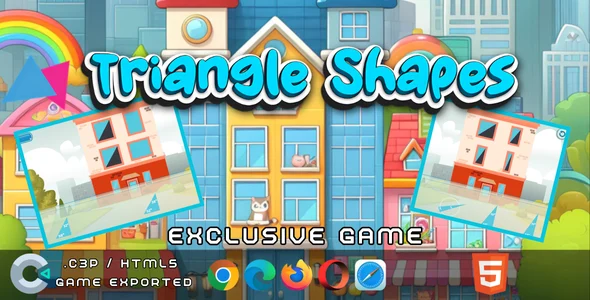
Triangle Shapes Overview & Interactive Learning Engine
Triangle Shapes is an HTML5 educational game built on the Construct 3 engine, designed for educators, e-learning studios, and casual game publishers to teach triangle classification through hands-on puzzle mechanics. The package targets a specific comprehension bottleneck: learners must identify and manipulate triangles by their angles and sides across progressively harder challenge tiers instead of memorizing static textbook diagrams. Within a delivery workflow, it operates as a self-contained browser asset that drops into learning portals, school websites, and mobile WebView containers without backend dependencies.
Technical Specifications & Deployment Matrix
The deployment profile below is compiled directly from the shipped build artifacts and engine metadata, giving integration teams a verifiable compatibility baseline before staging.
| Engineering Metric | Deployment Specification |
|---|---|
| Base Technology / Framework | Construct 3 event system, exported to HTML5 |
| Delivered Source Files | JavaScript JS, JavaScript JSON, HTML, plus the Construct 3 project file (.c3p) |
| Rendering Resolution | 1280 × 720 High Definition (16:9 landscape canvas) |
| Event / Scene Architecture | 96 events distributed across 6 layers and 2 layouts |
| Browser Compatibility | IE11, Firefox, Safari, Opera, Chrome, Edge |
| Target Platforms | Desktop browsers and mobile devices (responsive layout scaling) |
| Reskin Workflow | Direct asset and layer replacement inside the Construct 3 editor |
Geometry Puzzle Pipeline & Execution Flow
All gameplay logic is dispatched through 96 Construct 3 events spread across 6 layers and 2 layouts. Because the engine compiles those event sheets into the exported JavaScript bundle, puzzle validation, input capture, and level unlocking execute entirely client-side in the browser, with no server round-trips during a play session. Players classify triangles by angle and side properties, solve shape challenges, and unlock subsequent levels as scenario complexity increases.
Architectural & Functional Highlights
- Triangle classification mechanics: The interaction design requires players to identify and manipulate triangles based on their angles and sides, converting an abstract geometry curriculum into direct manipulative practice rather than passive reading.
- Progressive difficulty curve: Level progression unlocks increasingly complex shapes and scenarios, so the event logic gates advancement behind demonstrated understanding instead of time spent in the session.
- Cross-device input handling: The responsive build runs on desktop browsers and mobile devices, routing pointer and touch input through the same event pipeline so a single bundle serves both device classes.
- HD rendering target: The canvas renders at 1280 × 720 high definition, keeping shape edges and angle markers legible on classroom projectors and smaller phone screens alike.
- Reskin-ready project structure: Visual assets and layout layers are organized for direct replacement inside Construct 3, allowing theme changes without rebuilding the underlying event logic.
Studios assembling a broader HTML5 learning catalog can position Memory Mystery as an independent Construct 3 title covering memory-skill drills, running the same browser-based delivery pipeline without any codebase coupling between the two games.
Production Deployment & Implementation Considerations
Deployment Requirements: The exported HTML, JavaScript, and JSON files form a static asset bundle, so any web server or static host capable of serving files over HTTP is sufficient — no application server, database, or API gateway is involved. Hosting the bundle in a standard web directory and pointing learners at the HTML entry file constitutes the entire rollout procedure. Browser coverage extends to IE11, Firefox, Safari, Opera, Chrome, and Edge, which spans legacy school workstation images alongside current consumer browsers.
Implementation Boundaries: The documented architecture spans 96 events, 6 layers, and 2 layouts; teams planning feature extensions such as new level types or scoring backends should budget for event-sheet modification inside Construct 3 rather than patching the exported JavaScript directly. The 1280 × 720 target defines the design resolution, with responsive scaling handling device fit. No server-side persistence layer is documented, so progress state should be treated as session-scoped unless engineers add their own storage mechanism on top of the bundle.
Customization Scope: Reskinning is an explicitly supported workflow — graphics and layout layers can be swapped within the included .c3p project while the event logic remains intact. For teams curating multi-title educational portals, adding Brain Games (6 in 1) as a separate HTML5 collection supplies complementary cognitive drills under the same static hosting model, with each title remaining a decoupled asset carrying its own bundle.
Frequently Asked Questions
Does the package include the editable Construct 3 project file?
Yes, the download ships with the .c3p project source alongside the exported JavaScript, JSON, and HTML files, so developers can open the full event-sheet structure directly inside the Construct 3 editor for modification.
Can the visual theme be replaced without touching the event logic?
Yes, the project is documented as easy to reskin. Graphics sit on dedicated layers within the Construct 3 layout structure, allowing artists to swap sprite assets and color palettes while the 96-event gameplay logic remains untouched.
Does the game run on legacy browsers such as Internet Explorer 11?
Yes, IE11 appears in the official compatibility list together with Firefox, Safari, Opera, Chrome, and Edge, which matters for schools and institutions still maintaining older workstation images in classroom environments.