TranslateIt | iOS Speech and Text Translations Application
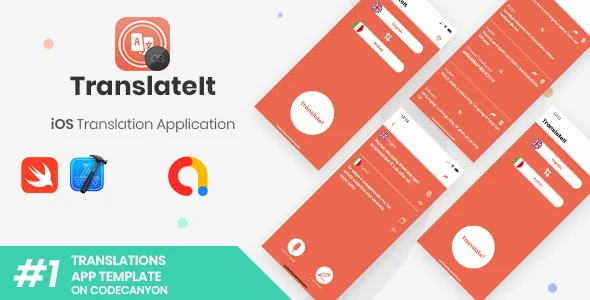
TranslateIt Overview & Native iOS Translation Architecture
TranslateIt is a native Swift iOS application template, engineered for mobile developers and agencies to ship a fully functional speech and text translation app without building the pipeline from scratch. The package removes the heaviest engineering overhead in translation app delivery—speech capture, language pair management, and remote API networking—by binding a Storyboard-driven universal UI directly to the Google Cloud Translation API. In production workflows, it operates as a complete UI-plus-source-code baseline: a team replaces the layered PSD icon assets, attaches a Google Cloud billing account, configures AdMob identifiers, and submits a client-branded build to the App Store.
Technical Specifications & Deployment Matrix
| Engineering Metric | Deployment Specification |
|---|---|
| Base Technology / Framework | Native Xcode project, Swift language, Storyboard-based universal layout (iPhone and iPad) |
| Runtime / OS Requirements | iOS 12 through iOS 15; verified Xcode 13.2.1 build baseline, latest official Xcode required |
| Data Exchange / Communication | Google Cloud Translation API calls for text conversion; on-device speech-to-text recognition for voice input |
| Monetization / Ad Dependencies | AdMob Interstitial ads via GoogleMobileAds framework v8.3.0, AppTrackingTransparency and AdSupport frameworks |
| Persistence Footprint | Translation history held in a local array; no external database layer included |
| Design Deliverables | Layered PSD files for app and button icons; commented, organized project folders |
Core Translation Pipeline & Execution Flow
The execution pipeline converts spoken or typed input into a translated target string through a four-stage flow: language selection, input capture, remote translation, and result dispatch. On the Home screen, the user picks a source and target language from a flag-indexed list, and the double-arrow control swaps the pair instantly without reloading state. Input arrives through two channels: a tap-and-hold microphone button that streams recognized speech for the source language, or a text field for typed input when ambient noise makes voice capture impractical. The engine then forwards the payload to the Google Cloud Translation API, renders the returned string in the target panel, and exposes it for clipboard copy.
Audio capture is routed through an AVAudioSession instance configured to override the output port to speaker, wrapped in a do/try/catch block that prints session errors instead of crashing the run loop. Every completed translation is appended to a local history array, which the History screen iterates for browsing, sharing, and deletion. Sharing dispatches through the standard iOS activity controller, exposing the translated string to social network apps, Mail, and SMS. Output distribution is handled natively—the target string can also be pasted back as source input for reverse translation cycles.
Core Technical Capabilities of TranslateIt
- Language Pair Switching Engine: The double-arrow button inverts source and target language state in a single action, eliminating redundant list navigation and keeping the Home screen state machine flat.
- Speech-to-Text Capture: Tap-and-hold microphone interaction feeds the recognizer with the selected source language, while AVAudioSession speaker-port overrides guarantee audible playback feedback on real hardware.
- Translation History Buffer: Each result is stored in a local array that the History screen renders as a browsable, shareable, and deletable record without any database dependency.
- Interstitial Ad Monetization: The showInterstitial() function in Configurations.swift dispatches full-screen AdMob units, with ATT permission requested at Home screen load to satisfy tracking transparency requirements.
- Clipboard Interchange: Copy and paste handlers move translated strings out to any app and bring external text in as source material, closing the input-output loop without custom extensions.
For teams whose product roadmap also requires synthesized voice output rather than translation, SpeechAI exists as a standalone mobile codebase with its own AdMob and in-app purchase wiring, maintained as a separate project rather than a module of this template.
Production Implementation & Operational Resilience
Deployment carries explicit environmental prerequisites that function as hard gates. The project must compile under the latest official Xcode release—beta IDE versions are documented as unreliable for this codebase—and the build machine should run a current macOS revision. Running on physical hardware requires an Apple Developer account with an active iOS Development Program, since a Team ID is mandatory for device deployment even though the source itself opens in Xcode without one. On the services side, a Google Cloud Platform project with billing enabled is non-negotiable, because the translation engine has no offline fallback; every conversion traverses the remote API. AdMob requires an active account unless interstitial units are stripped from the build.
Error handling follows deliberate containment patterns. The AVAudioSession speaker override is wrapped in a do/try/catch construct that logs failures to console, preventing audio-routing exceptions from terminating the session. The ATT permission request and the SKAdNetworkItems dictionary in Info.plist were added to keep ad attribution functional under Apple’s privacy framework. One documented runtime artifact deserves attention: Xcode emits Auto Layout localization warnings stating that unconstrained views may clip content. The changelog classifies these as benign build-time warnings, not errors—the layout renders correctly and the design remains intact. Customization boundaries are well defined: the code is commented, folders are organized by function, and visual rebranding is confined to the PSD icon layers and the Assets.xcassets image sets, including the launch screen ImageSet wired to Launch Screen.storyboard. Pre-submission validation should always run on a real device, as simulators are documented as unreliable for this app’s audio and ad pathways. For decoupled implementations outside iOS, teams exploring a browser-delivered voice service can evaluate TTS WP as an independent WordPress SAAS theme path.
Frequently Asked Questions
Does the package include editable design source files for rebranding the interface?
Yes, layered PSD files containing the app and button icons ship inside the package, and launch screen imagery is stored as an ImageSet in Assets.xcassets for direct asset replacement during a client reskin.
Is the iOS Simulator a reliable validation target before App Store submission?
No, the documentation states simulators may fail during tests and strongly recommends running the application on a real phone or tablet, aligning with Apple’s own Guidelines for pre-submission verification.
Can the project be built with beta versions of Xcode?
No, beta IDE releases are documented as never working completely, and the code was written against the latest official Xcode release, which must be downloaded from the Mac App Store for builds.
Does the app function without a billed Google Cloud Platform account?
No, a Cloud Platform project with a registered credit card in the Google Billing section is a stated requirement, since all translation processing is delegated to the Google Cloud Translation API.
Fancy Fonts – Fancy Text Symbols – Cool Text – Fancy Text Generator – Fancy Stylish Text
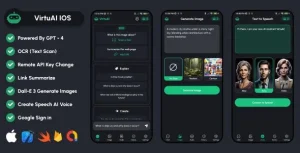
VirtuAI IOS ChatGPT GPT-4, Dall-E-3 AI Art Image, AI Voice Text to Speech Mobile SwiftUI IOS App
Language Translator Free, Camera, Voice, From Photos, Text Translate All