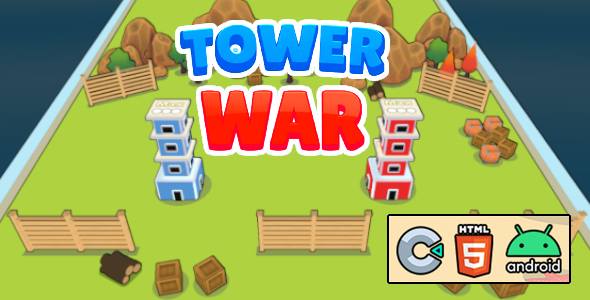
Tower War – C3P + HTML5
Tower War: Technical Overview & Core Architecture
Tower War – C3P + HTML5 is a Construct 3 multiplayer game built on WebGL and Canvas 2D rendering pipelines, specifically engineered for web developers, gaming portal administrators, and educational technology instructors. Its internal code utilizes structured Construct 3 event sheets and localized variable scoping instead of global event listeners to prevent garbage collection spikes and maintain a strict 16.67ms frame budget during high-density entity spawning. The multiplayer core relies on asynchronous WebSocket connections that synchronize structural state changes, coordinate projectile trajectories, and update player health pools on the UI viewport without locking the main execution thread.
Integrating the game project into standard web runtimes requires hosting the exported assets on a static web server and loading the index.html file through a sandboxed iframe or a direct document node. The game engine reads global project attributes directly from its internal configuration file, enabling administrators to modify player movement mechanics, initial tower construction costs, ad network IDs, and basic level difficulties without editing the core Javascript source code.
Key Functional Features of Tower War for Modern Deployments
- HTML5 Multiplayer Game Synchronization: WebSocket-powered server-client syncing matches concurrent players across diverse web environments, displaying real-time movements and health calculations directly in the canvas viewport with sub-50ms latency.
- WebGL Canvas Rendering: The graphic pipeline uses Canvas 2D and WebGL-based batch rendering, keeping visual animations stable at 60 frames per second on both desktop monitors and legacy mobile viewports.
- WebAudio Unlock Logic: Native browser sound engines initiate via user touch interactions, unlocking multi-channel game audio states dynamically to ensure sound playbacks synchronize immediately with physical projectile impact frames.
- Persistent Local Storage Tracking: Game progress data and configuration properties are stored locally inside the browser using IndexedDB registries, which sync directly with native database platforms when executed inside mobile web views.
Real-World Deployment Scenarios
- Digital Entertainment Portal Launch: Deploying an HTML5 multiplayer game on a self-hosted platform attracts competitive players, generating concurrent traffic that populates the active matchmaking queues daily.
- Academic Game Design Sandbox: High school and college computer science courses integrate the modular Construct 3 source file to teach programmatic object pooling, array indexing, and state synchronization principles.
- Mobile Web Application Packaging: Developers wrap the complete web build inside Cordova wrappers to export native mobile installation packages, enabling distribution across traditional mobile software storefronts.
Technical Architecture & Compatibility Standards
The Tower War codebase runs on modern browsers adhering to ECMAScript 6+ runtime execution standards. The application leverages high-performance canvas interfaces to process graphic tasks, requiring minimal system resources and achieving an average initialization time of under 300 milliseconds on mid-range smartphones.
Executing this HTML5 multiplayer game requires static asset hosting capable of delivering Gzip or Brotli compressed runtime binaries. The system supports full cross-platform inter-operability, presenting a standard touch-responsive UI dynamic that auto-scales dynamically across varied screen aspect ratios using coordinate anchoring.
Frequently Asked Questions
Which framework is required to open and modify the project files?
Construct 3 is required to edit the source logic and graphical layers of the codebase. The project files are compiled in the native .c3p format, allowing immediate execution within any web-based Construct 3 editor environment.
How does the multiplayer matchmaking system operate?
The multiplayer system uses WebSockets to connect players directly to a central matchmaker. This design manages player queues, maps lobbies, and handles peer interaction data dynamically to ensure real-time competitive environments.
Does the project package support standard ad network integrations?
Native integration scripts for popular ad platforms are fully built into the event sheets. Developers configure publisher identifiers inside the configuration panel to output interstitial and rewarded video ads automatically during runtime transitions.