
 My Account
Product Overview
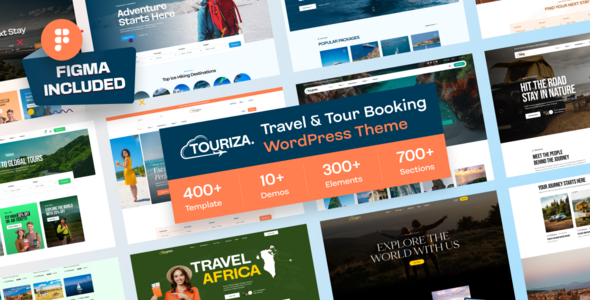
Touriza, a Tour & Travel Booking WordPress Theme, offers a specialized platform for creating and managing tour and travel booking websites. This Touriza – Tour & Travel Booking WordPress Theme targets tour operators, travel agencies, and activity providers needing an online presence with integrated booking. My initial setup wizard experience guided me through content import, laying out pre-built pages for tours, destinations, and agency profiles. The administrative backend adds dedicated menus for tour types, booking calendars, and customer management, distinct from a generic WooCommerce store.
Highlights & Value
- Setting up tour packages felt intuitive. From the dashboard, I navigated to the ‘Tours’ custom post type to add details. The editor presents fields for tour duration, group size, and pricing tiers directly, without complex shortcodes. Each tour listing automatically displays an availability calendar. When a user selects a date, the price updates based on seasonal rates, activating the ‘Book Now’ button.
- The theme integrates a booking system processing reservations directly. Users select their tour, choose a date, input participant details, and proceed to a consistently styled checkout page, avoiding jarring transitions. For payments, I configured built-in options; it supports standard methods, which appeared as radio buttons during checkout.
Real-World Use Cases
- For a small guided hiking company, Touriza allows them to list specific trails, show available dates, and manage bookings directly. Individual tour pages structure well for displaying trail difficulty, required gear, and photo galleries. The integrated review system on each tour page also helps build social proof.
- A travel agency specializing in multi-day international trips can leverage the theme’s structure for detailed itineraries. I found I could easily add multiple ‘activities’ or ‘days’ to a single tour listing, each with its own description and image. This breaks down complex trips into digestible sections for customers.
Technical & Compatibility
Under the hood, Touriza integrates with standard WordPress practices, utilizing custom post types for tours and destinations. The theme relies on Elementor for page building, allowing easy modification of existing layouts or creation of new ones with its drag-and-drop interface. Elementor’s live previews for front-end content adjustments streamlined design tweaks. It also supports popular contact form plugins; I observed correct styling when integrating Contact Form 7.
The theme’s codebase felt well-structured. During customization, I used a child theme to prevent updates from overwriting my changes. The Customizer’s option panel controls color schemes, typography, and header/footer layouts, rendering immediately on live preview. This Touriza – Tour & Travel Booking WordPress Theme handles responsive design effectively; navigating on mobile devices showed layouts adjusting, with tour cards resizing and menus collapsing into a hamburger icon.
FAQ & Tips
One common question concerns customizing booking form fields. While core fields are set, you can extend these using third-party form builder plugins with conditional logic, integrating them into the single tour page via Elementor widgets. A tip: after initial setup for your Tour & Travel Booking WordPress Theme, review pricing rules for seasonality and group discounts. These are configured in the tour editor and impact displayed booking prices.
For performance, I noticed image optimization is key, especially with high-resolution tour photos. Using a caching plugin and optimizing images before upload significantly improved page load times on tour archive pages and detailed listings. The admin area for managing bookings is straightforward; it lists reservations by date and status, allowing quick updates or cancellations directly from the WordPress dashboard.





There are no reviews yet.