
 My Account
 ✅ Product Description
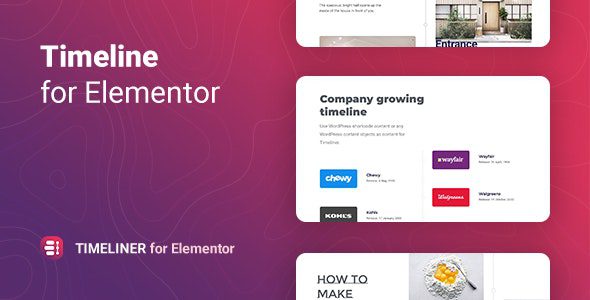
Timeliner – Timeline for Elementor is a storytelling layout tool for Elementor that turns milestones, launches, and case-study phases into a clean, scrollable narrative. This overview explains how a visual timeline can guide visitors through events one step at a time, helping portfolios, product sites, and organizations present history, roadmaps, and processes with clarity.
A timeline is only useful when it stays readable. Cards keep dates, titles, and summaries aligned; anchors enable deep links to any step; and optional media—logos, screenshots, quotes—adds proof without clutter. Editors reorder items by drag-and-drop, group phases into sections, and preview spacing so long sequences still feel calm on mobile.
Design remains consistent while content evolves. You can mix vertical or horizontal flows, alternate sides to improve scanning, and add subtle separators for chapters such as “Discovery,” “Build,” and “Launch.” Clear pagination prevents overload on archives with years of entries, and sticky navigation lets people jump between eras without losing place.
Timeliner – Timeline for Elementor respects accessibility and performance. Semantic headings help assistive tech read the structure; keyboard focus moves logically from item to item; and lightweight assets keep motion smooth even on lower-end devices. Microcopy near calls to action nudges visitors to read a case study, join a webinar, or explore documentation at the exact moment interest peaks.
Story meets action when context sits close to the next step. Roadmaps link to tickets or release notes; brand histories point to press pages; and onboarding timelines connect each milestone to a resource, lesson, or signup. Editors can pin “today” to show progress, or highlight a featured event to anchor the narrative around a key announcement.
Timeliner – Timeline for Elementor scales from one page to many. Use a compact sequence in a product detail, a richer timeline on an “About” page, and a dedicated archive for yearly highlights—all sharing the same card rhythm and spacing tokens so the experience feels familiar across the site.
✅ Key Features
-
Vertical and horizontal sequences with alternating or single-sided layouts
-
Date parsing, grouping by year/quarter, and anchors for deep-linking
-
Media-ready cards (images, icons, quotes) with measured spacing
-
Sticky timeline navigation and optional “today” marker
-
Pagination for long histories and chapter separators for clarity
-
Lightweight assets and accessible heading/focus structure
✅ Use Cases
Startups mapping funding rounds and releases; agencies showing project phases; universities presenting institutional milestones; nonprofits documenting impact by year; HR and onboarding paths; product roadmaps that tie milestones to docs, demos, and signups.
✅ Benefits
Timelines reduce cognitive load by revealing one moment at a time and keeping orientation clear. Teams publish faster with reusable cards, archives stay coherent across seasons, and visitors grasp progress without digging through dense posts. Over time, a steady timeline becomes a trustworthy reference that turns curiosity into action.


There are no reviews yet.