Tairo – Multipurpose Nuxt Tailwind CSS Dashboard System
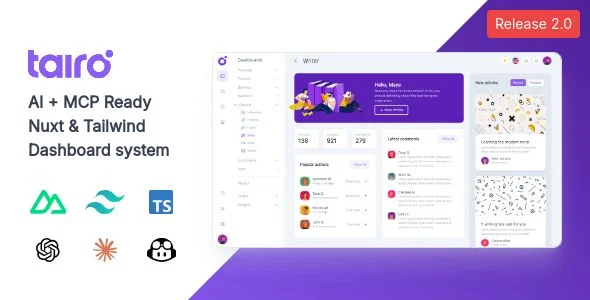
Tairo Overview & Dashboard System Architecture
Tairo Multipurpose Nuxt Tailwind CSS Dashboard System is a Vue 3 application template engineered for full-stack developers and product teams to ship type-safe SaaS admin interfaces without assembling layout primitives from scratch. The package removes fragmented UI assembly by shipping a layered Nuxt codebase, the proprietary Shuriken UI component library, and more than 100 prebuilt pages spanning dashboards, forms, profile screens, and application views. Within agency delivery pipelines, it operates as the administrative front end that teams clone, extend through Nuxt layers, and wire to their own backend APIs before production deployment.
Technical Specifications & Deployment Matrix
The matrix below consolidates the verifiable runtime parameters documented for the 2.0.0 release.
| Engineering Metric | Deployment Specification |
|---|---|
| Base Framework | Nuxt 3 (3.16.0) on Vue 3, migrated to the Nuxt 4 directory structure |
| Runtime & Language Layer | TypeScript with Composition API only; Options API disabled for smaller bundles |
| Build Toolchain | Vite bundler with Rollup production builds and LightningCSS transformer/minifier |
| Front-End Dependencies | Tailwind CSS v4, Shuriken UI v4 component library, reka-ui 2.0.0 primitives, ESLint v9 |
| Rendering & Persistence Footprint | Native SSR with SEO support and prerendered documentation via Nuxt Content 3 hooks; no bundled database layer |
Rendering Pipeline & Extensible Layer Architecture
Every request flows through the Nuxt server-side renderer, which resolves routes, hydrates Vue components, and emits complete HTML for crawlers and first-paint performance. During development, Vite serves modules via native ES Module imports with hot module replacement, while production builds are bundled by Rollup and minified through LightningCSS. Styling is computed by Tailwind CSS v4, whose shadow, radius, blur, and color scales — exposed as CSS variables carrying the tairo prefix — drive every Shuriken UI component.
The architecture is sliced into composable Nuxt layers rather than a monolithic source directory: the sidebar, sidenav, topnav, and collapse layouts each ship as independent layer configurations that a project registers or omits. Addon components — charts, the datepicker, and the Mapbox picker — are imported with the Lazy prefix, so their code splits out of the initial bundle and loads only when a page mounts them. For delivery teams that need dashboard shells spanning additional runtimes, Viho exists as a separate multi-framework alternative covering React, Angular, and Laravel builds.
Core Technical Capabilities of Tairo
- Layered layout system: Sidebar, sidenav, topnav, and collapse layouts ship as swappable Nuxt layer components, each with route-aware collapsible menus that open automatically when the active path matches a menu entry.
- Shuriken UI v4 library: Inputs, selects, checkboxes, sliders, and toasts expose variant props and shape modifiers instead of hard-coded color classes, allowing full retheming through Tailwind tokens.
- Lazy addon ecosystem: ApexCharts, lightweight charts, the v-calendar datepicker, and the Mapbox location picker load only when a page mounts them, keeping the initial JavaScript payload small.
- Bidirectional i18n engine: Switching between example rtl and ltr locales flips layout direction without template rewrites, complementing native dark mode driven by CSS variables.
- Embedded documentation module: Reference docs run on Nuxt Content 3 with prerendered code examples generated from component meta, so documentation ships inside the project it describes.
Production Implementation & Operational Resilience
When deployed to client staging environments, the package prerenders static routes and executes SSR for dynamic ones. Hydration correctness was addressed directly in the 2.0.0 cycle: table head row hydration and general table hydration defects are fixed, which matters for data-heavy admin grids. The Mapbox integration validates its API token at runtime and surfaces explicit errors when a token is missing or rejected, preventing silent map failures in production. Toast notifications default to a z-index of 9999 so confirmations never render beneath modals, dropdowns, or overlay panels.
Customization flows through declared extension points rather than forks: layout layers can be merged or removed, component variants are driven by props, and theming is handled by Tailwind v4 tokens and prefixed CSS variables. Tree-shaking is tuned for date-fns and v-calendar, and ESLint caching keeps CI lint passes fast. Agencies pairing the admin system with a decoupled marketing site can adopt Avrix as an independent React and Next.js front-end path, maintained as a separate codebase from the Vue dashboard.
Frequently Asked Questions
Can Tairo be activated as a theme or plugin inside an existing WordPress installation?
No. The package is Nuxt and Vue application source code, explicitly documented as not being a WordPress theme; it deploys as a standalone Node-built project rather than through the WordPress themes or plugins directory.
Are the photos and illustrations shown in the demo pages included in the main download files?
No. Demo imagery originates from Unsplash, Pexels, Freepik, and Undraw and ships as placeholders only; production teams must replace these assets with their own licensed media before client delivery.
Will the Mapbox location picker and map components render without supplying my own Mapbox access token?
No. Version 2.0.0 introduced explicit token validation with error handling in both the AddonMapboxLocationPicker and map components, so a missing or rejected token produces a handled error instead of a silent failure.
Is the built interface verified across all five major desktop browsers?
Yes. The package is listed as compatible with Firefox, Safari, Opera, Chrome, and Edge, and its Flexbox and CSS grid layout system adapts natively to mobile and tablet viewports.