Spect
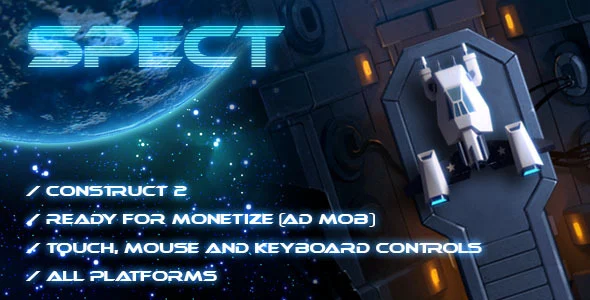
Spect Overview & Canvas-Based Space Shooter Engine
Spect is a Construct 2 HTML5 space shooter built for indie studios and developers who need a multiplatform arcade title deployable across desktop browsers, Android, and iOS. The project compiles more than 100 editor events into an HTML5 Canvas runtime, eliminating the need to hand-write collision loops, input handlers, or frame-by-frame render cycles. Within a production pipeline it functions as a ready-to-compile source package: teams open the event sheets, reskin the layered PNG artwork, bind AdMob identifiers, and ship native builds through IntelXDK wrappers.
Technical Specifications & Deployment Matrix
| Engineering Metric | Deployment Specification |
|---|---|
| Base Technology / Framework | Construct 2 event system (100+ events) exporting to an HTML5 Canvas runtime |
| Runtime / Language Requirements | JavaScript JS, JavaScript JSON, HTML, and PHP files included in the package |
| Browser Compatibility | IE10, IE11, Firefox, Safari, Opera, Chrome |
| Input Systems | Mouse, touch, keyboard (WASD movement, Q missiles, E shield), gamepad, plus a toggleable autoshooting mode |
| Display Architecture | High-resolution multilayered backgrounds with dynamic changes; auto-resizing canvas across screen sizes |
| Asset Format | Layered PNG source artwork rendered from 3D graphics |
| Monetization / Distribution | AdMob integration and IntelXDK packaging for Android and iOS store builds |
Event-Driven Combat Pipeline & Execution Flow
The engine routes every input signal through the Construct 2 event sheet, where conditional blocks translate movement, weapon fire, and shield states into Canvas draw calls each animation frame.
Architectural & Functional Highlights
- 100+ Event Blocks: The complete game logic — spawn timers, collision masks, score arithmetic, and state transitions — lives inside editable event sheets rather than opaque compiled code, so designers can rebalance difficulty without touching script files.
- Multi-Channel Input Abstraction: Mouse, touch, keyboard (WASD for movement, Q for missiles, E for the energy shield), and gamepad input all feed a single control layer, with an autoshooting toggle that simplifies sessions on small touch screens.
- Layered Weapon and Enemy Systems: A laser gun, homing missiles, and an energy shield counter three distinct enemy types, each producing crash effects with visible wreckage on impact.
- Red Line Defense Mechanic: A boundary line deducts score points whenever an enemy crosses it, layering tower-defense-style pressure onto the core shooter loop and punishing passive play.
- Dynamic Parallax Backdrops: Multilayered backgrounds, produced from 3D-rendered source graphics, shift dynamically during play to create perceived depth without shader overhead, and a Facebook share button distributes run results socially.
For studios evaluating parallel arcade offerings on the same HTML5 export pipeline, the Cute Candy Match 3 Construct 3 HTML 5 Game illustrates how a comparable Construct runtime drives match-3 puzzle logic for a different genre and audience segment.
Production Deployment & Implementation Considerations
Editing the event sheets requires a registered personal edition of Construct 2 — the exported JavaScript output is the runtime, not the authoring surface, so behavioral changes must be made in the editor and re-exported. Distribution to native app stores routes through IntelXDK, which wraps the HTML5 build in a native Webview container for Android and iOS, and AdMob identifiers can be bound during that packaging step to activate ad monetization. On the web side, the build runs across IE10, IE11, Firefox, Safari, Opera, and Chrome, while the auto-resize logic adapts the canvas to varying viewports without manual breakpoint configuration. Customization scope covers the layered PNG artwork for full reskins, plus input bindings, weapon timing, and scoring rules adjustable through the event sheet. When the objective extends past the game itself toward a broader mobile web presence, Affan – PWA Mobile HTML Template serves as an independent frontend path for decoupled implementations outside the game runtime.
Frequently Asked Questions
Can the game logic be edited directly in the exported JavaScript files?
No. The authoritative authoring surface is the Construct 2 event sheet, so behavioral changes such as spawn rates, weapon timing, or scoring formulas are made in the editor and re-exported rather than patched inside the generated runtime code.
Does the package include artwork in editable layered form?
Yes. The file inventory contains Layered PNG assets, meaning ships, effects, and backdrops arrive as separated layers that can be recolored, replaced, or recomposited for a complete reskin without redrawing entire scenes from scratch.
Can additional enemy ships be generated from the base assets alone?
No. The base package ships with the existing three enemy types; constructing new ones requires the separately available Gamecraft graphic pack, which adds a Ship Constructor tool plus two additional planet backdrops for expanded level variety.