SpaceWeb v3 | WebView With Remote Config
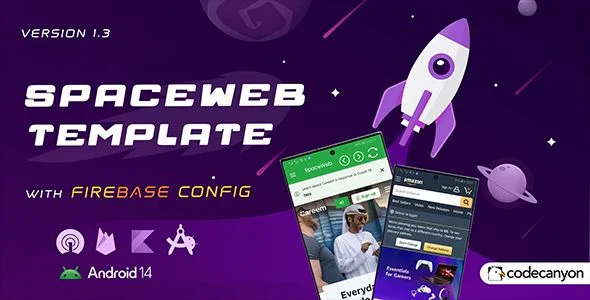
SpaceWeb v3 Overview & Remote-Driven WebView Shell Architecture
SpaceWeb v3 is a Kotlin-based Android WebView application template, engineered for developers and agencies to convert mobile-responsive websites into distributable native Android packages. The package resolves a recurring bottleneck in mobile publishing: shipping behavioral changes such as target URL updates, ad visibility toggles, toolbar styling, and loader appearance without recompiling and resubmitting binaries to app stores. Within agency production workflows, the codebase operates as a remote-controlled shell whose runtime behavior is governed by Firebase key/value parameter pairs instead of hard-coded constants.
Technical Specifications & Deployment Matrix
| Engineering Metric | Deployment Specification |
|---|---|
| Base Technology / Framework | Kotlin, Android WebView container, Android Studio project |
| Runtime / Language Requirements | Android 7.0 (API level 24) minimum; compatible through Android 15.0 |
| Data Exchange / Communication Protocols | Firebase Remote Config (key/value pairs), Firebase Analytics, OneSignal push SDK, AdMob ad serving |
| Front-End / Engine Dependencies | Mobile-responsive target website; navigation drawer; customizable toolbar; built-in loader library |
| Database / Persistence Footprint | No custom on-device database layer; Remote Config values cached client-side between fetch cycles |
Remote Config Execution Pipeline & Key Functional Capabilities
The engine drives every configurable surface through Firebase Remote Config parameter pairs. At launch, the splash screen renders while the WebView container initializes and requests the configured target URL, and the built-in loader library holds a visible loading indicator on screen until the site’s content finishes resolving. Behavioral switches, including the website address, ad display flags, toolbar removal or restyling, drawer visibility, loader color and style, and RTL direction, all resolve from Remote Config values, so an operator editing a key in the Firebase console can shift app behavior across the installed base without touching Kotlin source. The navigation drawer maps user-defined menu actions to URLs, giving users direct routes to primary web pages, while the toolbar can be stripped out entirely for a full-screen presentation. Any responsive storefront, for example one built on the Merto multipurpose WooCommerce theme, loads inside this container, since the shell renders whatever the target site serves. OneSignal handles push token registration and message dispatch, a channel widely used to lift user engagement, and Firebase Analytics instruments usage alongside it.
Core Technical Capabilities of SpaceWeb v3
- Remote Config Runtime Overrides: Website URL, ad visibility, toolbar state, drawer toggle, loader styling, and RTL direction are all governed through console key/value pairs, eliminating rebuild cycles for routine configuration changes.
- OneSignal Push Dispatch: The SDK registers devices for push delivery and pairs with Firebase Analytics as the measurement layer for re-engagement campaigns.
- RTL Layout Engine: Toolbar, sidebar, and menu surfaces mirror their layout direction through a Remote Config flag, covering right-to-left locales without separate layout forks.
- Media and HTML5 Game Rendering: YouTube, Vimeo, and HTML5 video embeds, MP3 and WAV audio, standard image formats, animated GIFs, and HTML5 games execute directly inside the WebView.
- Runtime Permission Gates: Each permission is requested only at the moment its feature is used, following Google’s permission guidelines rather than prompting at install time.
Production Implementation & Operational Resilience
Deployment starts from three prerequisites: the latest Android Studio release, a mobile-responsive target website, and working familiarity with the Android Studio toolchain. The package also depends on two external services the operator must provision, namely an own Firebase project covering Remote Config plus Analytics, and an OneSignal account for notification delivery. Firebase’s free tier absorbs the traffic of most small-to-medium deployments, but usage-based charges apply once an app scales beyond the free quota, so agencies rolling the shell out to high-traffic client properties should model that ceiling before launch. Resilience comes from the loader library’s persistent indicator, which keeps visual feedback on screen whenever remote content is still loading, and from the pre-configured splash sequence, which already handles startup presentation. Device coverage spans API level 24 through Android 15.0, keeping the build viable across both legacy handsets and current flagships in client fleets. For teams evaluating a parallel codebase in the same category, FireWeb exists as an independent Android WebView package with its own AdMob implementation, maintained as a separate source project rather than an extension of this one.
Frequently Asked Questions
Does the delivered package include a compiled APK file for testing before source customization?
Yes, the deliverable ships with an .apk build, so teams can install and evaluate the WebView shell on physical devices before opening Android Studio for any customization or rebranding work.
Does replacing the splash screen require editing Kotlin source code?
No. The splash screen arrives fully configured; swapping the branding only requires dropping the new logo image into the assets folder, with no Kotlin edits or layout XML modifications involved.
Are all runtime permissions requested during installation?
No. The codebase defers each permission prompt until the feature requiring it is actually used, aligning with Google’s runtime permission guidelines rather than batching every request at install time.
Can push notifications operate without an OneSignal account?
No. Push delivery depends on an OneSignal account, while configuration and analytics run through a Firebase project the operator creates; Firebase’s free tier covers typical small-to-medium traffic before usage-based charges apply.