Social Login – WordPress / WooCommerce Plugin
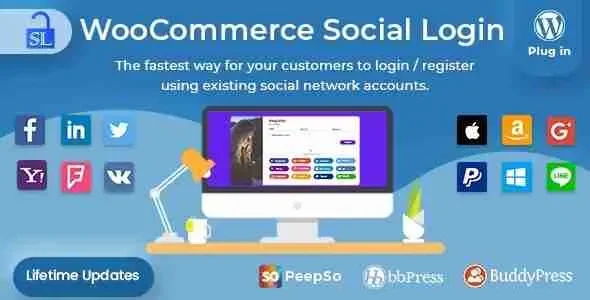
Social Login Overview & OAuth Identity Authentication Layer
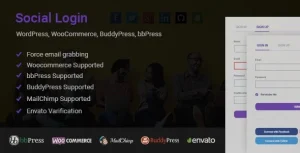
Social Login is a PHP-based WordPress and WooCommerce extension, engineered for store operators and agencies to replace manual account registration with delegated OAuth authentication across multiple identity providers. The module addresses a measurable conversion bottleneck: forcing returning shoppers to create and recall a dedicated username/password pair at checkout increases abandonment and depresses repeat-purchase rates on WooCommerce storefronts. In production, the plugin operates as an authentication middleware that creates real WordPress user records, links them to provider identities, and positions social login buttons at login, registration, checkout, and the Thank You page.
Technical Specifications & Deployment Matrix
| Engineering Metric | Deployment Specification |
|---|---|
| Base Technology / Framework | WordPress plugin (PHP, JavaScript, HTML, CSS); Gutenberg-optimized |
| Runtime Compatibility | WordPress 6.3.x through 6.8.x |
| Commerce Layer | WooCommerce 5.x.x through 9.x.x; WPML-compatible |
| Identity Protocols | OAuth handshake with Facebook, Twitter/X, Google, Yahoo, LinkedIn, Foursquare, Windows Live, VKontakte, PayPal, Amazon, LINE, GitHub, WordPress.com, Apple, plus email login |
| Browser Coverage | IE7–IE11, Chrome, Firefox, Safari, Opera, Edge |
| Community Stack | Interoperable with PeepSo, bbPress, BuddyPress, WP Rocket, Better WordPress Minify, Yith POS |
OAuth Identity Federation & Execution Pipeline
The core mechanism routes inbound authentication through provider-side OAuth handshakes that resolve into native WordPress user accounts. When a visitor clicks a provider button, the plugin redirects the browser to the provider’s consent screen, receives an authorization callback, and then parses the returned identity payload — an email address from Facebook, Google, Amazon, or PayPal, or a handle from Twitter. On first login, the engine provisions a WordPress account using that email as the username and a randomized password, then persists the provider-to-user mapping so subsequent visits require only a single click. Existing customers can attach provider identities at login or from the My Account page, and administrators can surface the same buttons post-purchase on the Thank You page so guests can claim and link their order history before leaving the store.
Core Technical Capabilities of Social Login
- Drag-and-Drop Provider Ordering: The admin interface exposes a drag-and-drop control for resequencing network buttons, so the highest-converting providers render first without template edits.
- Sign-Up Analytics with Graphing: A report page counts registrations per provider and renders a pie graph of network distribution, giving operators verifiable attribution data for each authentication channel.
- Linked-Account Management: Customers can link or unlink social identities from the My Account page at any time, while the underlying WordPress account remains intact and password-resettable through standard email recovery.
- Standalone Operation: The codebase runs independently of WooCommerce and can authenticate users on BuddyPress, bbPress, or PeepSo communities without a commerce layer present.
- Shortcode Deployment: A
[woo_social_login]shortcode injects the button group into any page or post, providing a fallback when theme templates overwrite WooCommerce hooks.
For operators evaluating parallel authentication presentations, Login lightbox wordpress offers an alternative modal-based registration flow with Facebook, BuddyPress, and reCAPTCHA handling for sites that prefer overlay capture forms over inline button groups.
Production Implementation & Operational Resilience
Deployment follows the standard plugin activation path, after which each provider requires its own application credentials configured in the admin panel. Facebook applications on Graph API version 2.12 or greater mandate an HTTPS origin, so staging environments running plain HTTP must terminate TLS before Facebook login will complete. Varnish-cached infrastructure is supported; the handshake survives the reverse proxy layer under standard Vary/Accept-Encoding configurations, and the plugin coexists with WP Rocket and Better WordPress Minify without asset collisions. When themes override WooCommerce templates and strip the required action hooks, the shortcode serves as the graceful fallback for rendering buttons. Data privacy is bounded by design: only login identifiers cross the provider boundary, with no order history or site activity transmitted to social networks. If the plugin is deactivated or removed, every account created through OAuth persists as an ordinary WordPress user, and customers recover access through the native lost-password flow. Apple Sign-In received dedicated token validation and verification fixes in version 2.8.8, and version 2.8.6 resolved a compatibility conflict with Yith POS terminals — evidence of an actively maintained codebase tracking provider API deprecations. For storefronts built on marketplace architectures, Martify operates as a multi-vendor WooCommerce theme whose template structure preserves the WooCommerce hooks this plugin requires. Additionally, teams running coordinated social acquisition alongside login can adopt OpenGraphiq as a separate WordPress utility that generates branded OG and Twitter preview images at publish time.
Frequently Asked Questions
Does the plugin require an active WooCommerce installation to function?
Yes, it runs without WooCommerce. The module operates standalone on WordPress and can authenticate members on BuddyPress, bbPress, or PeepSo communities independently of any commerce layer being installed.
Does Facebook login require the site to be served over HTTPS?
Yes. Facebook applications using API version 2.12 or greater enforce an HTTPS requirement, so the site origin must terminate TLS before the OAuth consent flow will complete successfully.
Is Instagram offered as a login provider?
No. The Instagram login API was deprecated for new users in October 2019 and fully sunset in early 2020, so the provider was removed from the plugin and cannot be configured.
Does Twitter login return a usable email address automatically?
No. Twitter does not expose the user’s email during the handshake, so the plugin prompts the visitor once to enter an email address that is then linked to the newly created WordPress account.