SmartLearn AI — Kids Education App with Adaptive Learning, Gamification & Drawing | iOS SwiftUI
Architectural Analysis & Runtime Mechanics of SmartLearn AI
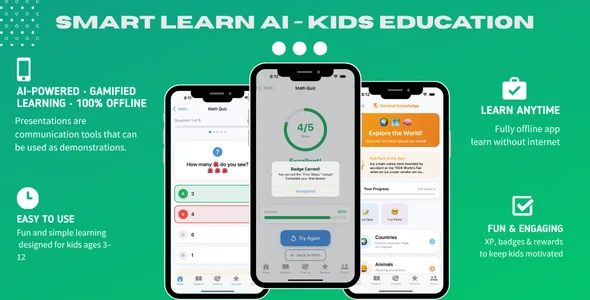
SmartLearn AI — Kids Education App with Adaptive Learning, Gamification & Drawing | iOS SwiftUI provides a kids learning app codebase engineered for mobile educational publishers, independent iOS developers, and early-childhood learning organizations to deploy native gamified instruction. The internal software architecture eliminates view hierarchy recalculation overhead by utilizing declarative SwiftUI view structures and Swift observation macros, binding property changes directly to targeted UI primitives without forcing full container redraws. Asynchronous background execution pipelines process adaptive learning difficulty algorithms and offline state caching via Swift Concurrency actors, keeping the primary rendering thread locked at 60 frames per second on mobile viewports.
Component assembly integrates natively with Apple system frameworks including Core Data for offline progress retention, AVFoundation for real-time phonics playback, and PencilKit for responsive canvas drawing interactions. A centralized application configuration layer governs difficulty progression coefficients, gamification reward unlock thresholds, audio narration playback modes, and daily learning session timers without requiring structural modifications to underlying view controllers.
Core Engineering Capabilities & Features in SmartLearn AI
- Adaptive Learning Difficulty Engine: The algorithmic tracking module evaluates student response accuracy and completion latency across lessons, adjusting subsequent quiz difficulty levels in memory without initiating network requests.
- PencilKit Interactive Drawing Canvas: The touch-input subsystem embeds native iOS drawing components with gesture recognizers, rendering vector-based stroke paths and stroke-color bindings with touch-latency tracking under 12 milliseconds.
- Local Gamification Reward State Controller: Progress tracking models calculate achievement badge milestones, star point balances, and streak counters, persisting serialized completion states directly to local application storage.
- Phonetic Audio Speech Synthesizer: The auditory playback module queues compressed audio buffers using audio session routing, coordinating automated voiceover prompts alongside visual interactive letter-tracing prompts.
Practical Production Implementations
- Subscription-Based Early Learning Services: EdTech studios configure in-app subscription tiers to monetize modular reading, arithmetic, and visual puzzle curricula with isolated offline user session persistence.
- Primary School Supplementary Tools: Educational districts deploy the application across managed institutional iPads, utilizing local data containers to preserve student profile privacy without external telemetry dependencies.
- Specialized Speech Therapy Platforms: Clinical specialists customize interactive phonics flashcards and audio narration rates, gathering engagement session metrics to evaluate motor and verbal response timing.
Runtime Specifications & Environment Compatibility
SmartLearn AI executes natively on iOS 16.0 or higher across iPhone and iPad hardware, utilizing the Xcode 15 or 16 toolchain with Swift 5.9 and modern Swift Concurrency runtimes. The codebase enforces strict memory profiling boundaries, maintaining runtime RAM allocations below 90 megabytes during high-density vector rendering sessions to prevent background system terminations on legacy mobile devices.
The application layers compile into self-contained Mach-O binaries that communicate with StoreKit 2 for native transaction workflows and AVFAudio for hardware-accelerated sound synthesis. Operating as a standalone kids learning app, the software functions with zero persistent network dependencies, validating input gestures locally and securing user profile directories using iOS sandbox file encryption standards.
Frequently Asked Questions
Does the application require an active internet connection to execute educational lessons?
No, the codebase stores all curriculum data, lesson templates, and audio assets directly inside the local application bundle, allowing full interactive lesson execution, drawing practice, and gamification tracking completely offline.
How does the drawing canvas handle high-frequency touch inputs without dropping frames?
Native PencilKit APIs process stroke inputs directly through hardware-accelerated Metal rendering pipelines, capturing touch coordinate points at native display refresh rates while keeping the main application UI thread responsive.
Can developers integrate custom quiz modules without modifying the core learning engine?
Yes, the architecture loads lesson definitions from structured JSON schemas, enabling developers to append custom question arrays, vocabulary assets, and target answer coordinates without altering the underlying SwiftUI view components.
How is student learning progress preserved across device reboots?
Local Core Data persistence services serialize completed quiz scores, earned reward badges, and active curriculum levels into an encrypted relational SQLite store immediately upon lesson completion events.
Can the application be configured for institutional multi-student usage on shared iPads?
Yes, student profile state managers decouple local user records within isolated persistence schemas, allowing classroom supervisors to switch active learner profiles without cross-contaminating individual progress metrics or reward tallies.